Short answer: to design with Claude, ChatGPT or Cursor, connect the tool to Kite once over MCP, then ask for a design the way you would brief a designer. The agent makes a Kite file, draws the screens as real layers while you watch, and gives you the link. Your team edits the same file. When you need the design in Figma, select the frames and use Copy to Figma.
Key takeaways
- Kite is a design canvas your own agent works in. It connects over MCP, the open standard Claude, ChatGPT and Cursor use for outside tools.
- The agent draws editable frames, text and shapes on a canvas that is real HTML and CSS, using your design system's colours, type and components.
- Designs go to Figma with Copy to Figma, and Figma files come in by paste or by link, as layers you can edit.
- It is free to start: 3 files and 200 agent actions a day, with no AI credits.
What you need
MCP (Model Context Protocol) is an open standard that lets an AI assistant use outside tools and data. Anthropic open-sourced it in November 2024, and its own site calls it “a USB-C port for AI applications”. Kite is an MCP server, so any assistant that speaks MCP can use it as its design tool.
- A Kite account. The free plan is enough to start.
- An AI tool that can connect to an MCP server: Claude, ChatGPT, Cursor, Claude Code, Codex, VS Code and more.
Kite's address for agents is https://kite.new/api/mcp. It is a streamable HTTP server that signs in with OAuth: the first time your tool uses Kite, a browser window opens, you sign in and click Allow. There is no key to copy.
Connect your tool
| Tool | How to connect |
|---|---|
| Claude | Kite is in Claude's connector directory. Click Connect, then Allow when Kite asks. Works on claude.ai and the desktop and mobile apps. |
| ChatGPT | Open ChatGPT's form for a new app, name it Kite, paste the address under Connection and keep OAuth. No form? Turn on Developer mode in Settings → Security and login. |
| Cursor | Use Add to Cursor, click Install, then sign in to Kite when asked. |
| Claude Code | With Kite for Mac, click Add to Claude Code in its settings. Without it, run this, then /mcp to approve: |
Every other tool has its own steps in Choose your client.
Ask for a design
Brief the agent the way you would brief a designer: what the screen is for, who uses it, and what it must include. The more of that you give, the less it guesses. Prompts that work well:
- “Make me a launch banner in a new Kite file, then give me the link.”
- “Design a landing page for a bike repair shop in a new Kite file: a hero, three services, prices and a contact form.”
- “In my open Kite file, make a phone version of the Home frame beside it.”
- “Make three versions of this card with different layouts, side by side.”
Your agent can see which file you have open and what you have selected, so “this” means what you mean: select a frame, then ask it to “make this denser”. It draws by writing HTML that becomes frames, then looks at each section as a picture to check its work before it says it is done.
Watch it work
Open the link your agent gives you, or keep the file open. While it works:
- The frames it is changing glow in its colour.
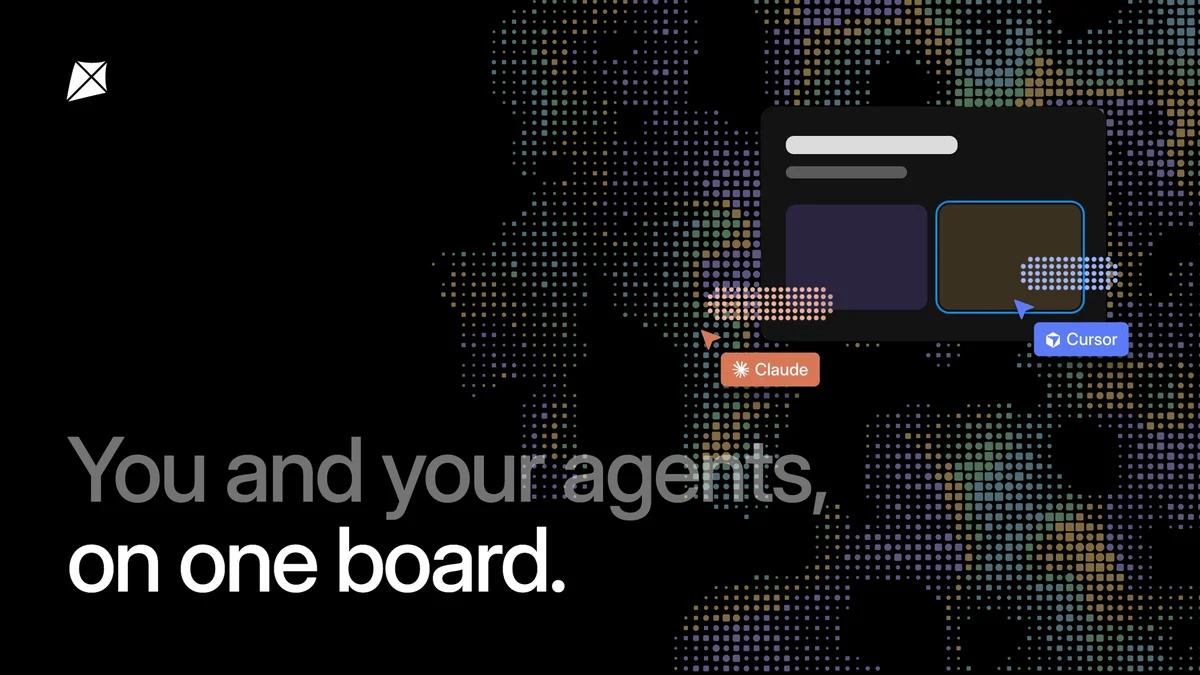
- A pill above the toolbar says who is at work and where, such as Claude is designing Home.
- Its cursor, with its name, moves to each piece as it lands, so the screen builds up section by section.
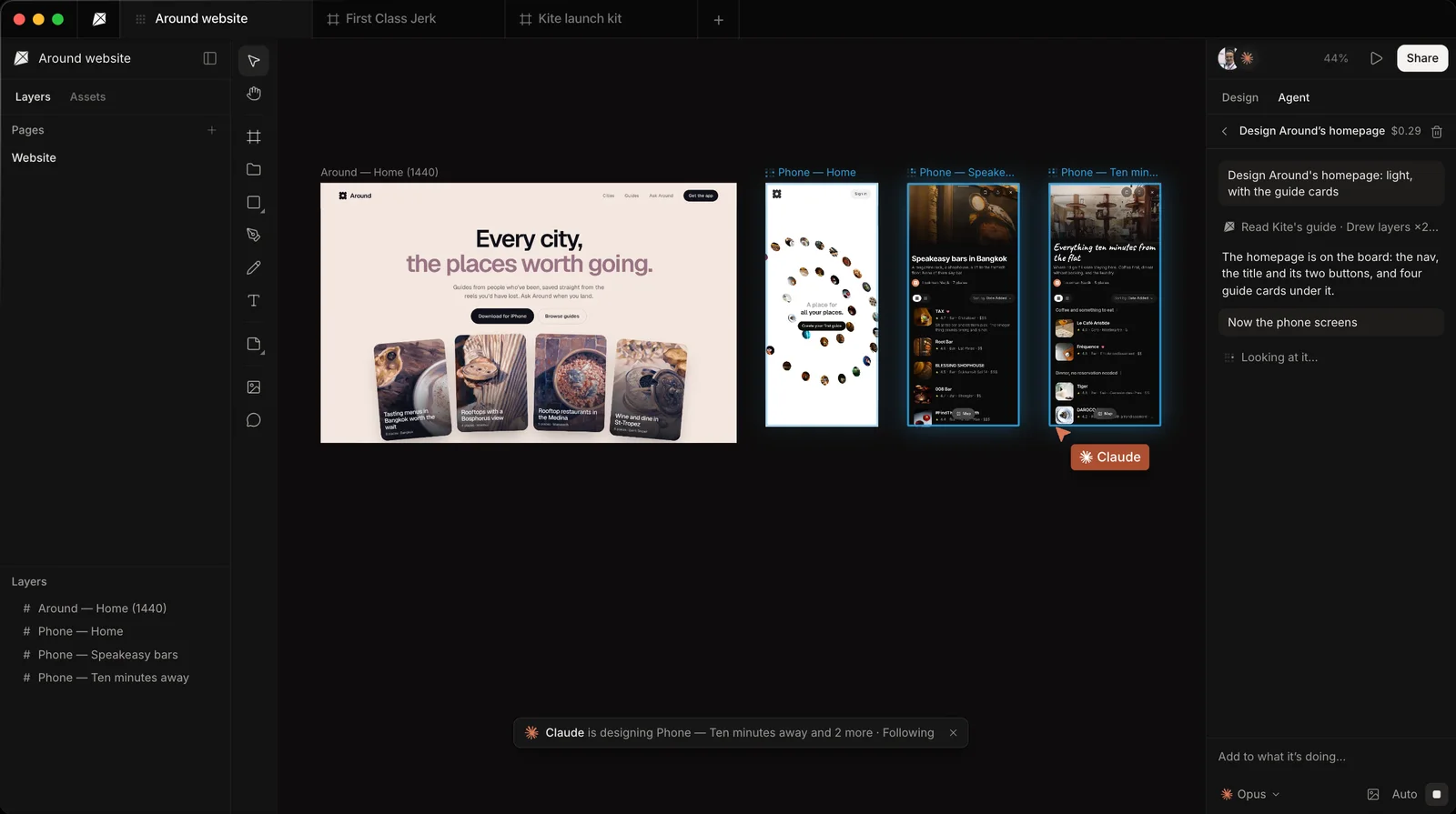
You can keep working in the same file. What the agent draws is ordinary layers you can select, change or undo. Your agent can also save a version before a big change, and on Pro the file's full version history lets you take it back. More in Working with agents.
Keep it on brand
An agent keeps to your brand because it reads the file's design system before it draws. That system holds your colours, type, spacing, corners and shadows as variables, your components, and your skills: short rules in plain words, such as a brand's look or how its social posts are made. The agent then writes those variables instead of fixed values, so a change to one colour follows through every frame it drew.
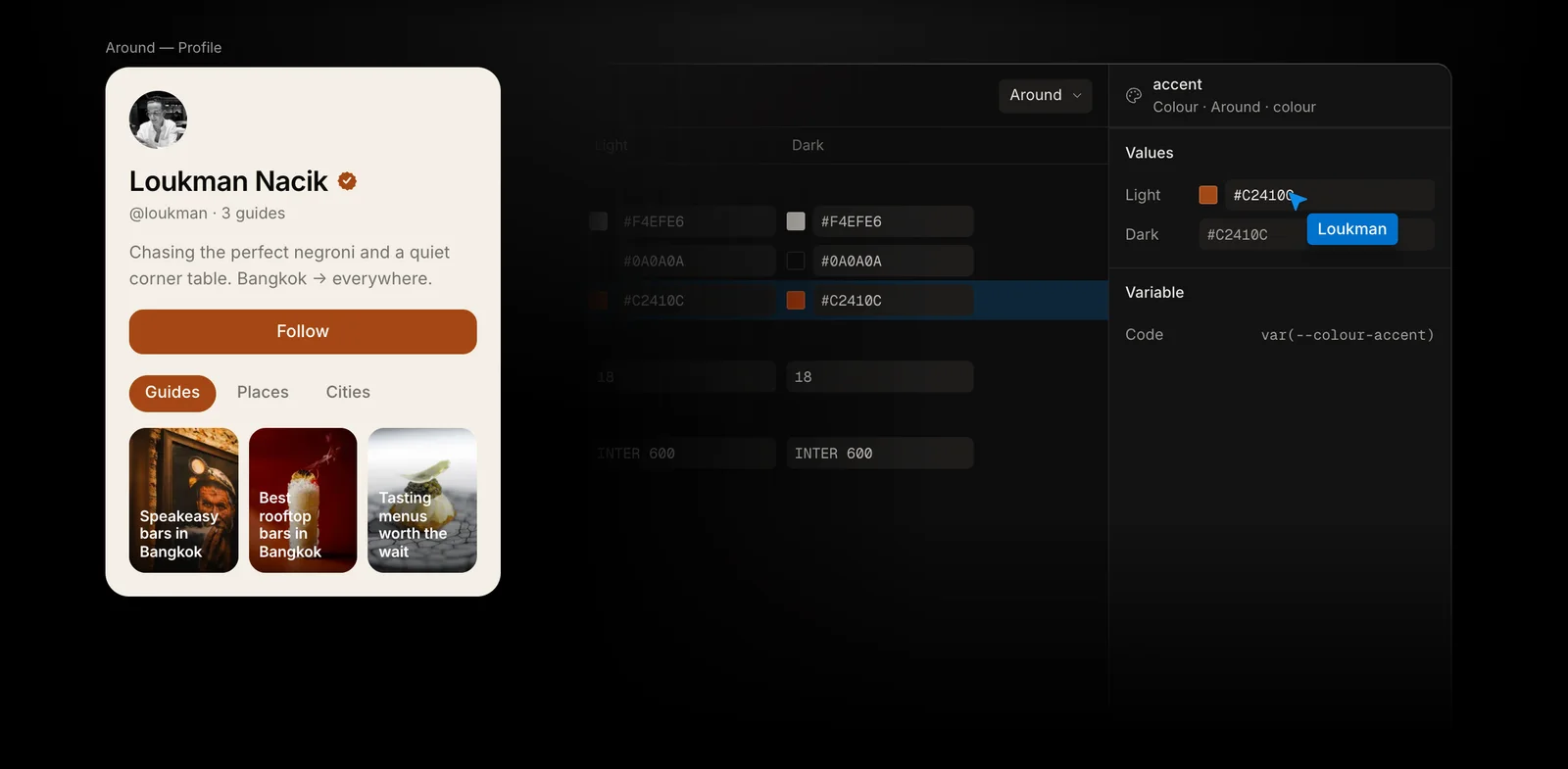
To start one, choose a design system in the file's Assets tab, or ask the agent to make one from your brand or your website. See Design systems.
Hand off work in comments
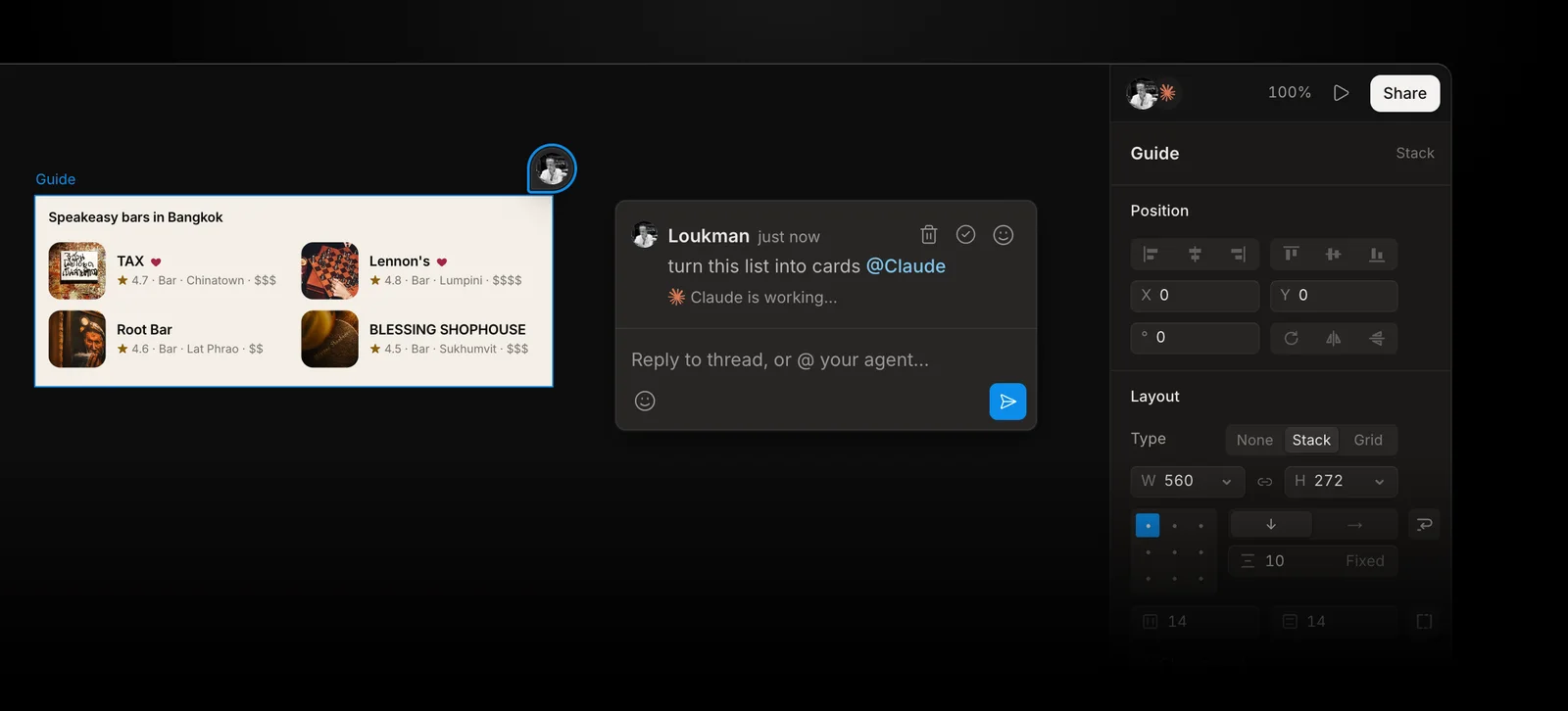
You can ask for the next change from inside Kite. Press C, click the frame, and mention your agent as you would a teammate: “@Claude make this card denser”. The comment shows where the request stands, from Waiting for Claude to Done by Claude, and the agent says what it changed in a reply.
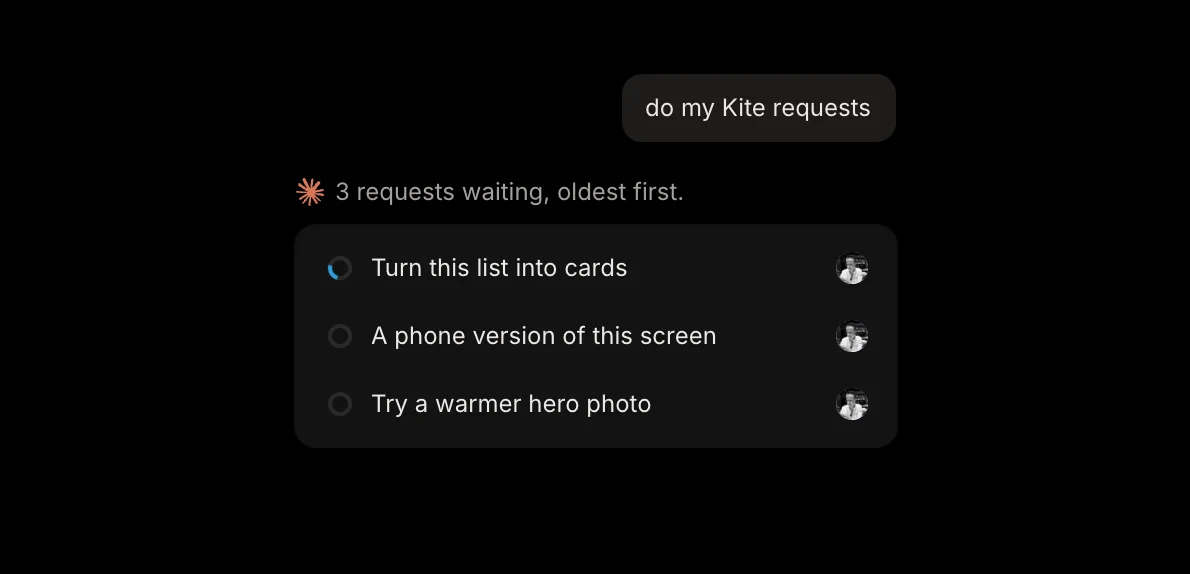
In a browser, tell your agent do my Kite requests in any chat and it works through them, oldest first.
In Kite for Mac, a request for Claude Code or Codex can start as soon as you send it.
Can Claude design in Figma?
Yes, with limits. (Here, Claude means the assistant you chat with or code with; Claude Design is Anthropic's separate design product, covered below.) Since March 2026, Figma's own MCP server can write to Figma files: its use_figma tool runs code through Figma's Plugin API to build frames, components, variables and auto layout. According to Figma's developer docs, it works only through Figma's remote server, on the Professional, Education, Organization and Enterprise plans, with edit access to the file. It is in beta, free for now, and will become “a usage-based paid feature”.
How often an agent can read from Figma depends on the seat. Figma's rate limits give View and Collab seats up to 20 calls a month, and Full or Dev seats on the Professional plan up to 200 a day. Tools that write to files don't count toward those limits.
Use Figma's MCP server from Claude or Cursor
Figma's remote server lives at https://mcp.figma.com/mcp, and you sign in with your Figma account the first time you connect. Only clients in Figma's MCP catalog can connect, such as Claude Code, Cursor, Codex and VS Code. In Claude Code, Figma recommends installing its plugin with claude plugin install figma@claude-plugins-official; in Cursor, type /add-plugin figma in the chat, then connect it under Tools & MCP. The full steps for each client are on Figma's setup page.
Two related routes don't reach a Figma design file at all:
- Claude Design is Anthropic's design product, launched in April 2026. Its launch post lists exports to Canva, PDF, PPTX and standalone HTML, and a handoff to Claude Code. Figma is not on the list.
- The Figma app in ChatGPT makes FigJam diagrams and Figma Slides decks. Figma's help page says ChatGPT can't create files for its other products, which includes Figma Design.
Kite is a third route. The agent designs in a Kite file from any MCP client, on any plan including free, and Copy to Figma moves the frames into Figma as editable layers when the team needs them there.
Send a design to Figma, or bring one in
Kite and Figma trade designs both ways as layers, so you can let an agent draw in Kite and still hand the result to a team that works in Figma.
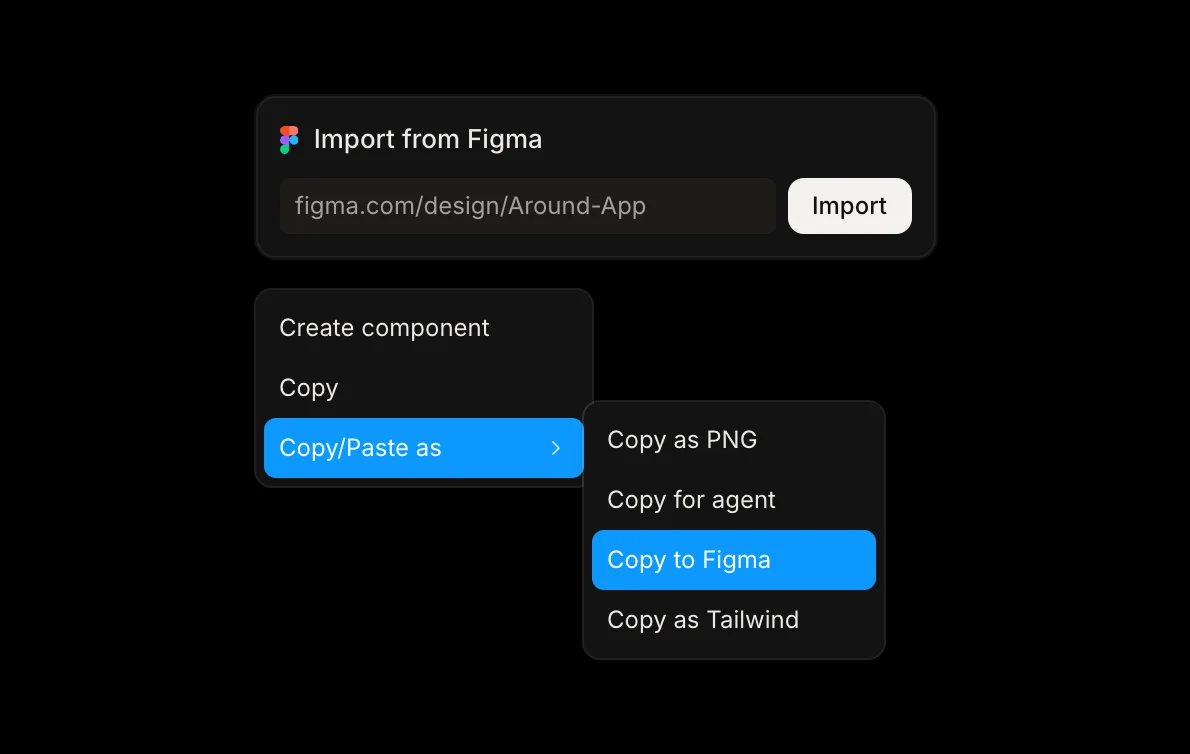
From Kite to Figma
Copy to Figma is Kite's way to hand frames over: it puts them on the clipboard in the form Figma pastes as layers.
- Select the frames or layers in Kite.
- Right-click and choose Copy/Paste as → Copy to Figma. Kite says when it is on the clipboard.
- In Figma, press ⌘V.
Frames, auto layout, text, shapes and pictures arrive as layers you can edit, at the sizes Kite drew them. Components arrive as ordinary frames, and colours from your design system as plain colours. Figma needs the fonts too: one it doesn't have shows as a missing font.
From Figma to Kite
To bring a few frames, copy them in Figma and paste them into a Kite file. A paste brings the variables and styles Figma's copy includes, which join the file's design system by name.
To bring a whole file, copy its link in Figma, choose Import from Figma on Kite's new tab page, paste the link and choose Import. Every page of the Figma file becomes a page of one new Kite file, with its pictures. Kite reads your Figma files with your own access and can't change anything there. The details are in Figma in Kite's docs.
Claude Design, Figma's MCP or Kite: side by side
The three routes suit different teams. Pick Figma's MCP when your team already works in Figma on a paid plan and the agent should edit those files. Pick Claude Design for quick visual work inside Claude, such as decks and prototypes. Pick Kite when any assistant, not only Claude, should draw in a shared file your team edits, starting free. As of October 28, 2026:
| Claude Design | Figma's MCP | Kite | |
|---|---|---|---|
| Where the agent designs | Claude Design's own canvas | Your Figma file | A Kite file |
| Which assistants | Claude | Clients in Figma's MCP catalog | Any MCP client with sign-in; guides for 12 |
| To start | A Claude plan | A paid Figma plan, edit access | Free: 3 files, 200 agent actions a day |
| Status | Research preview at launch | Beta | Available |
| Your design system | Built from your code and design files | Your components and variables | Variables, components and skills, read before drawing |
| Into Figma | No Figma export listed | Already there | Copy to Figma, as layers |
For more design tools your agent can draw in, see Figma MCP alternatives. For Figma replacements beyond agents, including free and open-source ones, see the best Figma alternatives.
Limits to know
- Free plan: 3 files and 200 agent actions a day. Pro ($20 per editor a month, or $16 a month billed yearly) removes both limits.
- Big Figma files: a very picture-heavy file can bring some pictures in as grey placeholders, which you can fill by pasting those frames again later.
- Very large Figma files: a file with more pages than Kite can read in one go is refused whole. Import a copy with fewer pages, or paste the frames you need.
- What doesn't cross over: Figma masks come in unclipped, FigJam stickies and connectors stay behind, and an import by link brings layers and pictures but not Figma's variables. Make a design system from a frame instead.
- Into Figma: components land as plain frames and design-system colours as plain colours.
Methodology: on October 28, 2026 we checked every Kite step and limit above against Kite's own docs, and every Figma and Anthropic fact against their own docs and announcements, linked in place. Both products change quickly, so this guide is fact-checked again each quarter.
Questions
- Can Claude design convert to Figma?
- Not directly. Claude Design's launch post lists exports to Canva, PDF, PPTX and HTML, and Figma is not one of them. There are two ways to get Claude's design work into Figma as layers. On a paid Figma plan, Claude can write into a Figma file through Figma's own MCP server, which is in beta. Or Claude can draw in a Kite file, on any plan including free, and you paste the frames into Figma with Copy to Figma.
- Is Kite free?
- Yes. The free plan has unlimited editors and viewers, a workspace of your own with 3 files, and 200 agent actions a day. Pro is $20 per editor a month, with unlimited agent actions. There are no AI credits: your agent runs on the plan you already pay for.
- Which AI tools can design in Kite?
- Any tool that connects to an MCP server over the web with sign-in. Kite has step-by-step setup for Claude, Claude Code, ChatGPT, Codex, Cursor, VS Code, GitHub Copilot CLI, Grok, Manus, v0, Antigravity and Muse.
- Does it work with Cursor?
- Yes. Use Add to Cursor in Kite's docs, click Install, then sign in to Kite when Cursor asks. Cursor's agent can then make Kite files, draw in them and read your comments, the same as Claude or ChatGPT.
- Do I need to install anything?
- No. Kite runs in the browser and the connection is a web address. Kite for Mac is optional: it adds Claude Code and Codex in one click and lets a request in a comment start your agent straight away.
- Can my team change what the agent draws?
- Yes. An agent draws ordinary layers in a shared file, so anyone who can edit the file can select them, change them or undo them, and leave a comment for the agent to pick up.