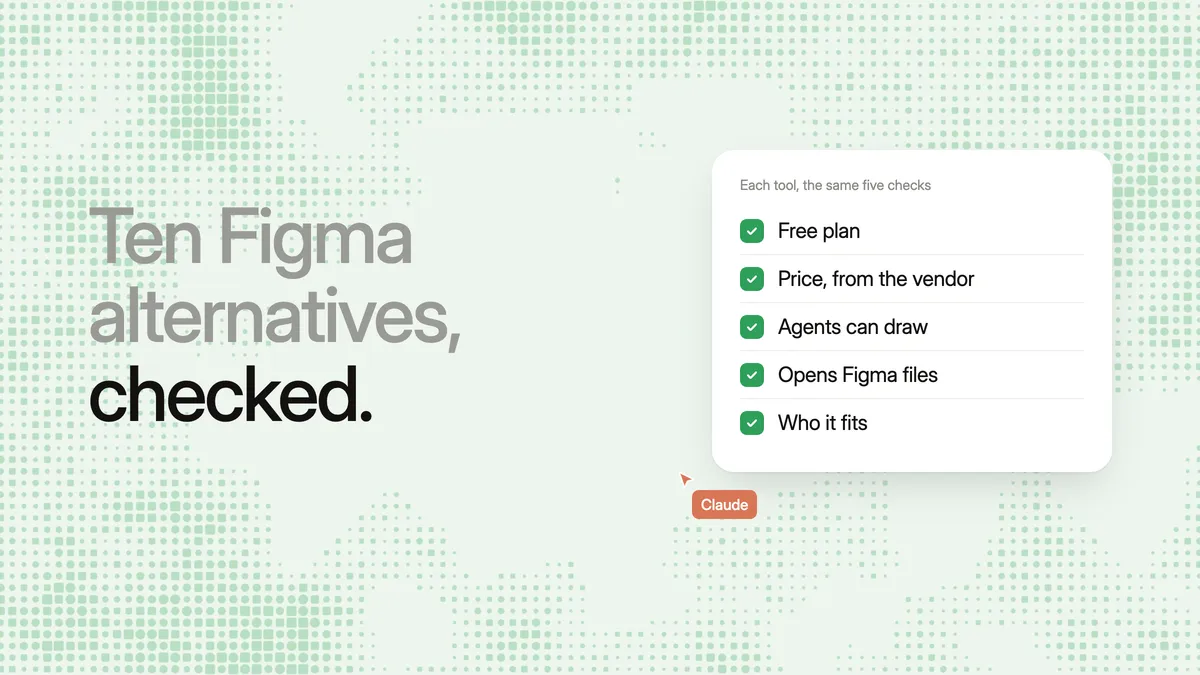
Short answer: the best Figma MCP alternatives in October 2026 are Kite, paper.design, pen.dev, Google Stitch and Penpot, because each one lets your AI agent create and edit designs over MCP, which Figma's own server does only in beta, on paid plans, from approved clients. Pick Kite for a hosted server any MCP client can sign in to for free, paper.design or pen.dev for a local agent on one machine, Stitch for screens Gemini generates, and Penpot for open source.
Key takeaways
- On Figma's free plan, its MCP server gets up to 20 calls a month and can't write to files. Drawing needs a paid plan and is in beta.
- These five design tools have MCP servers that let an agent build designs: Kite, paper.design, pen.dev, Google Stitch and Penpot.
- The big split is where the server runs. Kite, Stitch and Penpot host one; paper.design and pen.dev run on your machine with the app open.
- You don't have to leave Figma behind: Kite imports Figma files by link and sends frames back with Copy to Figma.
Who this is for
This shortlist is for people who want their AI agent to design, not only to read a design and write code from it. You may have tried “MCP Figma” from Claude, Cursor or ChatGPT and hit one of three walls. The free plan runs out after 20 calls a month. Drawing in the file needs a paid plan. Or your client isn't one Figma accepts.
MCP (Model Context Protocol) is the open standard that lets an AI assistant use outside tools. Anthropic open-sourced it in November 2024, and the protocol's site describes it as a standard way to connect AI applications to external systems. A design tool with an MCP server is one your agent can open, read and change. If you only need design-to-code from files your team already keeps in Figma, skip to when Figma's own MCP is still the right pick, below.
What Figma's MCP does today
Figma's MCP server is Figma's official connection for AI agents. It started as a way to read designs into code, and since March 2026 it can also write. As of October 28, 2026, Figma's own docs set these terms:
- Writing is in beta, on paid plans. The
use_figmatool builds frames, components, variants, variables and auto layout through the Plugin API. According to Figma's write-to-canvas page, it needs the Professional, Education, Organization or Enterprise plan, edit access to the file and the remote server. It is free during the beta and will become “a usage-based paid feature”. - Starter, View and Collab seats barely read. Figma's rate limits give View and Collab seats, and the free Starter plan, up to 20 calls a month. Full and Dev seats on Professional get up to 200 a day and 10 a minute. Write tools are exempt.
- Only catalog clients connect. The remote server at
https://mcp.figma.com/mcpaccepts clients in Figma's MCP catalog, such as Claude Code, Cursor, Codex and VS Code, per its setup page. - The desktop server can't draw. Figma's help centre says the desktop server doesn't support writing to the canvas.
- ChatGPT is listed, with a catch. Figma's MCP catalog lists ChatGPT with read and write access, under the same plan limits. But Figma's help page for the Figma app in ChatGPT says that app creates only FigJam diagrams and Figma Slides decks.
So “Figma MCP free” means 20 reads a month and no drawing. That is the gap the tools below fill.
The shortlist
Each entry below says what the agent can do, how you connect it, which plan you need and the limits that matter. Competitor facts come from each company's own docs and pricing pages, read on October 28, 2026. The order isn't a ranking: pick by where your agent runs, using the table below. We left out tools whose agents make other things, such as Canva for marketing graphics (see hosted design MCP servers) and Framer for websites you publish (see paper.design alternatives), because this list is about designing product screens.
1. Kite: a hosted server any agent signs in to
Kite is a design canvas built for the agents people already use. Kite has no AI chat of its own: Claude, ChatGPT, Cursor, Codex or any other MCP client connects and draws. A design is real HTML and CSS, so agents write in a language they already know.
- What the agent can do: make files and pages, draw frames by writing HTML and edit layers in place. It builds components with variants, changes the design system's variables and modes, and follows its skills. It checks its work as a picture and answers comments. There are 59 tools, listed in what agents can do in Kite.
- Setup: one address,
https://kite.new/api/mcp, a streamable HTTP server that signs in with OAuth. There is no key to copy. Kite has step-by-step guides for Claude, Claude Code, ChatGPT, Codex, Cursor, VS Code, GitHub Copilot CLI, Grok, Manus, v0, Antigravity and Muse. Kite for Mac adds a local server for agents on your machine. - Plan: per Kite's pricing, free has unlimited editors and viewers, a workspace with 3 files and 200 agent actions a day. Pro is $20 per editor a month ($16 billed yearly) with unlimited agent actions. There are no AI credits: your agent runs on the plan you already pay its maker.
- Limits: Kite is a hosted service: it is not open source and you can't host it yourself, so Penpot fits better when that matters. Kite is also younger than Figma, so a company whose libraries, plugins and admin all live in Figma has more to move.
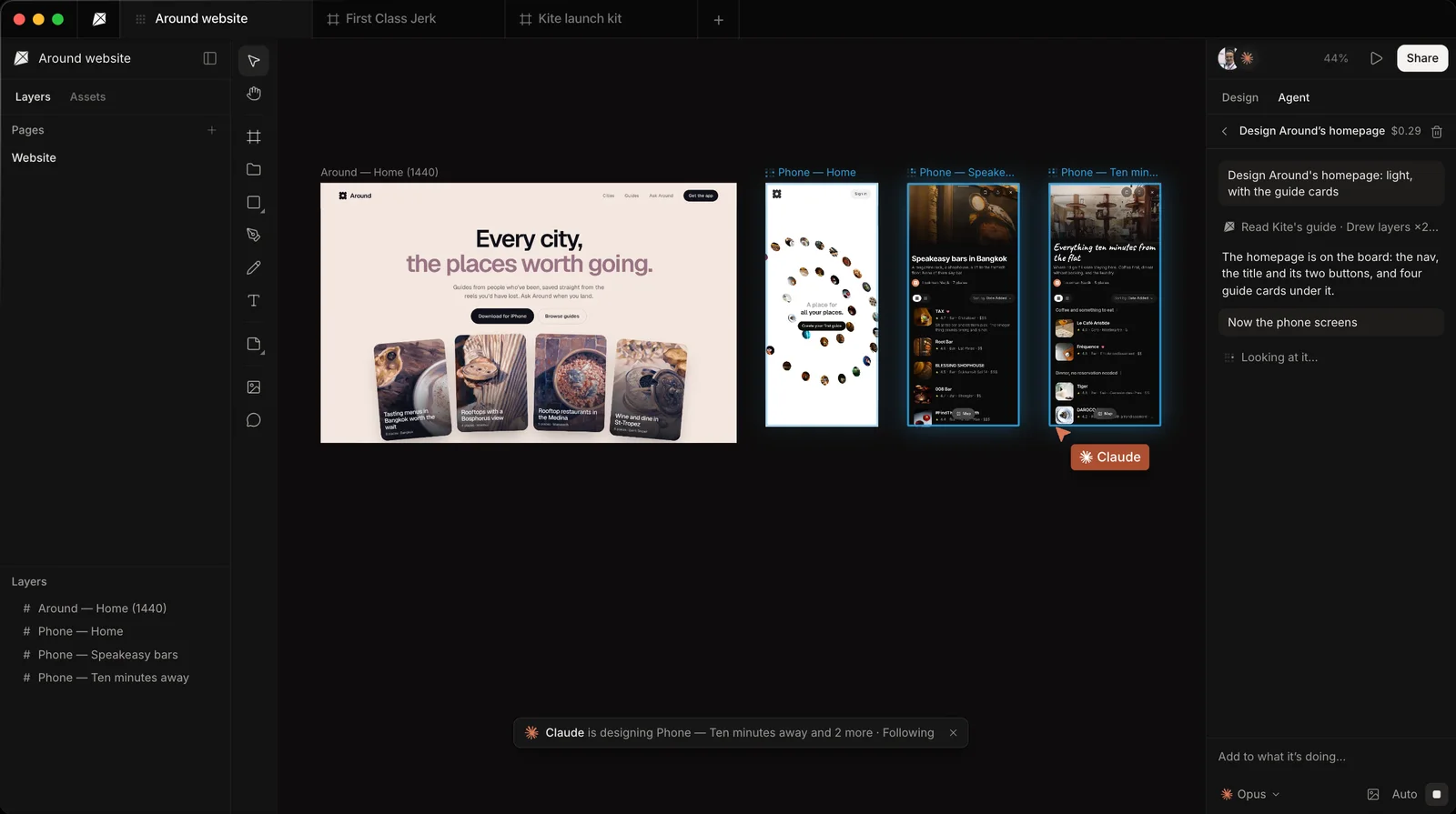
Best for: a team that wants agents from any client, including ChatGPT in the browser, drawing in one shared file.
2. paper.design: an HTML canvas on your desktop
paper.design is a design tool built on HTML and CSS. Its MCP docs say agents can read and write paper.design files: generate a layout, pull in real content, or turn a frame into code.
- Setup: install and open the paper.design desktop app, which starts the MCP server and installs a CLI. One-click setup covers Claude, Codex, Cursor, OpenCode, Antigravity, GitHub Copilot and VS Code; others take a manual stdio config. Reads and writes go to the file open in the app.
- Plan: as of October 28, 2026, paper.design's pricing gives the free plan unlimited editors and viewers with 100 MCP tool calls a week. Pro is $20 per editor a month ($16 billed yearly) with 1M calls a week.
- Limits: the server lives on your computer, so an agent elsewhere, such as ChatGPT in a browser, can't reach it.
Best for: one designer with a local agent who wants an HTML canvas. Our Figma MCP vs paper.design comparison goes deeper.
3. pen.dev: local design files your agent edits
pen.dev, formerly Pencil, is a desktop app, an extension for VS Code and Cursor, and a CLI. Designs are local .pen files. Its AI integration docs describe two routes: an agent built into the app, or an outside MCP client.
- Setup: open a
.penfile, then turn on your client in Settings → MCP. The install guide lists Claude Code, Codex, Gemini CLI, Antigravity, OpenCode, Kiro and Claude Desktop; the ChatGPT desktop app shares Codex's config. The server talks to the running app over a local socket. - Plan: per pen.dev's pricing on October 28, 2026, MCP tool calls are unlimited on every plan. But the free plan includes only 5 days a month designing with an agent, one agent at a time. Pro is $16 per user a month, every day, with up to 3 agents in parallel; Ultra is $48 with up to 6.
- Limits: the app must be running with the document open, and files sit on your disk rather than in a shared cloud file.
Best for: a developer who designs next to code in their editor and wants several local agents at once.
4. Google Stitch: screens generated by Gemini
Google Stitch is a Google Labs tool that turns prompts, sketches or screenshots into UI and front-end code. Its MCP server works differently from the others: your agent asks Stitch to generate or edit screens, and Gemini does the drawing.
- What the agent can do: the tool reference lists 14 tools, including
generate_screen_from_text,edit_screens,generate_variantsand design-system tools that read aDESIGN.md. A screen comes back with its HTML, a screenshot and a Figma export. - Setup: a hosted server at
https://stitch.googleapis.com/mcp. The setup guide uses an API key from Stitch's settings for Gemini CLI, Cursor, Antigravity, VS Code and Claude Code. Its OAuth route goes through the Google Cloud CLI, with a token you refresh about every hour. - Plan: Stitch's FAQ says it is free of charge for now, with a daily credit limit that resets at midnight UTC, for users 18 and over where Gemini is available.
- Limits: your agent prompts Gemini rather than placing layers itself, so precise edits depend on how Gemini reads the request.
Best for: fast first drafts of app screens at no cost. See Stitch MCP vs Figma MCP for the head-to-head.
5. Penpot: open source, with its own server
Penpot is an open-source design platform you can use in the cloud or host yourself. Its MCP help page says an agent can read and change components, styles, tokens, pages and layers, and create new screens from an existing design system.
- Setup: turn on the MCP server in Your account → Integrations, generate an MCP key and add the server URL, which carries the key, to your client. Then open a file and choose File → MCP Server → Connect. A local server is also available with
npx @penpot/mcp@stable. - Plan: Penpot's pricing lists a free Professional plan, Unlimited at $7 per editor a month (capped at $175), and Enterprise at $25 per member. Its MCP page says the server is free and open.
- Limits: the agent works on the page in focus in one active Penpot tab. That tab must stay awake: if the browser puts it to sleep, tasks stop until it wakes.
Best for: teams that want open source, self-hosting and no vendor lock-in.
Figma MCP alternatives compared: hosting, free plan, price
As of October 28, 2026, from each tool's own docs and pricing pages linked above:
| Tool | Where the server runs | How the agent designs | Free plan | Paid from |
|---|---|---|---|---|
| Figma's MCP | Hosted (writes); desktop server reads only | Writes in beta with use_figma | 20 calls a month, no writing | Professional plan (see Figma's pricing); writing to become usage-based |
| Kite | Hosted, OAuth sign-in; local with Kite for Mac | Draws and edits layers itself | 3 files, 200 agent actions a day | $20 per editor a month ($16 yearly) |
| paper.design | Your computer, app open | Reads and writes the open file | 100 MCP calls a week | $20 per editor a month ($16 yearly) |
| pen.dev | Your computer, app or IDE open | Edits the open .pen file | 5 agent days a month, 1 agent | $16 per user a month |
| Google Stitch | Hosted, API key or gcloud token | Prompts Gemini to generate screens | Free, daily credit limit | No paid plan listed |
| Penpot | Hosted with a key, or local; plugin in an open tab | Runs code against the open page | Free plan, free MCP server | $7 per editor a month |
Each tool counts use differently (actions, calls, agent days, credits), so the free plans aren't directly comparable. If your agent lives in the cloud, the first column decides most of it.
When Figma's own MCP is still the right pick
Be honest about the cost of moving. Figma's server is the better choice when:
- Your team already pays for Full or Dev seats, and the company's libraries, branching and admin live in Figma.
- Your agent mostly reads approved designs to write code, which 200 calls a day on Professional covers.
- Your client is in Figma's catalog, such as Claude Code, Cursor, Codex or VS Code, and the beta write tools are good enough for your files.
- You need the agent to build with the exact components your engineers already map to code.
Figma itself asks you to test writes on a duplicate file and to expect output that “may need manual review and cleanup” during the beta. For the wider choice between the two tools, read our list of Figma alternatives if you are weighing a full move.
Move agent work to Kite and keep Figma
Moving your agent's work to Kite doesn't cut you off from Figma. Designs cross both ways as editable layers, so the agent can draw in Kite while the rest of the team stays in Figma.
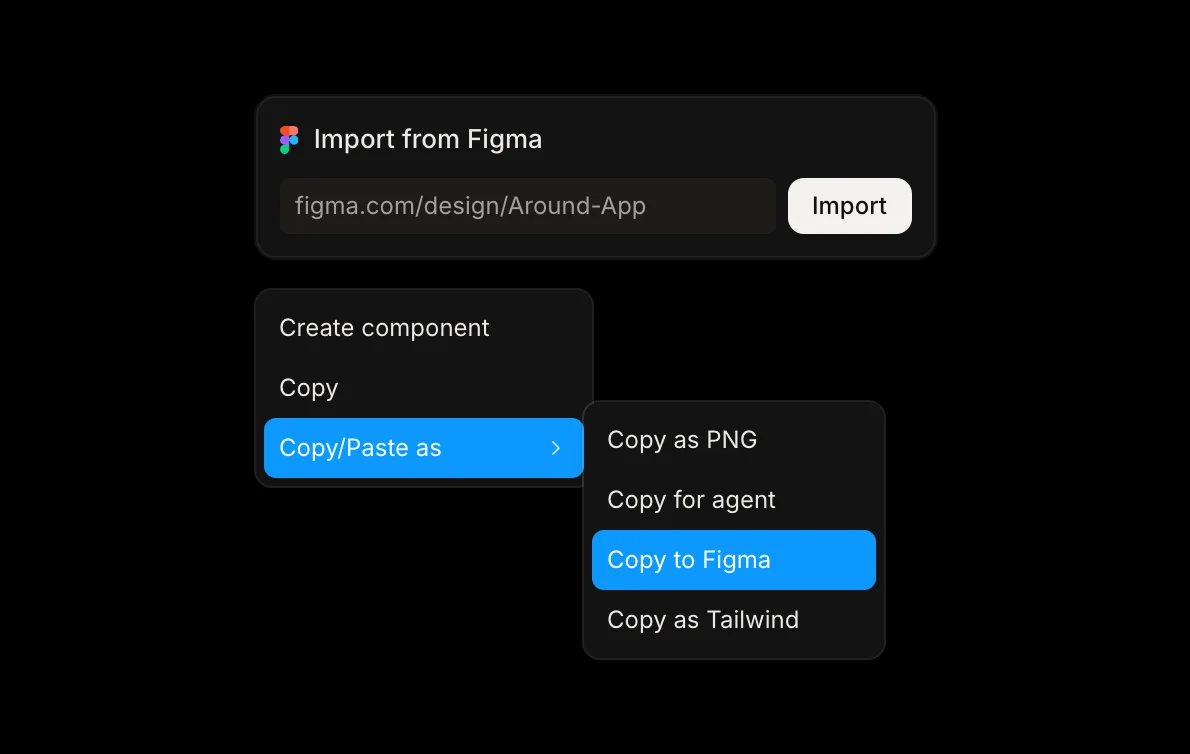
- Bring your work in. Copy frames in Figma and paste them into a Kite file, or choose Import from Figma on the new tab page and paste a file link. Every page becomes a page of one new Kite file, with its pictures. Kite reads Figma with your own access and can't change anything there.
- Connect your agent with the address above, and ask it to read the file's design system before it draws.
- Send results back. Select frames, right-click and choose Copy/Paste as → Copy to Figma, then press ⌘V in Figma.
Know what changes on the way. Components arrive in Figma as ordinary frames and design-system colours as plain colours. An import by link brings layers and pictures but not Figma's variables, and a paste or import brings masks in unclipped. A very picture-heavy file can bring some pictures in as grey placeholders you can fill later. The details are in Kite's Figma docs.
Methodology: on October 28, 2026 we checked every Figma, paper.design, pen.dev, Google Stitch and Penpot fact above against that company's own docs, help pages and pricing, linked where each fact appears. We checked every Kite fact against Kite's own docs and pricing. Plans and limits in this space change often, so this shortlist is checked again each quarter.
Questions
- Is Figma's MCP server free?
- Only in a small way. On Figma's free Starter plan the server allows up to 20 calls a month and can't write to files; View and Collab seats on paid plans get the same 20 calls. Writing needs a Professional, Education, Organization or Enterprise plan; it is free during the beta and will later be a usage-based paid feature. Free alternatives with an MCP server: Kite gives 200 agent actions a day and Penpot a free MCP server. paper.design gives 100 MCP calls a week, pen.dev 5 days a month with an agent, and Google Stitch a daily credit limit.
- Can Figma's MCP server create designs?
- Yes, in beta. Its use_figma tool runs code through Figma's Plugin API to build frames, components, variables and auto layout. It works only through Figma's remote server, from a client in Figma's MCP catalog, on a paid plan, with edit access to the file. Figma's desktop server can't write.
- What is the best Figma MCP alternative?
- It depends on how your agent runs. Kite fits a team whose agents should draw in a shared file from any MCP client, with a hosted server and a free plan. paper.design and pen.dev fit one person working with a local agent, with the app open. Google Stitch fits quick screens generated by Gemini. Penpot fits teams that want open source or self-hosting.
- Does Figma's MCP work with ChatGPT?
- Partly. As of October 28, 2026, Figma's MCP catalog lists ChatGPT with read and write access, but the same plan limits apply: 20 calls a month on the free plan, and writing only on paid plans, in beta. Figma's help page for the Figma app in ChatGPT says that app creates FigJam diagrams and Figma Slides decks, not Figma Design files. Kite connects to ChatGPT as an app with OAuth sign-in, so ChatGPT can draw in a Kite file on Kite's free plan.
- Can I move designs between Kite and Figma?
- Yes, both ways. Paste frames from Figma into Kite, or import a whole Figma file by its link. To go back, select frames in Kite, use Copy to Figma and paste in Figma. Frames, auto layout, text, shapes and pictures arrive as editable layers; components arrive as ordinary frames.
- Which Figma MCP alternatives work without a desktop app open?
- Kite and Google Stitch run hosted servers, so an agent can work with no design app open. Penpot also has a hosted server, but its plugin must stay connected in an open Penpot browser tab. paper.design and pen.dev serve the file open in their desktop app or editor on your machine.