Short answer: Stitch MCP is Google's hosted server that lets Claude Code, Cursor, the Gemini CLI and other agents list your Stitch projects, pull each screen's HTML and image, and ask Gemini to generate, edit or vary screens. Figma's MCP reads Figma files for code and, in beta on paid plans, lets the agent draw in them itself, so pick Stitch for first ideas from nothing and Figma when the design already lives there.
Key takeaways
- Stitch MCP has 14 tools. Three of them generate or change screens, and in all three your agent writes a prompt and Gemini does the drawing.
- Figma's MCP is mostly for reading designs into code. Its write tool, use_figma, is in beta and needs a paid Figma plan with edit access.
- Stitch is free with a daily credit limit. Figma's View and Collab seats get 20 MCP calls a month; Full and Dev seats on Professional get 200 a day.
- Google's own docs point to one path: Stitch for the first draft, then export to Figma for the polish. Kite is a third option where any MCP agent draws editable layers itself, in a file your team shares.
What Google Stitch is
Google Stitch is a design tool from Google Labs that turns a prompt, a sketch or a screenshot into a UI design and its front-end code, using Gemini models. Google's own Stitch FAQ calls it “an AI-native software design canvas”. It launched in May 2025 as a Google Labs experiment. In March 2026 Google rebuilt it around an infinite canvas, a design agent, voice input and instant prototypes. It also added DESIGN.md, a markdown file that carries a design system between tools. In May 2026 it began streaming its work to the canvas as it generates, with exports to Google Antigravity and publishing through Netlify.
You work in Stitch by prompting and iterating. Google's getting-started guide says to “make one major change at a time”: select a screen, write what to change, and generate again. When you are done, you download the screens as HTML and images, or export them to Figma.
What Stitch's MCP does
MCP (Model Context Protocol) is an open standard that lets an AI assistant use outside tools. Anthropic open-sourced it in November 2024. Stitch's MCP server brings Stitch's generation into your coding agent, so you can design and build in one session. Google's setup page describes it as a remote server that “lives in the cloud” at https://stitch.googleapis.com/mcp, and its guide says it works with any coding agent that supports remote HTTP MCP servers.
Stitch MCP's 14 tools
Google's tool reference lists 14 tools as of October 28, 2026, in four groups:
- Projects:
create_project,get_projectandlist_projects, which can also list projects shared with you. - Screens:
list_screensandget_screen. The guide shows an agent downloading a screen's HTML, a full page with its own Tailwind CSS setup, and its image. - AI generation:
generate_screen_from_text(with a choice of Gemini 3 Flash or Gemini 3.1 Pro),edit_screensandgenerate_variants. Each takes a text prompt. - Design systems:
create_design_system,update_design_system,list_design_systems,apply_design_system,upload_design_mdandcreate_design_system_from_design_md.
The point to notice is who draws. In Stitch, your agent never places a frame or moves a button. It describes the change, and Gemini makes it. That is the right model when you want fresh ideas fast. It is a weaker one when you need a precise edit, because a prompt can change more than you asked for.
Setup: an API key or gcloud
Google's setup page offers two ways to sign in. The quick one is an API key: create it in Stitch's settings, then pass it as an X-Goog-Api-Key header. In Claude Code that is one line:
claude mcp add stitch --transport http https://stitch.googleapis.com/mcp --header "X-Goog-Api-Key: api-key" -s userThe same page has config for Cursor, Antigravity and VS Code, and a Stitch extension for the Gemini CLI. The second way is OAuth, for tools that can't take a key. It goes through the Google Cloud CLI: you sign in twice, enable the Stitch API on a Google Cloud project, and paste an access token into your config. Google notes the token usually lasts one hour, and you update it by hand each time it expires.
Credits and where it runs
As of October 28, 2026, Google's Stitch FAQ says Stitch is “currently provided free of charge” and “operates on a daily credit limit” that resets at midnight UTC. Google doesn't publish the number of credits on that page; you see yours in Stitch's settings. Stitch is available in English, to people 18 and over, in countries where Gemini is available. Your designs live in Stitch projects in Google's cloud.
What Figma's MCP does
Figma's MCP server connects an agent to your Figma files. Its introduction says it “gives AI agents the design context they need to generate code from your Figma files”. Its tool list starts with reading. get_design_context returns design context and code for a selection. get_screenshot returns a picture of it, get_variable_defs the variables and styles in use, get_metadata a light outline of the layers, and get_code_connect_map the links to your own components.
Figma runs two servers: a desktop one inside the Figma app, and the recommended remote one, hosted at https://mcp.figma.com/mcp, where you sign in with your Figma account. Only clients in Figma's MCP catalog can connect, such as Claude Code, Cursor, Codex and VS Code. The steps for each are on Figma's setup page.
Drawing in Figma, in beta
Since March 2026, an agent can also draw in a Figma file. The use_figma tool runs code through Figma's Plugin API to build frames, components, variables and auto layout. According to Figma's docs, it works only through the remote server, on the Professional, Education, Organization and Enterprise plans, with edit access to the file. It is free during the beta and will become “a usage-based paid feature”. Figma's help centre confirms the desktop server can't write to the canvas.
Unlike Stitch, here the agent is the one drawing. It decides each frame and property, which makes precise edits possible, and it builds with your existing components and variables.
Figma MCP plans and rate limits
Figma's rate limits, as of October 28, 2026: View and Collab seats get up to 20 calls a month on every plan. Full and Dev seats on Professional get up to 200 calls a day and 10 a minute. Organization gets 200 a day and 15 a minute, and Enterprise 600 a day and 20 a minute. Write tools don't count toward these limits.
Stitch MCP vs Figma MCP, side by side
As of October 28, 2026, from each product's own docs, linked above. Kite, which publishes this page, is in the last column for reference; it is covered below.
| Stitch MCP | Figma MCP | Kite | |
|---|---|---|---|
| What the agent can read | Projects, screens, each screen's HTML and image, design systems | Design context and code, screenshots, variables, layer outline, Code Connect | Pages, layers as HTML, pictures of any frame, design system, comments |
| Can the agent draw or edit? | It prompts Gemini, which generates or edits screens | Yes, with use_figma, in beta, paid plans | Yes: it draws and edits layers itself |
| Where the design lives | A Stitch project | Your Figma file | A shared Kite file |
| Setup | Hosted; API key, or OAuth through gcloud with an hourly token | Hosted; sign in with Figma; catalog clients only | Hosted; any MCP client with streamable HTTP and OAuth |
| Plan and limits | Free, with a daily credit limit | 20 calls a month on View and Collab seats; 200 a day on Professional Full and Dev seats | Free: 3 files, 200 agent actions a day. Pro: unlimited agent actions |
| Export to code | HTML with Tailwind, plus images | Code for a selection, matched to your components with Code Connect | HTML, React or Tailwind, and SVG |
| Into Figma | Figma export in the Stitch app, not over MCP | Already there | Copy to Figma, as layers |
When to pick each
Pick Stitch MCP when nothing is designed yet. A founder or developer who wants three directions for a landing page this morning will get them faster from Gemini than from drawing. It is free to try, the API key setup takes a minute, and your coding agent can pull the HTML straight into the repo. Expect variety between runs, and plan a second step if a designer will maintain the result.
Pick Figma's MCP when the right screen already exists in Figma and the job is to build it faithfully. It also fits when your design system lives in Figma and an agent should add to it. On a paid plan, the agent can now draw with your components too. Watch the read limits if most of your team is on View or Collab seats; Figma MCP alternatives covers the options when they get in the way.
If you are searching “Google Stitch vs Figma” as products rather than servers, the same split holds. Stitch is a generator with a canvas around it, free for now and run by Gemini. Figma is a full design tool for a team, with components, variables, plugins and years of files behind it. For Figma beside Kite, see Kite vs Figma.
Using Stitch and Figma together
The two servers can share a workflow, because Stitch hands designs to Figma:
- Generate a few directions in Stitch, by hand or from your agent through Stitch's MCP.
- Export the winner from the Stitch app to Figma. Google's FAQ says the export brings “properly structured Auto Layouts, named component layers, and editable text fields”. Its design modes page suggests the Fast mode if your goal is “to export your initial sketches directly to Figma for manual refinement”.
- Refine it in Figma, then let your agent read it with Figma's MCP to write production code.
Keep only the servers you are using connected. An agent with two design servers loaded has to guess which one you mean, so name the tool in your prompt.
A third option: Kite
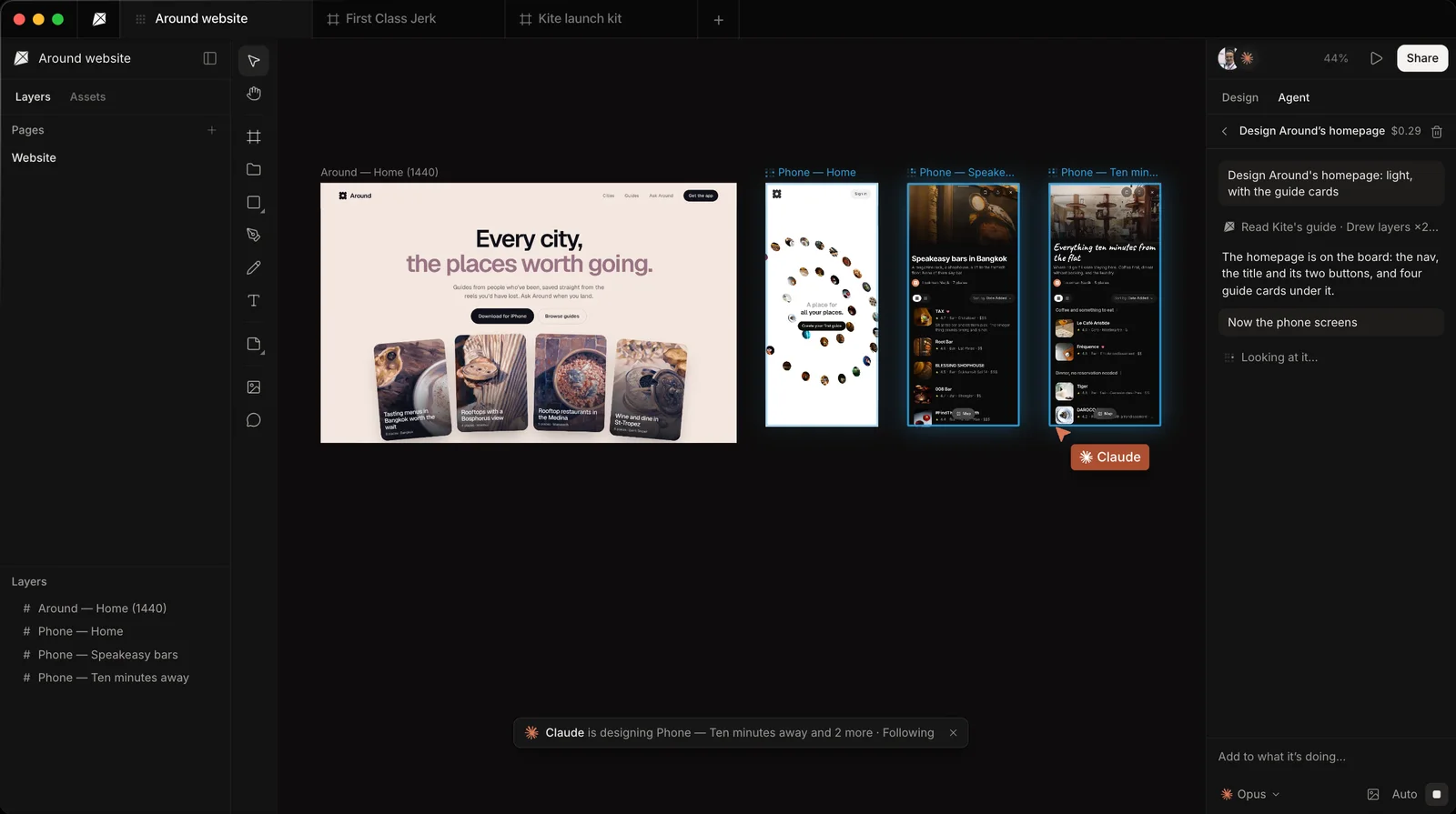
Kite is a design canvas that your own agent designs in over MCP. It sits between the two: like Figma, the agent draws and edits the layers itself; like Stitch, you can start from a prompt and nothing else. Kite has no model of its own, so Claude, ChatGPT, Cursor or Codex does the designing, on the plan you already pay for, with no AI credits.
- Any MCP client. Kite's server,
https://kite.new/api/mcp, is hosted and signs in with OAuth: no key to copy, no token to refresh. There are setup guides for 12 clients, including Claude, ChatGPT, Cursor, Codex, VS Code and Antigravity. - The agent draws. It has 59 tools to make files, draw by writing HTML that becomes frames, edit what is there and look at its own work. The full list is in Kite's MCP tools.
- One file for the team. What the agent draws is ordinary layers that anyone can change. Leave a comment that @-mentions the agent and it makes the change.
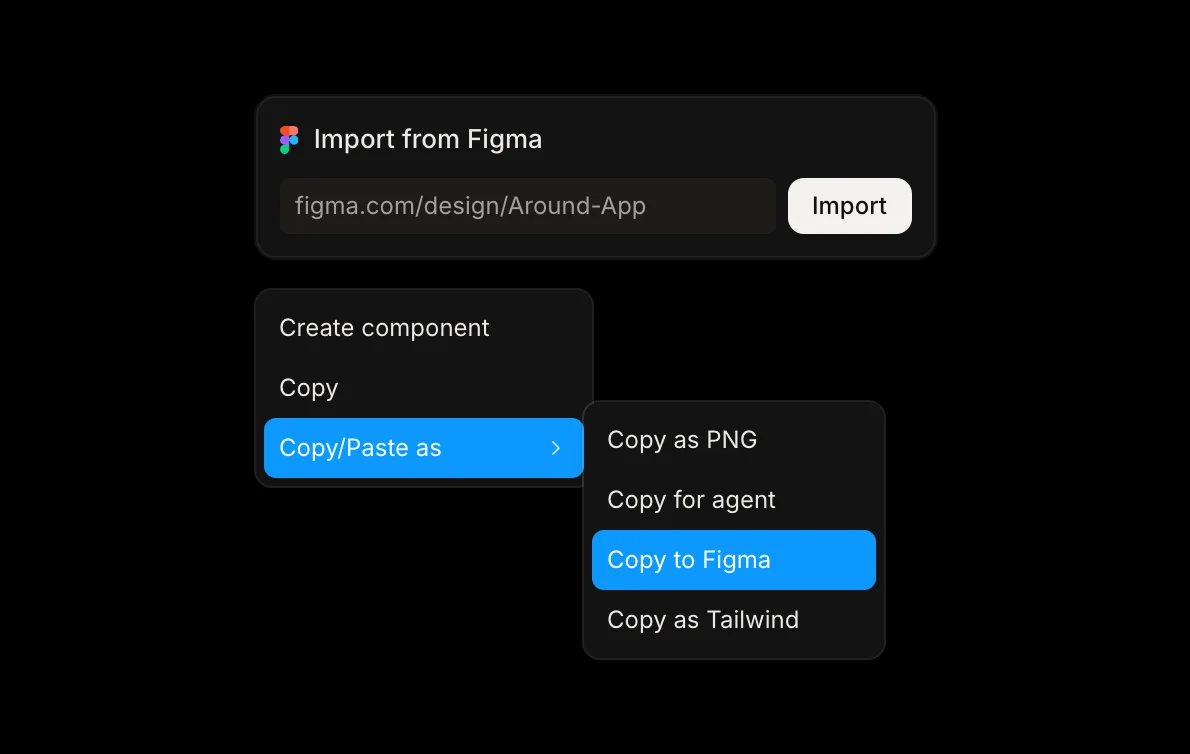
- Figma both ways. Copy to Figma pastes frames into Figma as editable layers, and a Figma file comes in by link or by paste.
- Code. Any layer goes out as HTML, React or Tailwind, with your design system's colours and type as CSS.
The free plan has unlimited editors and viewers, 3 files and 200 agent actions a day. Pro is $20 per editor a month, or $16 a month billed yearly, with unlimited agent actions.
Where Kite fits less well: if you only want Gemini to pour out ideas for free, Stitch is simpler. If your team's files and design system already live in Figma, Figma's own MCP keeps everything in one place. For more on how these servers differ, see Figma MCP vs paper.design and hosted design MCP servers. To try Kite with your own agent, follow how to design with your agents.
Methodology: on October 28, 2026 we checked every Stitch fact against Google's Stitch docs, FAQ and blog posts. We checked every Figma fact against Figma's developer docs and help centre, and every Kite fact against Kite's own docs and pricing, all linked in place. Stitch's credit numbers are not published, so we left them out. These products change quickly, so this page is checked again each quarter.
Questions
- What is Stitch MCP?
- Stitch MCP is Google's hosted MCP server for Stitch, at stitch.googleapis.com/mcp. It works with coding agents such as Claude Code, Cursor, Antigravity, VS Code and the Gemini CLI. Its 14 tools list your Stitch projects and screens, get each screen's HTML and image, ask Gemini to generate, edit or vary screens, and manage design systems.
- Is Google Stitch MCP free?
- Stitch is free as of October 28, 2026. Google's FAQ says it runs on a daily credit limit that resets at midnight UTC, and the credits are shown on the Stitch settings page. Google does not publish a separate price for the MCP server.
- How do I add Stitch MCP to Claude Code?
- Create an API key in Stitch's settings, then run: claude mcp add stitch --transport http https://stitch.googleapis.com/mcp --header "X-Goog-Api-Key: your-key" -s user. Google also documents an OAuth route through the gcloud CLI. Its access token usually lasts an hour, and you paste a new one into your config when it expires.
- Can Stitch MCP export to Figma?
- Not through the MCP tools. They return a screen's HTML and its image. Figma export is a button in the Stitch app itself, which Google says creates auto layout, named layers and editable text. Once a screen is in Figma, Figma's own MCP can read it for code.
- Is Google Stitch better than Figma?
- They do different jobs. Stitch generates screens from a prompt with Gemini, which is fastest when nothing is designed yet. Figma is where teams refine and maintain a design with components and variables. Its MCP lets agents read those files and, in beta on paid plans, draw in them.
- Can my agent draw with Stitch MCP?
- Not directly. Your agent writes a prompt and Gemini draws: generate_screen_from_text, edit_screens and generate_variants all take a text instruction. With Figma's use_figma tool (beta, paid plans) or with Kite, the agent places and edits the layers itself.