Short answer: as of October 28, 2026, four of the six design tools we checked run a hosted MCP server: Figma, Canva, Google Stitch and Kite. Figma, Canva and Kite sign you in with your account; Stitch takes an API key. paper.design and pen.dev are local only: their servers run beside a desktop app, out of reach of claude.ai, ChatGPT on the web and phones.
Key takeaways
- A hosted (remote) MCP server lives at a web address. A local one runs on your computer and needs its app open.
- Only hosted servers work in claude.ai, in ChatGPT's web app and on your phone, because those connect from the cloud.
- Figma and Kite let an agent draw editable layers over a hosted server. Figma's drawing is a beta on paid plans. Canva edits Canva designs, and Stitch generates screens from prompts.
- Figma, Canva and Kite sign you in with your account. Stitch asks for an API key or Google Cloud credentials.
Hosted vs local MCP servers
MCP (Model Context Protocol) is the open standard AI tools use to call outside tools. Anthropic open-sourced it in November 2024. A design tool with an MCP server lets your agent read its files and, on some, draw in them. The protocol's transport spec defines two ways to connect, and they decide where the server can run.
- A hosted MCP server (also called a remote server) is one the tool maker runs on the web. It uses the Streamable HTTP transport: one address, such as
https://example.com/mcp, that handles many clients. You paste the address into your AI tool and sign in, usually with OAuth. - A local MCP server runs on your own computer. Most use the stdio transport, where your AI tool starts the server as a program and talks to it through standard input and output. Design tools often start theirs from the desktop app, so the app has to be open.
Why hosted matters
- It works in chat apps on the web. Claude's help centre says custom connectors connect from Anthropic's cloud, “rather than from your local device”, in claude.ai, Claude Desktop and the mobile apps. ChatGPT's developer mode adds apps “for your remote MCP server”. A server on your laptop is out of reach for both.
- It works on your phone. The same Claude connector you add on the web is there in the Claude app on your phone.
- No app to keep open. A local design server stops when its desktop app closes. paper.design's and pen.dev's also need the file you want open in the app.
- You sign in instead of copying keys. With OAuth, a browser window opens, you sign in to the design tool and click allow. Nothing secret sits in a config file, and you can revoke the connection from your account.
- The whole team reaches the same files. Each person's agent signs in as that person and sees what they can see.
Local servers still have a place. They can see what you have open and selected in the app, and they keep traffic on your machine. Some tools offer both.
Which design tools offer a hosted MCP server today
We picked design tools whose own docs describe an MCP server an agent can draw or generate designs through. We checked each one's docs on October 28, 2026.
Figma: hosted, with a desktop option
Figma runs both kinds. Its getting-started guide calls the remote server at https://mcp.figma.com/mcp “recommended”: you don't need the desktop app, and you sign in with your Figma account the first time. The desktop server runs at 127.0.0.1:3845 through the Figma desktop app, needs a Dev or Full seat on a paid plan, and “doesn't support writing to the canvas”.
Read: components, variables, layout data, screenshots and FigJam boards, for turning designs into code. Draw: since March 2026, the use_figma tool builds frames, components, variables and auto layout, only through the remote server, on the Professional, Education, Organization and Enterprise plans. It is free during the beta and will become “a usage-based paid feature”.
Only clients in the Figma MCP catalog can connect. It lists Claude, ChatGPT, Claude Code, Codex, Cursor, VS Code, Grok and more. Reads are rationed. Under Figma's rate limits, the Starter plan and View or Collab seats get up to 20 calls a month. Full or Dev seats on Professional get up to 200 a day. Write tools are exempt. Our Figma MCP alternatives page goes deeper.
Canva: hosted, for Canva designs
Canva's developer docs say it “provides a remote MCP server”. People reach it through the Canva AI Connector, which its help centre says works with ChatGPT, Claude, Gemini and Microsoft Copilot, on every Canva account including Free. Each person signs in with their own Canva account.
Read: search your designs, folders and comments, and pull a design's text, images and pages. Draw: generate a design from a prompt, make targeted edits to an existing one, and export it as PDF, PNG, PPTX or MP4. These are Canva designs, such as posts, decks and posters, not app screens. Some actions use Canva AI credits, and resizing and brand templates need a paid plan. The tool list sets a limit per tool, with a default cap of 300 requests a minute per person.
Google Stitch: hosted, with an API key
Google Stitch's server is hosted at https://stitch.googleapis.com/mcp, the address in Google's official Gemini CLI extension. It doesn't use a browser sign-in. You make an API key in Stitch settings and send it as an X-Goog-Api-Key header, or set up Google Cloud credentials. The extension's README says Stitch MCP is “free of charge”.
Read: list your projects and screens, and download a screen's image or HTML. Draw: generate new screens from a text prompt with Gemini models. Google's codelab uses it to hand a Stitch design to a coding agent in Antigravity. It needs a key in a header. That suits coding tools and Claude's custom connectors, which take request headers such as API keys. ChatGPT's developer mode lists only OAuth or no sign-in. More in Stitch MCP vs Figma MCP.
Kite: hosted, with a Mac app option
Kite's server is hosted at https://kite.new/api/mcp. Its MCP docs describe a streamable HTTP server that signs in with OAuth: the first time your tool uses Kite, a browser opens, you sign in and click Allow. There is no key to copy. Scripts and headless agents can use a key instead. Kite for Mac adds a local server for Claude Code, Codex, Cursor and the Claude app on the same computer.
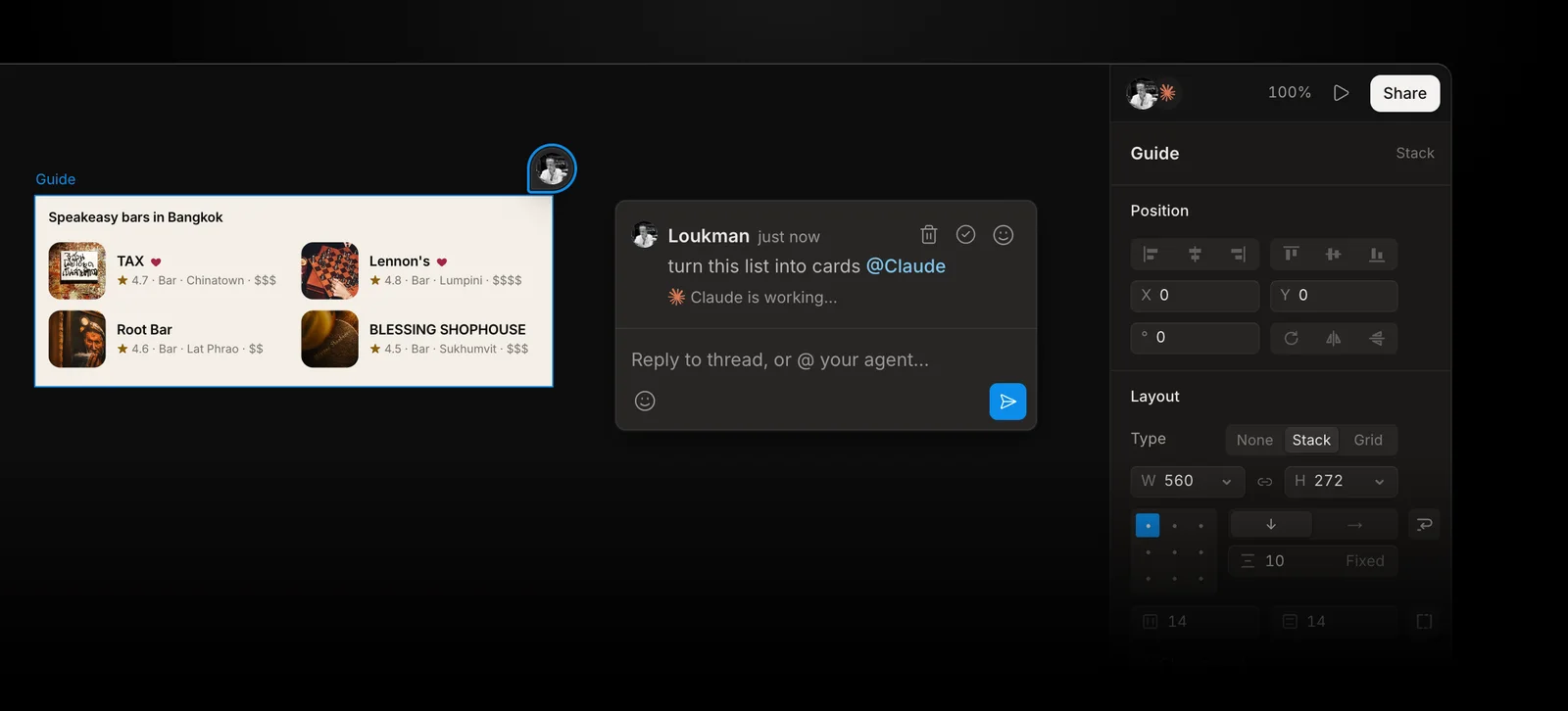
Read: a file's pages and every frame, text and picture, any layer as HTML, the design system and the comments your team leaves. Draw: the agent writes HTML that becomes editable frames, places components, edits layers in place, and looks at its work as a picture before it says it is done. The full list of 59 tools is on Kite's MCP features page.
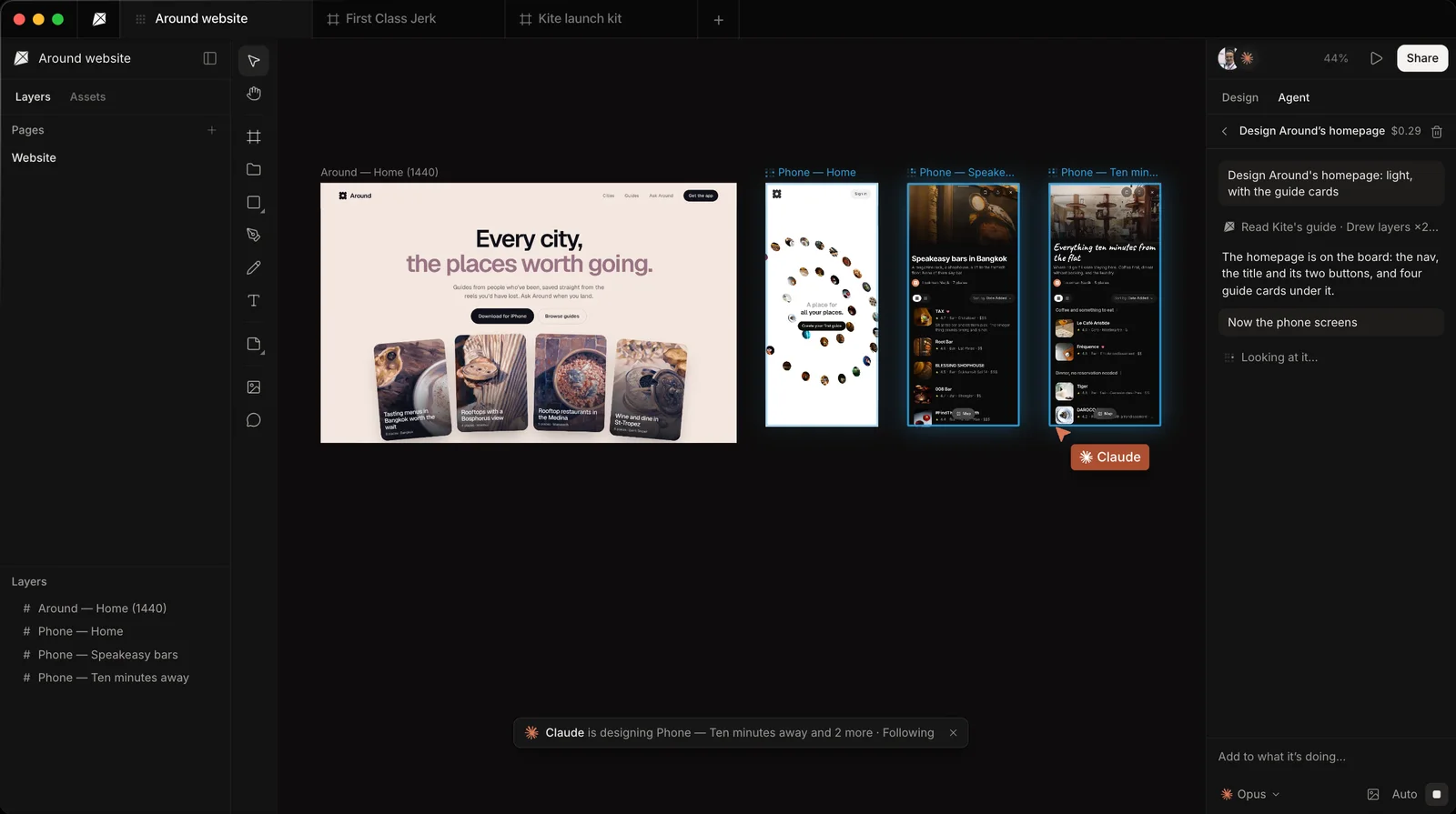
Kite works in Claude on the web, desktop and phone (it is in Claude's connector directory), and in ChatGPT, Cursor, Claude Code, Codex, VS Code and others. The free plan includes 200 agent actions a day, with drawing. Pro has unlimited agent actions.
Your team can also leave the agent a request in a comment on a frame. In a browser, the request waits until you ask your agent to check its Kite requests.
paper.design: local only
paper.design's MCP docs start with installing its desktop app, which “starts the MCP server in the background”. Agents connect through paper.design's command-line tool over stdio, and older setups used http://127.0.0.1:29979/mcp, an address on your own machine. Reads and writes go to the file open in the app. Its ChatGPT route is the ChatGPT app's Codex tab on the same computer, not ChatGPT on the web.
Read and draw: agents read and write the open file, which is HTML and CSS. On paper.design's pricing, Free gets 100 MCP tool calls a week and Pro ($20 per editor a month) gets 1 million. See Figma MCP vs paper.design MCP.
pen.dev: local only
pen.dev's AI integration docs say an external client talks to its server over stdio, and the server connects to the running pen.dev app through a local socket. A .pen file must be open in the desktop app or the VS Code or Cursor extension. Its install guide lists Claude Code, Codex CLI, Gemini CLI, Antigravity, OpenCode, Kiro CLI and Claude Desktop, and the ChatGPT desktop app shares the Codex setup.
Read and draw: agents read the open document's state and style and change it with an execute tool. pen.dev also has its own agent inside the desktop app. Its MCP docs don't state a call limit.
Hosted design MCP servers side by side
As of October 28, 2026, from each tool's own docs, linked above:
| Tool | Hosted? | Sign-in | Works in | Can the agent draw? | Plan and limits |
|---|---|---|---|---|---|
| Figma | Yes, plus a desktop server | Figma account (OAuth) | Clients in Figma's catalog: Claude, ChatGPT, Cursor, Codex, VS Code and more | Yes, in beta, remote server only, paid plans | Starter: 20 reads a month. Professional Full seat: 200 a day |
| Canva | Yes | Canva account | ChatGPT, Claude, Gemini, Microsoft Copilot | Generates and edits Canva designs | All plans; some actions use Canva AI credits |
| Google Stitch | Yes | API key or Google Cloud credentials | Gemini CLI, Antigravity, clients that send a header | Generates screens from a prompt | MCP free of charge |
| Kite | Yes, plus a local server in Kite for Mac | Kite account (OAuth), or a key | Any MCP client; guides for Claude, ChatGPT, Cursor and 9 more | Yes, editable layers, on every plan | Free: 200 agent actions a day. Pro: unlimited agent actions |
| paper.design | No, desktop app | No MCP sign-in; runs on your computer | Claude Code, Codex, Cursor, VS Code and more, on the same computer | Yes, in the open file | Free: 100 calls a week. Pro: 1 million |
| pen.dev | No, desktop app or IDE extension | No MCP sign-in; runs on your computer | Claude Code, Codex CLI, Gemini CLI and more, on the same computer | Yes, in the open file | Not stated in its MCP docs |
How to connect a hosted design MCP server
For servers that sign in with OAuth, such as Figma's and Kite's, the steps are the same: paste the address, then sign in. Using Kite's address as the example:
- Claude (web, desktop and phone): if the tool is in Claude's directory, click Connect and allow it. Otherwise go to Customize → Connectors → + → Add custom connector and paste the address. Claude's help centre says free Claude plans get one custom connector.
- ChatGPT: turn on developer mode in Settings → Security and login, create an app, paste the address and keep OAuth. OpenAI's developer mode guide says it is on Plus, Pro, Business, Enterprise and Education accounts, on the web.
- Cursor: use the tool's one-click Add to Cursor link if it has one, or add the address to
.cursor/mcp.json, then click Connect and sign in. - Claude Code: run
claude mcp add --transport http kite https://kite.new/api/mcp, then/mcpto sign in.
For Figma, swap in https://mcp.figma.com/mcp, or install Figma's plugin for your client from its setup page. Kite's steps for each client are in Choose your client, and a full walkthrough is in How to design with Claude, ChatGPT or Cursor.
Two hosted servers connect differently:
- Google Stitch doesn't sign you in. Make an API key in Stitch settings, then send it as an
X-Goog-Api-Keyheader, for example with Google's Stitch extension for the Gemini CLI. - Canva is added from each assistant's own connector or apps settings, following the steps for that assistant in Canva's help centre, then you sign in to Canva.
Which hosted design MCP server to pick
- Your team designs in Figma on a paid plan: use Figma's remote server. Your agent works on the files and libraries you already have.
- You make marketing pieces in Canva: use Canva's connector. It works on the free plan and exports finished files.
- You want quick screen ideas to hand to a coding agent: Google Stitch generates screens for free, if you are happy with an API key.
- You want one person's local setup with the app open: either paper.design or pen.dev is fine. Neither reaches web chat apps or phones.
- You want any agent to draw editable layers in a shared file, on a free plan: Kite. Designs move to Figma with Copy to Figma when you need them there.
Methodology: on October 28, 2026 we checked every Figma, Canva, Google Stitch, paper.design and pen.dev fact above against that tool's own docs, pricing or official repository, linked in place. We also read the MCP transport spec and Claude's and OpenAI's connector docs. Kite's facts come from Kite's own docs. These servers change often, so we check this page again each quarter.
Questions
- What is a hosted MCP server?
- A hosted, or remote, MCP server runs on the tool maker's own servers and is reached at a web address over the protocol's Streamable HTTP transport. You add the address to your AI tool and sign in. A local server runs on your own computer, usually started by a desktop app, and only tools on that computer can reach it.
- Which design tools have a remote MCP server?
- Of the tools we checked on October 28, 2026: Figma (https://mcp.figma.com/mcp, Figma sign-in), Canva (its AI Connector, Canva sign-in), Google Stitch (https://stitch.googleapis.com/mcp, an API key or Google Cloud credentials) and Kite (sign-in, or a key for headless agents). paper.design and pen.dev only run local servers beside their desktop apps.
- Can I use a design MCP server in ChatGPT?
- Yes, if it is hosted. ChatGPT's developer mode connects to remote MCP servers that sign in with OAuth or need no sign-in. Figma's MCP catalog lists ChatGPT, Canva lists ChatGPT among its assistants, and Kite has a ChatGPT setup guide. A local server, such as paper.design's or pen.dev's, reaches the ChatGPT desktop app only through its Codex setup on the same computer.
- Does paper.design have a hosted MCP server?
- No. As of October 28, 2026, paper.design's docs say its desktop app starts the MCP server, and agents connect to it through paper.design's command-line tool on the same computer. Reads and writes go to the file open in the app, so the app has to be running.
- Can an agent draw with Figma's MCP server on the free plan?
- No. Writing to the canvas works only through Figma's remote server, on the Professional, Education, Organization and Enterprise plans, and it is in beta. On the Starter plan, and on View and Collab seats, agents get up to 20 read calls a month.
- Is Kite's MCP server free?
- Yes, to start. Kite's free plan has unlimited editors and viewers, 3 files and 200 agent actions a day, and agents can draw on it. Pro is $20 per editor a month, with unlimited agent actions. There are no AI credits: the agent runs on the plan you already pay for.