Short answer: for an agent that draws editable layers in a file your team shares, the main picks are Kite (kite.new), Figma (drawing in beta, paid plans) and Penpot (open source). For work on a live website, use Framer or Webflow. For references before you draw, use Mobbin. Every fact below comes from each vendor's own docs or pricing page, read on October 28 and 29, 2026.
Key takeaways
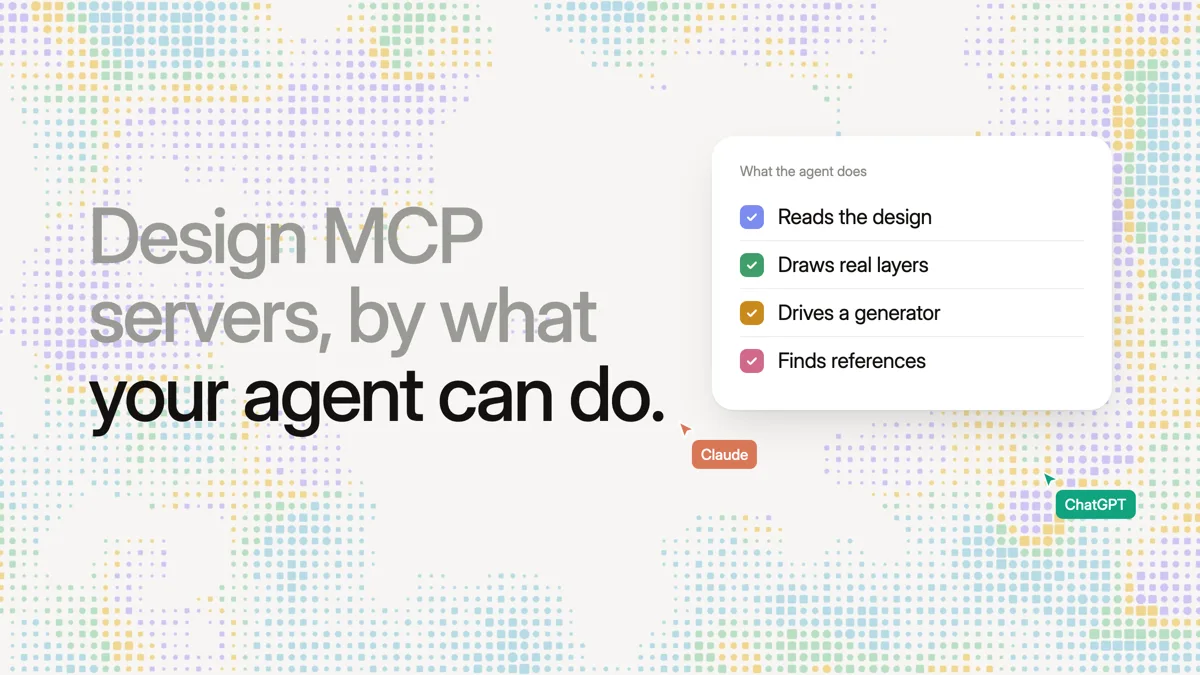
- Design MCP servers do four different jobs: read a design, draw in it, drive another tool's generator, or hand the agent references.
- Only some let the agent place real, editable layers; generators make the design with their own model, on their own credits.
- Hosted servers can be reached from cloud clients such as claude.ai and ChatGPT; local ones need an app open on the same computer.
- Free plans range from none (Sketch, Mobbin) to no stated limit (Penpot, and Framer during its preview).
We make Kite, and it is on this list. Where another server is the better pick for a job, we say so.
What a design MCP server does
MCP is the Model Context Protocol, an open standard that lets an AI agent such as Claude, ChatGPT or Cursor use another app's tools, as its documentation explains. A design MCP server is one that a design tool offers, so the agent can work on designs. They don't all let it do the same thing:
- Read: the agent reads a design's layers, styles and variables, usually to write code from it.
- Draw: the agent places and edits real layers in a file that people keep working on.
- Generate: the agent sends a prompt, and the tool's own model makes the screen, on that tool's credits.
- Reference: the agent searches screens, components or docs, then draws somewhere else.
Drawing editable layers is not the same as generating a screen. A drawn layer is something a designer can select, rename and fix by hand; a generated screen comes from the other product's model, and may need rebuilding as layers before someone can edit it by hand.
The best design MCP servers at a glance
As of October 28–29, 2026, from each vendor's own docs and pricing. “Not stated” means the vendor's page doesn't say.
| Server | What the agent does | Hosted or local | Free plan |
|---|---|---|---|
| Kite | Draws and edits layers | Hosted; also in Kite for Mac | 200 agent actions a day |
| Figma | Reads; draws in beta | Hosted (reads and draws); desktop (reads only) | 20 calls a month, no drawing |
| Penpot | Edits the open page | Either; a browser tab stays open | Free, open source |
| Framer | Builds site pages and CMS | Hosted | Free during preview |
| Webflow | Builds site elements and CMS | Hosted; Designer open for some tools | Not stated |
| Canva | Generates and edits Canva designs | Hosted | All accounts; some AI credits |
| Miro | Builds boards and diagrams | Hosted | All plans |
| paper.design | Draws in the open file | Local, app open | 100 calls a week |
| pen.dev | Edits the open file | Local, app or editor open | 5 agent-days a month |
| Sketch | Reads and changes documents | Local, Mac app open | None (30-day trial) |
| Google Stitch | Prompts Gemini for screens | Hosted | Free, daily credit limit |
| Magic Patterns | Prompts its generator | Hosted | Paid plans only |
| Lovable | Prompts its app builder | Hosted | All plans, on credits |
| Builder.io Fusion | Starts Fusion agent runs | Hosted | Not stated |
| Anima | Builds playgrounds, design to code | Hosted | Not stated |
| Relume Publish | Builds Relume sites | Hosted | Paid plans only |
| Mobbin | Searches real app screens | Hosted | Paid plans only |
| Relume Library | Puts components in your code | Not stated | Not stated |
| Storybook | Reads your components and stories | Local, while Storybook runs | Free, open source |
Design tools your agent draws in
These are the servers where the agent works inside a file, board or site that people keep editing. Canva and Miro can also generate from a prompt.
Kite (kite.new)
Kite is a design tool where your own agent draws real HTML and CSS layers in a file your team edits and comments on. Its hosted server has 59 tools to read, draw, edit and check the work, and any MCP client signs in to it with OAuth; a key is there for scripts. There are setup guides for 13 clients, including Claude, ChatGPT, Cursor and Codex. A person can also @-mention an agent in a comment, and it makes the change.
Kite has no model of its own, so there are no AI credits: the agent runs on the plan you already pay for. The free plan includes drawing, unlimited editors, 3 files and 200 agent actions a day; Pro is $20 an editor a month, or $16 billed yearly, with unlimited agent actions (see pricing). Figma files come in by link, and frames go back with Copy to Figma.
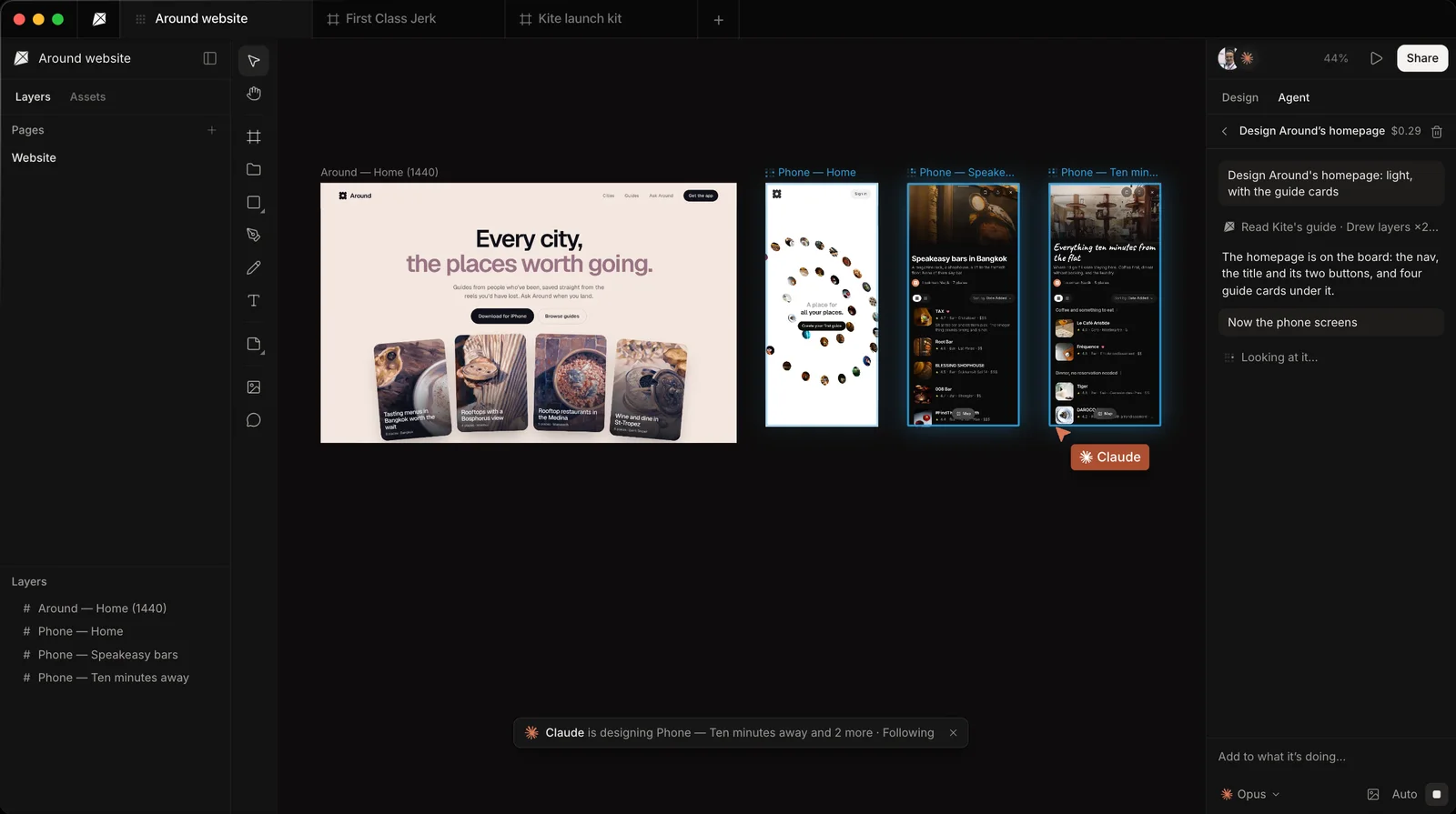
Pick it if you want any agent, from a laptop or a phone, to draw in the same file as your team, on a free plan. It doesn't publish sites or make clickable prototypes.
Figma
Figma's remote server reads design context, and its use_figma tool draws frames, components, variants, variables and auto layout. Drawing is in beta on Professional plans and up, and Figma says the output “may need manual review”, per its write-to-canvas docs. It is free during the beta and will become usage-based paid. Starter plans, and View or Collab seats, get 20 calls a month, per Figma's rate limits, and the desktop server only reads, per Figma's help.
Pick it if your team's files and libraries are already in Figma on a paid plan. For tools that fill the gaps, see Figma MCP alternatives.
Penpot
Penpot is an open-source design tool, and its server lets the agent create, move, restyle and delete layers on the page you have open. It works through a plugin in a Penpot browser tab, one tab at a time; if the tab sleeps, the agent stops, per Penpot's MCP help. The server is free with no credit caps, and you can host Penpot yourself, per Penpot's comparison page.
Pick it if you want open source or self-hosting. Our Kite vs Penpot page goes row by row.
Framer
Framer's new hosted server lets the agent create pages, edit layouts, update content and manage the CMS, and the editor can stay closed, per Framer's setup guide. Changes stay in the project or a branch, and reach the live site only if you ask the agent to publish, per Framer's MCP page. Its pricing page lists the server as free during the preview, and doesn't say when that ends.
Pick it if the agent should build and update a marketing site you host on Framer.
Webflow
Webflow's hosted server builds elements, styles, components, variables, GSAP interactions and CMS content, and reads analytics. Agents work within Webflow roles, and their changes appear in the site's activity log, per Webflow's MCP overview. Snapshots, image uploads and selection need the Designer open with a bridge app. Webflow doesn't state a plan needed for the server.
Pick it if your site is on Webflow and you want the agent to work inside it.
Canva
Canva's server generates designs from a prompt, makes targeted edits and exports PDF, PNG, PPTX or MP4. It works through the Canva AI Connector in ChatGPT, Claude, Gemini and Copilot, on every account including Free; some actions use Canva AI credits, per Canva's tool list.
Pick it if you make social posts, decks and print from templates.
Miro
Miro's server summarizes and searches boards, builds boards, generates diagrams and acts on comments. It “works for all Miro plans, even free teams”, per Miro's developer docs.
Pick it if the work is whiteboards, flows, diagrams or workshops, not screens.
paper.design, pen.dev and Sketch
These three run on your own computer, so the app has to be open while the agent works. paper.design's server starts with its desktop app and reads and writes the open file, which is built on HTML and CSS, per paper.design's MCP docs; the free plan has 100 calls a week, per its pricing. pen.dev edits the open .pen file, with 5 agent-days a month free, per pen.dev's pricing. Sketch's server runs from the Mac app, with no free plan beyond a 30-day trial, per Sketch's pricing.
Pick one if your agent runs on the same computer as the app: paper.design for an HTML canvas, pen.dev for design files kept in your repo, Sketch if you are already on Mac. Figma MCP vs paper.design MCP compares the first with Figma.
Generators your agent drives
With these servers, your agent writes the prompt and another product's model makes the design. That model runs on the product's own credits or limits, on top of your agent's plan. Lovable, for one, says “standard Lovable credits apply”, per its MCP docs.
- Google Stitch: generates and edits screens with Gemini, free on a daily credit limit Google doesn't publish, per the Stitch MCP docs and the FAQ on Stitch's home page.
- Magic Patterns: creates designs and sends prompts, on paid plans from $17 a seat a month billed yearly, per its pricing.
- Lovable: sends prompts to Lovable's agent, creates projects and deploys, on every plan.
- Builder.io Fusion: starts Fusion agent runs and returns a preview link, per Builder.io's docs.
- Anima: builds playgrounds from a prompt, site, Figma design or repo, and turns Figma into code, per Anima's docs.
- Relume Publish: builds and edits Relume sites, on paid plans only, per Relume's setup guide.
How a generator compares with an agent that draws itself is covered in Stitch MCP vs Figma MCP.
Design references and building blocks
These servers feed the agent before it draws. Pair one of them with a tool from the first group.
- Mobbin: the agent searches more than 600,000 real app screens and gets images back, per Mobbin's MCP page. It needs a paid plan, from $10 a month billed yearly, per Mobbin's pricing.
- Relume Library: puts 1,000+ components into your code with tokens and a Tailwind preset, per Relume's Library MCP page; plan not stated.
- Storybook: gives the agent your component docs, stories and tests from a local server while Storybook runs, per Storybook's MCP docs. It is open source, and its AI features are in preview.
Hosted or local: what has to stay open
A hosted server runs on the vendor's side, so cloud clients such as claude.ai can reach it; ChatGPT needs developer mode on a paid plan to add a server it doesn't list, and some vendors accept only listed clients. Some servers need something open on your computer:
- Penpot: a browser tab with the file, awake.
- paper.design and pen.dev: the desktop app (or pen.dev's editor extension) with the file open.
- Sketch: the Mac app, not the App Store build.
- Storybook: its dev server.
- Webflow: the Designer, for snapshots, image uploads and selection.
Kite, Figma, Framer, Canva, Miro, Mobbin and the generators are hosted. Figma's MCP catalog, Canva and Miro name both Claude and ChatGPT; Framer's setup guide names Claude, and Webflow's getting started names Claude Desktop. How each one signs in and connects is in hosted design MCP servers.
Free plans and limits compared
What the free plan gives an agent, as each vendor states it on October 28 and 29, 2026:
- No limit stated: Penpot (open source), Storybook (open source), Framer (free during preview).
- All plans: Miro; Canva, where some actions use AI credits; Lovable, on its 5 daily build credits, up to 30 a month, per Lovable's plans.
- Kite: 200 agent actions a day with drawing included; Pro has unlimited agent actions.
- paper.design: 100 calls a week. pen.dev: 5 agent-days a month.
- Figma Starter: 20 calls a month, and no drawing.
- Google Stitch: a daily credit limit, number not stated.
- No free access: Mobbin, Magic Patterns, Relume Publish, and Sketch after its trial.
- Not stated: Webflow, Builder.io Fusion, Anima and Relume Library.
Which design MCP server to pick
- Your team works in Figma on a paid plan: Figma's remote server.
- You want open source or to host it yourself: Penpot.
- The agent should build pages on a live website: Framer or Webflow.
- Any agent should draw editable layers in a file your team shares, free to start: Kite.
- Social posts, decks and print from templates: Canva.
- Boards, diagrams and workshops: Miro.
- Quick free screen ideas to hand to a coding agent: Google Stitch.
- The agent works on your own computer with the app open: paper.design, or pen.dev for files in a repo.
- References before drawing: Mobbin, next to any of the above.
If you are leaving Figma altogether rather than adding an agent to it, see the best Figma alternatives.
How we checked
Every fact about another server comes from that vendor's own docs or pricing page, opened on October 28 or 29, 2026 and linked where it is used. Where a vendor doesn't say something, we write “not stated” rather than guess. We left out community bridges with no vendor docs to cite, and OpenPencil, an open-source editor whose price and sign-in aren't stated. Kite publishes this page, and we check it again every quarter.
Questions
- What is the best MCP server for designers?
- It depends on where the design should end up. Figma's server fits a team that works in Figma on a paid plan, where drawing is in beta. Kite (kite.new) fits any agent drawing editable layers in a shared file on a free plan. Penpot fits open source, Framer or Webflow fit work on a live site, and Mobbin fits references.
- Which design MCP servers let an AI agent draw editable layers?
- Kite, Figma (use_figma, in beta, Professional plans and up), Penpot, paper.design, pen.dev and Sketch. Framer and Webflow build site pages, Canva edits Canva designs and Miro builds boards.
- Are there free design MCP servers?
- Yes. Penpot is free and open source. Google Stitch is free on a daily credit limit. Kite's free plan includes drawing and 200 agent actions a day. Miro's server works on every plan, Canva's on every account (some actions use AI credits), Framer's is free during its preview, and Storybook is open source. paper.design gives 100 calls a week and pen.dev 5 agent-days a month. Figma's Starter plan gets 20 calls a month and can't draw; Mobbin and Relume Publish need a paid plan.
- Which design MCP servers work in ChatGPT or claude.ai?
- Hosted servers reach them from the cloud. Kite, Figma, Canva and Miro name both Claude and ChatGPT in their docs; Framer names Claude, and Webflow names Claude Desktop. Local servers, such as paper.design, pen.dev, Sketch and Storybook, need the app running on the same computer as the agent.
- Is Mobbin a design MCP server?
- Yes, but it is a reference library rather than a canvas. Your agent searches more than 600,000 real app screens and then draws somewhere else. Mobbin's server needs a paid plan.