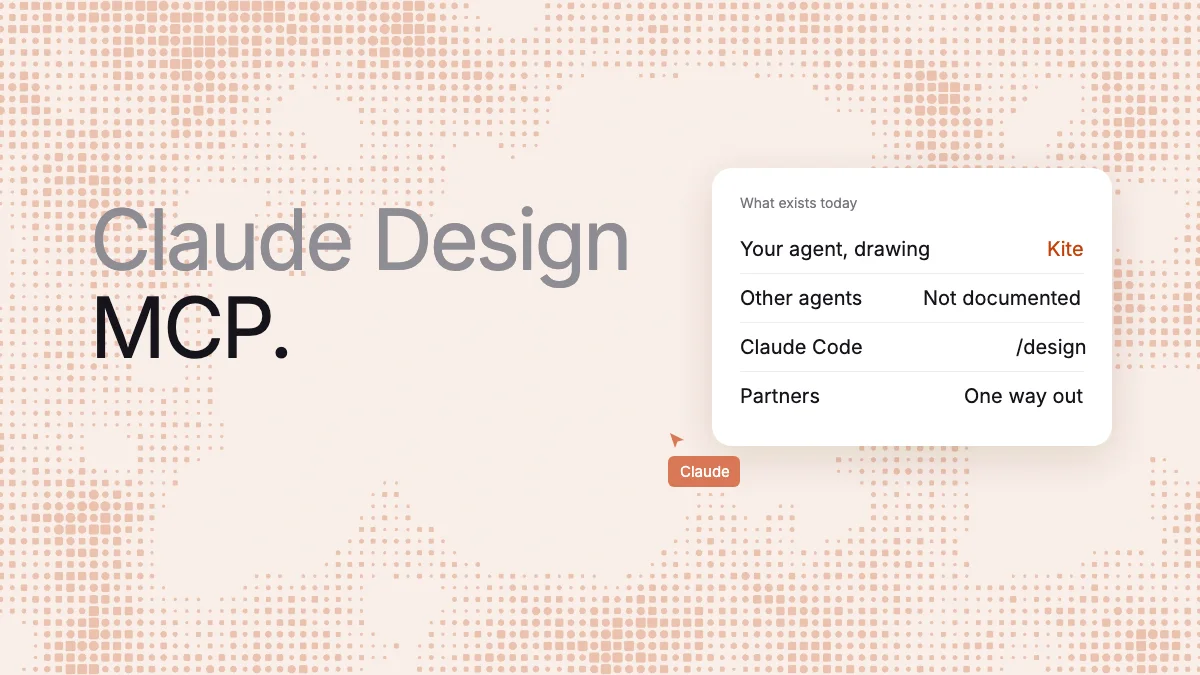
Short answer: Anthropic doesn't document a Claude Design MCP server, connector or API that Cursor, Codex or ChatGPT can call. What exists is Claude Code's own /design and /design-sync commands, partner connectors that take a finished design out of Claude, and one community tool we found on November 5, 2026. If you want your agent working on a design canvas over MCP today, connect it to Kite (kite.new), where Claude, ChatGPT, Cursor or Codex draws real layers in a file your team edits.
Key takeaways
- Anthropic documents no Claude Design MCP server for other agents, and its connector directory had no entry for one on November 5, 2026.
- In Claude Code,
/designdrafts artboards and/design-syncuploads a React design system to the standalone site, which closes on December 14, 2026. - Lovable, Replit and Vercel take a copy of a finished design. That flow starts in Claude and, as documented, runs one way.
- Kite and MagicPath are among the canvases where your own agent does the designing over MCP, and Open Design runs your agent in its desktop app. Stitch, Magic Patterns, UX Pilot, v0 and Lovable have it prompt their model.
We make Kite, and it is one of the tools here. Kite runs no model to design: your own agent does that work. Claude Design isn't shutting down, either. Only its standalone site closes, per Anthropic, and the product continues inside Claude. Our Claude Design review covers the rest.
What exists today, and what isn't documented
MCP (Model Context Protocol) is an open-source standard for connecting AI applications to outside tools. A Claude Design MCP would let any agent open and change your designs. Four different things get called that:
- A server other agents can call: not documented. We found it on no Anthropic page. The Claude Code docs show the difference: Claude Docs “reaches Claude Code as a claude.ai connector rather than a command”, while Claude Design gets
/design. On November 5, claude.ai/directory/claude-design returned “This connector doesn't exist or is no longer available. This may be a custom connector you don't have.” The April launch post promised to “make it easier to build integrations with Claude Design”. The integrations we can find are the partner connectors in route 2 below. - Connectors going into Claude: yes. Anthropic's design system guide lets Claude build one from “your connected apps”, added under Customize > Connectors. That is Claude using other tools, not other agents reaching Claude Design. It may explain a Facebook thread where someone can't “find documentation on where to find the Claude Design MCP server” and one reply we could read says it already exists. None we could read links to a document.
- Partner connectors: yes, as documented, one way. Route 2 below.
- A community tool: yes, unofficial. The Reddit post that ranks for this search is its maker sharing designer, an MIT-licensed MCP server and CLI. Its README describes Claude Design as having “no API”, and the tool drives claude.ai/design in real Chrome. It isn't from Anthropic, and it targets only the site that turns read-only on December 14. Our read: it will need changes after that.
The main routes at a glance
From each vendor's own pages on November 5, 2026. Free limits count different things, so they don't compare directly. Claude can also draw in Figma, paper.design and pen.dev: see the best design MCP servers.
| Route | What your agent gets | Agents the vendor names | What it needs |
|---|---|---|---|
/design | Drafts a Claude Design artifact | Claude Code | v2.1.265 or later, the Design template |
/design-sync | Uploads a React design system | Claude Code | /design-login; uploads to the site closing December 14 |
| Send to Lovable, Replit or Vercel | The partner gets a copy of the design | Starts in Claude | A connection to the partner |
| designer (community) | Drives claude.ai/design in Chrome | Registers with Claude Code | Chrome in debug mode, macOS or Linux |
| Kite | Draws and edits layers in a shared file | Claude, ChatGPT, Cursor, Codex and any client with streamable HTTP and OAuth | Free: 3 files, 200 agent actions a day |
| MagicPath | Creates and edits designs on its canvas | Claude, Claude Code, Codex, Cursor, Grok bot, any MCP client | Free: 50 agent calls a week |
| Open Design | The app runs your agent; MCP reads project files | Claude Code, Codex, Cursor and others | Desktop app, local server |
| Generators: Google Stitch, Magic Patterns, UX Pilot, v0, Lovable | Prompts the tool's own model | All five name Cursor and a form of Claude; the rest varies | Stitch: free, daily credit limit. Magic Patterns: paid plan. Lovable: its credits. UX Pilot and v0: plan for MCP not stated |
Route 1: Claude Code's /design and /design-sync
If your agent is Claude Code, this is the official path, with no MCP setup. Both commands are in Anthropic's command list.
/design [brief] drafts mockups, screen flows, landing pages or posters as artboards on one canvas, published as a Claude Design artifact. You edit them in a desktop browser and can export each artboard as PNG or PDF. It needs Claude Code v2.1.265 or later, a session where artifacts are available, and an account with the Design template. It isn't available through Amazon Bedrock, Google Cloud or Microsoft Foundry. If Claude asks you to run /design consent, you type that yourself.
/design-sync [hint] converts your repository's React design system and uploads it, so designs use your real components. You sign in with /design-login, and a first sync “can take a few hours on a large repo.” Anthropic says it “uploads to the standalone claude.ai/design site, which closes by December 14, 2026.” The Claude Code changelog adds that it stops up front if your design system has already moved to Claude. Design systems are on Pro and up.
Can you wrap Claude Code for another agent? Don't count on it. /design publishes an artifact, and the artifacts page says publishing is “off by default in the Agent SDK, the GitHub Action, and MCP-server contexts”, and in -p runs from your own scripts.
On Cursor or Codex? Export the design as a .zip or standalone HTML and give your agent the file. That gives it a copy to read, with no link back to the design. Figma isn't on the export list, as Claude Design vs Figma covers.
Route 2: partner connectors, which run the other way
Claude Design can send work to 15 tools, including Canva, Lovable, Replit, v0 and Vercel. Three partners' docs we read explain how that works, and each moves a design out of Claude into its own product:
- Lovable: its MCP server has
import-claude-design-from-url, which makes a new Lovable project. “It appears in Claude clients only.” - Replit: this is the “Claude Design MCP integration” Replit names on Anthropic's product page. Replit's docs describe it as “Claude sending a design to Replit through an authorized app connection.” It arrives as one static
index.html, and Replit's Agent, which can use credits, builds it into an app. The option may not show for every account yet. - Vercel: its MCP server has a tool with the same name. It takes a self-contained HTML bundle from a
claudeusercontent.comaddress and deploys it.
None of these pages describes an outside agent opening or changing the design in Claude. For a running app, this route is enough. To get an existing design into Kite, export the HTML and ask Claude to draw it as layers in a new Kite file.
Route 3: design canvases your agent works on
On a canvas, your own agent does the designing, over MCP or, in Open Design, in the app, on the plan you already pay for.
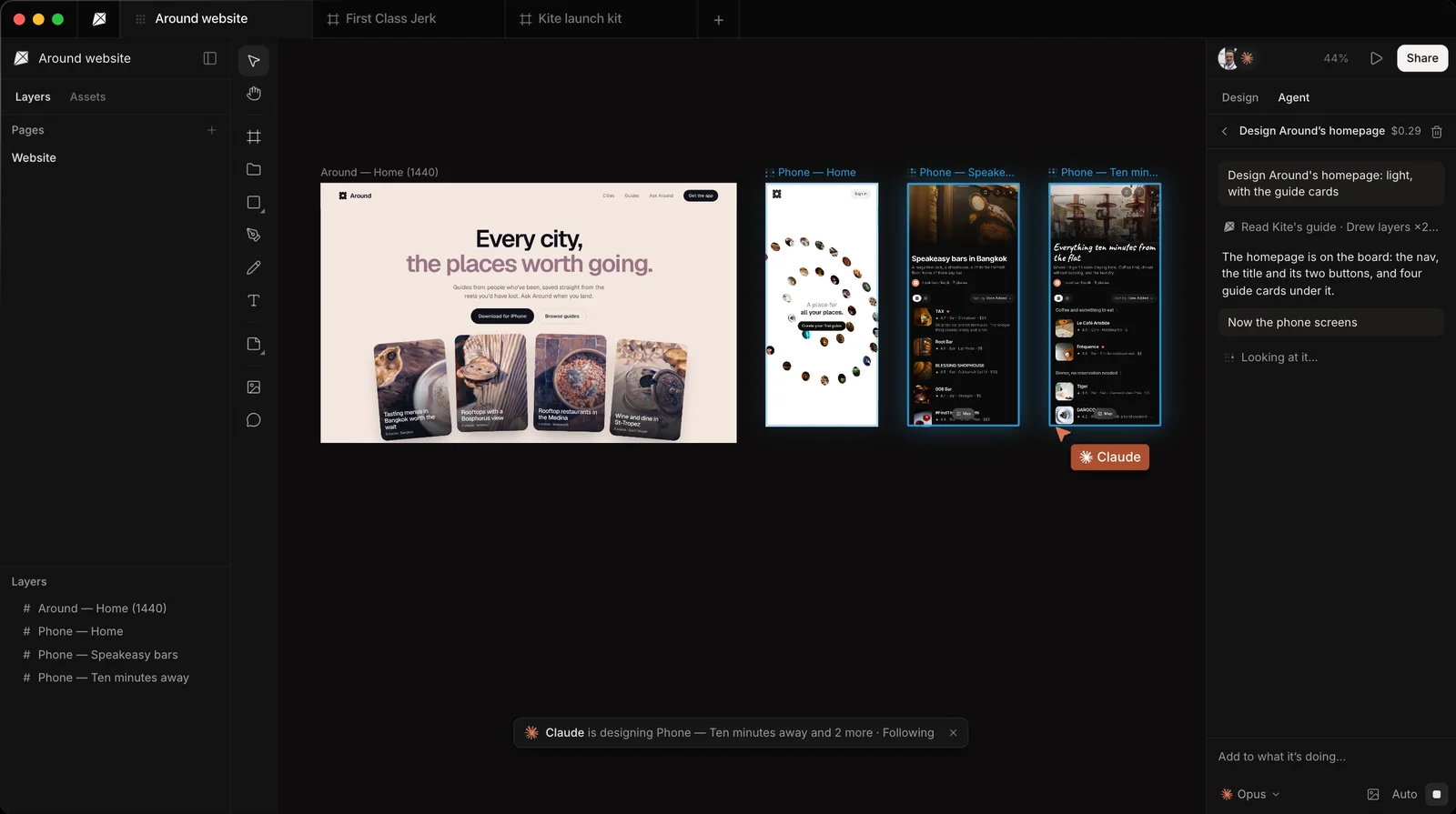
Kite (kite.new) gives your agent a shared design file. It draws by writing HTML, edits layers in place, reads your design system, checks its work as a picture and answers your team's comments. While it works, the frames it is changing glow and its cursor moves to each piece, and your team can change the result straight after. Claude, ChatGPT, Cursor and Codex can all connect, and there are no AI credits. Kite has no prototype flows, so keep clickable prototypes in Claude Design.
MagicPath is a hosted canvas where Claude, Claude Code, Codex, Cursor or Grok bot can create and edit designs, with work “billed by your agent provider”. It also has its own AI. Its free plan allows 50 outside agent calls a week; Builder, at $7 a month billed yearly, makes them unlimited.
Open Design is an open-source desktop app, free under Apache-2.0, that runs your local coding agent and keeps projects as HTML and CSS files on your computer. It can import a Claude Design .zip. Its MCP server is local and read-only by default: outside agents read project files through it.
With a generator, your agent sends a prompt and that tool's model does the work. Google Stitch, Magic Patterns, UX Pilot, v0 and Lovable are compared in our Claude Design alternatives and the design MCP servers list.
Connect Claude to Kite
Kite's MCP server signs in with OAuth, so there is no key to copy:
- In Claude: open Kite's page in Claude's directory (a community connector, not verified by Anthropic), click Connect, then Allow when Kite asks.
- In Claude Code: run
claude mcp add --transport http kite https://kite.new/api/mcp, then/mcp, choose kite and approve in the browser. - Then ask: “Design a settings screen for a mobile banking app in a new Kite file.” Claude gives you the link, and you watch it draw.
Cursor, Codex, ChatGPT and other clients use the same address; their steps are in Choose your client. Kite is free with unlimited editors and viewers, 3 files and 200 agent actions a day. Pro is $20 an editor a month, or $16 billed yearly, with unlimited agent actions (see pricing).
How we checked
Methodology: on November 5, 2026, we read Anthropic's help center, product page, launch post, Claude Code docs and changelog, and checked its connector directory. We read each other tool's own docs and pricing, linked where each fact is used, and the Reddit post, README and part of the Facebook thread that come up for this search. Where Anthropic is silent, we say it doesn't document something, because a connector could ship after this date. Kite facts come from Kite's own docs. We check this page every quarter.
Questions
- Is there an official Claude Design MCP server?
- Anthropic doesn't document one for Cursor, Codex or ChatGPT, and its connector directory had no entry for Claude Design on November 5, 2026. Claude Code reaches Claude Design with its own /design command.
- How do I install the Claude Design MCP connector?
- Anthropic documents no such connector to install. For /design, update Claude Code to v2.1.265 or later and run the command. To add other tools to Claude, use Customize > Connectors on claude.ai. To send a finished design to a partner, open Share, then Send to, in Claude.
- Can Cursor, Codex or ChatGPT use Claude Design?
- Anthropic documents no direct way. You can export a design as a .zip or standalone HTML and give your agent that copy. For an agent that works on a design over MCP, connect it to a canvas such as Kite.
- Will /design-sync work after December 14, 2026?
- Anthropic doesn't say. Its command list says /design-sync uploads to the standalone site, which closes by that date, and its changelog says the command stops if your design system has already moved to Claude. A moved design system can be changed by asking Claude.