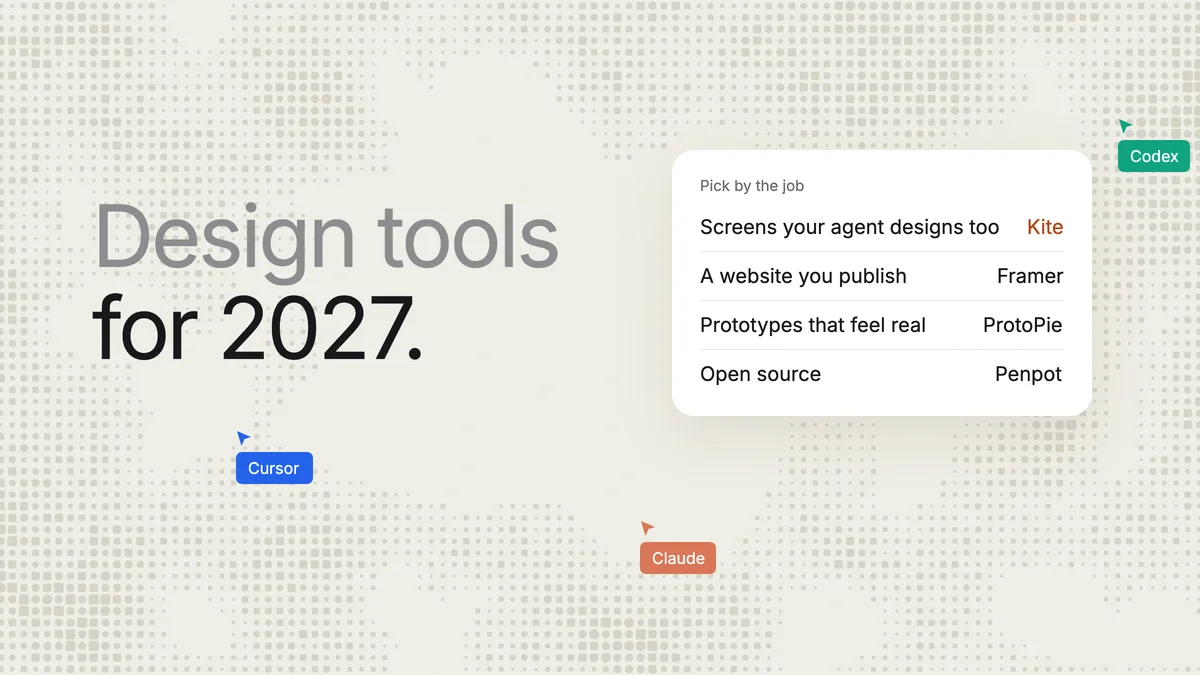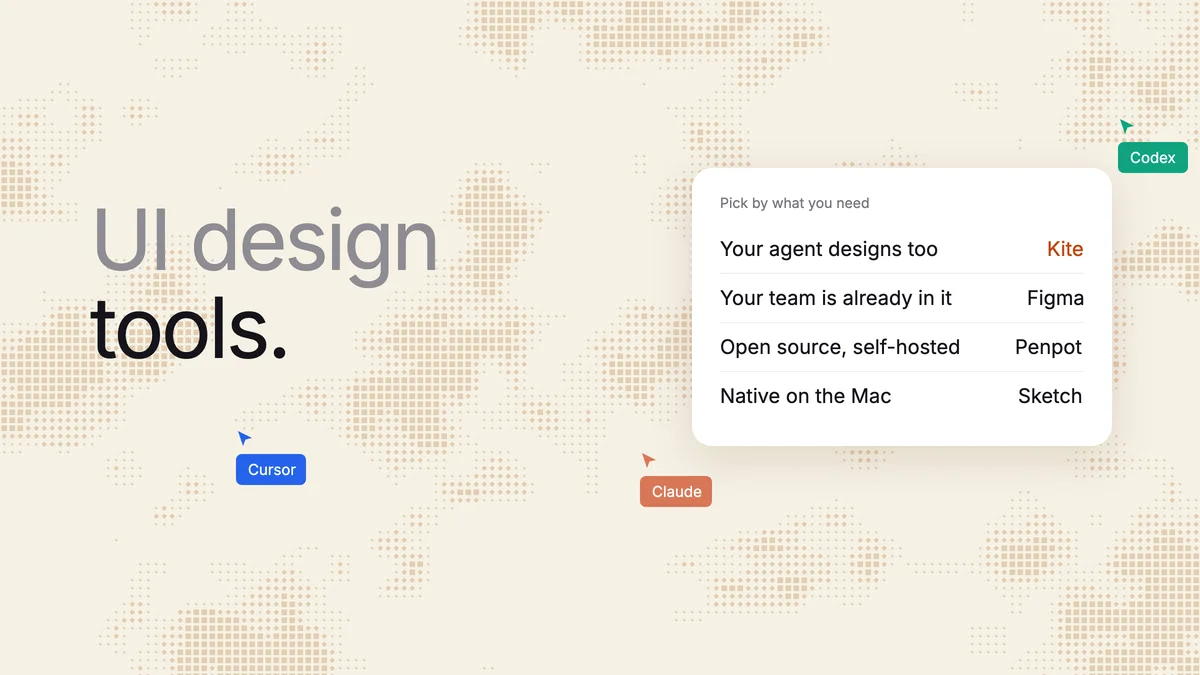
Short answer: pick Figma if your team already designs there, Penpot for free and open source, and Sketch for a native Mac app. For a built-in AI that drafts screens, try Google Stitch or UX Pilot. Pick Kite (kite.new) if you want a full UI design canvas that the AI agent you already use (Claude, ChatGPT, Codex or Cursor) can design in too, with no AI credits. Every price below was checked on the vendor's own page on November 14, 2026.
Key takeaways
- We checked 13 UI design tools on November 14, 2026, and ran one prompt in Kite: Claude drew a full desktop settings screen with auto layout in one draw call of 49 seconds.
- Built-in AI is metered. Figma's free plan gets 150 AI credits a day; Figma puts a five-screen flow from its agent at 300 credits or more.
- Nine of the 13 document an MCP server that an outside agent such as Claude can design through, Figma's in beta on paid plans. What differs is where the work goes next: a design file, code or a published site.
- Free plans differ a lot: Penpot has no file limit for up to 8 members, Kite allows 3 files, Figma 3 design files in one folder, and Sketch has no free plan. Adobe XD is in maintenance mode.
We make Kite, so it is one of the tools below. We say plainly where another tool is the better pick. Every rival fact comes from its own pages, linked in place.
The best UI design tool for each need
Start from what you need:
| Pick | If you want |
|---|---|
| Kite | A full design canvas your own agent designs in, beside your team |
| Figma | To stay where your team, libraries and developers already are |
| Penpot | Free, open source, or on your own servers |
| Sketch | A native Mac app that works offline |
| Lunacy | A free desktop app on Windows or Linux |
| Google Stitch | Free AI screens, with HTML and a Figma export |
| UX Pilot | A built-in AI whose paid plans export to Figma and code |
| Framer | A marketing website, designed and published in one tool |
| Uizard | A first mock-up from a sentence or a sketch, without a designer |
UI design tools at a glance
Prices are for the cheapest paid plan, per editor a month unless the row says otherwise, as each pricing page showed it on November 14, 2026. “Agents design” means the vendor documents an MCP server that an outside agent such as Claude can use to create designs in the tool. Each row is sourced in its tool's section below.
| Tool | Runs on | Free plan | Cheapest paid | Built-in AI | Agents design | What you get out |
|---|---|---|---|---|---|---|
| Kite | Browser, Mac, Windows | 3 files, unlimited editors | $16 yearly, $20 monthly | None: your own agent, no credits | Yes, every plan; 200 agent actions a day on Free | Design file; HTML, React, Tailwind; Copy to Figma |
| Figma | Browser, Mac, Windows | 3 design files in one folder, unlimited drafts | $16 a Full seat, yearly | Agent and Figma Make, credits | Beta, paid plans | Design file; CSS, iOS, Android code to copy |
| Penpot | Browser, or your own server | No file limit, up to 8 members | $7, capped at $175 a month | None: your own agent | Yes, free, with a Penpot tab open | Design file; SVG, CSS, HTML |
| Sketch | Mac (edit); browser to view | No, 30-day trial | $12 yearly, $14 monthly | None stated | Yes, on your Mac, every plan | Design file; PNG, SVG, PDF; copy CSS |
| Framer | Browser, Mac, Windows | Framer domain with its banner, meant for non-commercial use | $10 a site, yearly; editors $20 more | Yes, credits | Yes, free during preview | A published website; images, SVG |
| Google Stitch | Browser | Free, with a daily credit limit Google doesn't publish | No paid plan stated | Yes, daily credits | Yes | HTML and CSS, images, Figma export |
| UX Pilot | Browser, Figma plugin | 80 credits a day (up to 13 screens), 1 project | $19 yearly, $29 monthly | Yes, credits | Yes; its AI design calls use credits | Figma, HTML, React on paid plans |
| Uizard | Browser | 2 projects, 3 AI generations a month | $12, billed yearly (per seat not stated) | Yes, generations | Not stated; no API | Images, PDF; React per component |
| Pixso | Browser, Mac, Windows | 1 project of 3 design files, 3 pages each | $18 a Creator seat monthly, $148 a year | Yes, AI credits | Yes; its pages disagree on which plans | Design file; PNG, SVG, PDF; code from the Team plan |
| Lunacy | Windows, Mac, Linux, browser | 10 cloud docs, no AI tools | $11.99, yearly | AI image helpers on Pro; no prompt to UI | Not stated | .sketch file; PNG, SVG, PDF; CSS |
| Claude Design | Inside Claude: web, desktop, mobile, Claude Code | On Claude's Free plan, shared usage limits | Claude Pro, $17 yearly, $20 monthly | Claude, within plan limits | Claude only | HTML, PDF, PPTX; send to Canva and others; no Figma |
| Canva | Browser, Mac, Windows, mobile | Yes, up to 20 Standard or Premium AI uses | Pro, $12 yearly, $18 monthly | Yes, a monthly allowance | Yes, every plan, spends the AI allowance | Images, PDF, PPTX; no code export listed |
| Adobe XD | Mac, Windows | Not stated | Not sold as a single app | Not stated | Not stated | PNG, SVG, JPG, PDF |
What a UI design tool does
A UI design tool is software for drawing the screens of an app or website: the layout, the type, the colours and every part a person taps or reads. Figma describes its own this way: “Figma is a free, online UI tool to create, collaborate, prototype, and handoff”. UI (user interface) design is the screens themselves; UX design is the wider work of how a product behaves, which starts earlier, in research and wireframes.
Five things separate a real UI design tool from a drawing app:
- Auto layout: frames that stack their content in rows and columns and resize with it, so a button grows with its label. Kite's is described in its layout docs.
- Components: a button or a card drawn once and reused, so a change reaches every copy. The US Web Design System calls components “simple and consistent solutions to common user interface needs, like form fields, buttons, and icons”.
- Variables: named colours and sizes, with modes such as light and dark. The same guide calls these design tokens: “predefined units of color, spacing, typography, opacity, and more”.
- Collaboration: several people in one file at once, with comments on the design.
- Handoff: specs, exports or code that developers can build from.
Two newer questions now matter as much: does the tool have its own AI, and can the AI agent you already use design in it? The Model Context Protocol (MCP) is “an open-source standard for connecting AI applications to external systems”, and it is how an agent such as Claude or ChatGPT draws in a design tool. If you are still at the boxes-and-arrows stage, our wireframing tools list is the better start.
A real run: one prompt to a settings screen in Kite
We gave one prompt to Claude (Opus 5.5) in Claude Code, connected to Kite over MCP, on November 14, 2026, in a new, empty file with no design system:
Design the settings page of a team project-management web app, desktop, 1440 wide: a sidebar, tabs, a profile form, notification toggles and a plan and billing card. Use auto layout throughout.
Claude read Kite's drawing guide, made the file, and drew the whole screen in a single draw call that took 49 seconds. It checked the result, found nothing to fix, and exported the plan card as React code, which came back as JSX with the same flex layout. That was 6 calls to Kite and about 80 seconds from the first call to the last, with no AI credits spent.
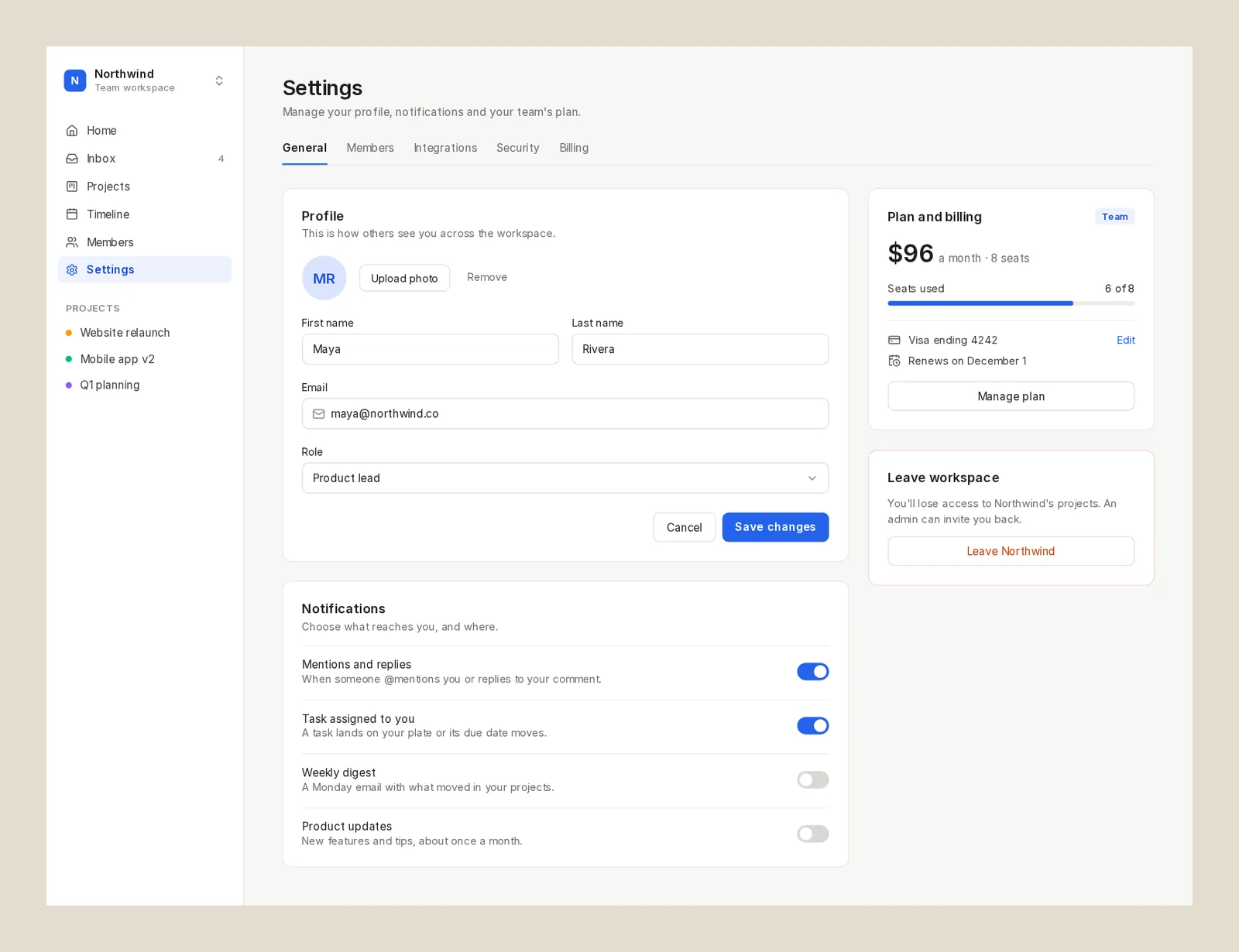
This was one run on one prompt, so read it as what happened, not a benchmark. We didn't run the same prompt in the other tools. The run didn't use comments, components, variables or Copy to Figma; what the page says about those comes from Kite's docs. The file was a scratch file and is no longer shared.
The 13 UI design tools we checked
Each gets who it is for, what runs it, its free plan, its price, its AI, whether an outside agent can design in it, and what you get out. Kite is first because we make it. The rest are not ranked; the numbers are only for finding your way.
1. Kite (kite.new)
Our tool. Kite is a UI design canvas with frames, auto layout, components, variables, design systems and comments, where the agent you already use designs real layers beside your team. That agent can be Claude, ChatGPT, Codex, Cursor or Gemini. Kite runs no model of its own to design, so there are no AI credits: your agent works on the plan you already pay for.
- Fits: teams that want people and their agents in one design file. Setup steps for each agent are in Kite's MCP client docs.
- Not for: anyone who needs open source, self-hosting or click-through prototypes. Penpot covers the first two, and Figma the last.
- Runs on: the browser, and Kite for Mac and Windows.
- Price: free with unlimited editors, 3 files and 200 agent actions a day. Pro is $20 an editor a month, or $16 billed yearly, with unlimited files and agent actions (see pricing).
- Getting work out: copy a frame as HTML, React or Tailwind, export PNG, SVG or PDF, or Copy to Figma. Frames pasted from Figma come in as layers you can edit.
2. Figma
Figma calls itself “the modern interface design tool”, and it “lives in the browser and works on Windows, Chrome, Mac, and Linux”, with desktop apps for Mac and Windows. On November 14, 2026, its own page was Google's first result for “ui design tool”.
- Fits: teams whose libraries and developers already live in Figma. If that is you, Figma is the better pick than any tool here.
- Limits: the free Starter plan holds one folder with 3 design files (plus 3 FigJam and 3 Slides files) and unlimited drafts, but people you invite to drafts can only view, per Figma's Starter guide. Version history is 30 days. AI is 150 credits a day, up to 500 a month, and Figma's credit guide puts “a 5-screen mobile checkout flow” from its agent at “300+” credits.
- Price: Professional is $16 a Full seat a month with yearly billing, with 3,000 AI credits, per Figma's pricing. The monthly-billing price isn't in that page's text.
- Agents: outside agents “can create and update components, variables, and full screens”, but writing to the canvas is on Professional and higher plans, needs a Full seat outside drafts, and is “free during the beta period and will eventually become a usage-based paid feature”, per Figma's MCP guide.
Leaving Figma for other reasons? Our Figma alternatives list covers that.
3. Penpot
Penpot is “the open-source design platform for teams”, with CSS Grid and Flex layouts and interactive prototypes. It runs in the browser, or on your own Linux server with Docker.
- Fits: teams that want UI design for free, or want to own their files. On price and openness, Penpot beats Kite.
- Limits: there is no built-in prompt-to-UI; AI comes from your own agent. Its MCP server “always acts on the currently focused page in the active Penpot tab”, per Penpot's help, so a Penpot tab has to stay open and awake. The free plan keeps 7 days of version history.
- Price: free with no file limit for up to 8 members and unlimited viewers. Unlimited is $7 an editor a month, “capped at $175 per month”, per its pricing.
- Agents and code: the free MCP server reads, changes and creates designs. Developers get SVG, CSS and HTML from the inspect tab. Row by row against Kite: Kite vs Penpot.
4. Sketch
Sketch is “a toolkit made by designers, for designers”, built as a native Mac app that “requires macOS Sequoia (15.0.0) or newer”. A web app lets others view, comment and inspect for free.
- Fits: Mac-only designers who want a native app that works offline. For that, Sketch is the better pick than Kite.
- Limits: editing needs a Mac. There is no free plan: “we have no plans to offer an entirely free plan”, only a 30-day trial, per Sketch's pricing. No built-in prompt-to-UI is stated.
- Price: Standard is $12 an editor a month billed yearly, or $14 monthly (from the page's monthly switch). A Mac-only license is $120 a seat with a year of updates, without collaboration.
- Agents: an MCP server is built into the Mac app on every plan and can “access or modify data in your Sketch documents”. It is local-only, off by default, and not in the Mac App Store version.
5. Framer
Framer is “the website builder for shipping standout sites”, with an AI agent that “creates editable pages, sections, copy, and visuals directly in your project”. You design on a canvas in the browser or its Mac and Windows app, then publish the site from the same place.
- Fits: marketing sites, landing pages and portfolios that go live from the tool. For a website, Framer is the better pick than Kite. For app screens it isn't the tool: every page we read was about sites.
- Limits: Framer says its Free plan is “ideal for non-commercial use”, and free sites sit on a Framer domain with a “Made in Framer” banner. AI runs on credits shared across the workspace, and the cost of a prompt isn't stated.
- Price: paid per site: Basic is $10 a month and Pro $30, shown under yearly billing. On top, “additional editors cost $20 per month”.
- Agents: its MCP server lets Claude, Codex or Cursor “create pages, edit layouts, update content, manage CMS collections”. It is free during the preview.
6. Google Stitch
Google Stitch is “an AI-native software design canvas developed by Google Labs” that turns prompts, hand-drawn wireframes or screenshots into editable screens and front-end code. It runs in the browser.
- Fits: founders and designers who want many quick UI options for free, then take one to code or to Figma.
- Limits: it is free for now, but “it operates on a daily credit limit” that resets at midnight UTC, and Google's pages don't publish its size. It is a Google Labs product for people 18 and over where Gemini is available. No team plan, seats or SLA are stated.
- Out: “clean, semantic HTML and CSS (including Tailwind support)”, images, and a Figma export with auto layout and named layers, per its FAQ.
- Agents: its MCP server works with Cursor, the Gemini CLI, Claude Code and others, and can create projects and generate screens. Stitch against Kite: Kite vs Google Stitch.
7. UX Pilot
UX Pilot is “an AI product design tool built specifically for UX/UI”. It generates screens and wireframes from a prompt, a document or a screenshot, in the browser or through its Figma plugin.
- Fits: designers who want AI screens that go on to Figma.
- Limits: the free plan is “80 credits per day (up to 13 screens), 1 project”, and export to Figma and code starts on Pro, per its plan summary. Its plans page metadata shows other prices ($14, $22), so check at checkout.
- Price: Pro is $29 a month, or $19 billed yearly, with 750 credits (“up to 125 screens”). Teams is $39 a user a month, or $31 yearly.
- Agents: its MCP server lets an agent import or edit HTML as a screen with no credits, or ask UX Pilot's AI to design, “with credits”.
8. Uizard
Uizard offers “UI design for apps, websites, and desktop software in minutes”: “If you can use Google Slides or PowerPoint, you can use Uizard!” It turns a sentence or a photo of a sketch into editable screens, in the browser. Miro has owned it since 2024.
- Fits: founders and non-designers making a first mock-up.
- Limits: the free plan is 3 AI generations a month, 2 projects and up to 5 screens a project, per its pricing, and “it's not possible to see how many AI generations you've used”. Screens leave as images or PDF; code is React one component at a time on paid plans, and there is no API or MCP server stated.
- Price: Pro is $12 a month billed yearly, with 500 AI generations. More: Kite vs Uizard.
9. Pixso
Pixso is “the collaborative UI/UX design tool, powered by AI”, from Shenzhen Pixso Technology. It runs in the browser and as a Mac and Windows app, imports Figma, Sketch, Axure and XD files, and generates screens from prompts, sketches or screenshots.
- Fits: teams that want a Figma-style editor with built-in AI and Figma import.
- Limits: the free plan is 1 project of 3 design files with 3 pages each, and shared links are view-only, per its pricing. Free AI credits are shown in a “Black Friday” banner, so they may not last. Code export starts on the Team plan, per its pricing table.
- Price: a Creator seat, the one that designs, is $18 a month or $148 a year, with 6,000 AI credits a month, per its pricing page.
- Agents: its remote MCP server can “create or edit nodes” from Codex, Claude Code or Cursor. Its pricing page includes MCP on Free; its MCP page says it needs a Full-function or Developer seat.
10. Lunacy
Lunacy, from Icons8, is a “native app for Windows, macOS, and Linux” that also opens in the browser now. It works natively with .sketch files and imports from Figma.
- Fits: designers on Windows or Linux who want a free desktop app that works offline.
- Limits: the free plan is “limited to 10 cloud docs”, has “no AI tools” and requires a link to Icons8, per Lunacy's pricing. Pro adds an AI image upscaler and background remover; there is no screen generation. Icons8 offers an MCP server for its icons and illustrations, but no MCP for designing in Lunacy is stated.
- Price: Pro is $11.99 a user a month billed yearly. The monthly price didn't show in the page text.
11. Claude Design
Claude Design is Anthropic's: “Describe a visual and Claude builds a first version, on brand.” Per its guide, “a design is a canvas of artboards” with layers, made by chatting with Claude, in a chat, in Claude Code or in the mobile apps.
- Fits: Claude users who want a quick first version, a prototype or a one-pager, and will hand it to Claude Code.
- Limits: it uses your plan's shared usage, and “if you reach your usage limits, Claude Design is unavailable until your limits reset”. The same guide says multi-person editing “is still basic” and there is no version history yet. Exports are HTML, PDF, PPTX or a .zip, plus sends to Canva, Lovable, Vercel and others; Figma isn't on the list. The standalone claude.ai/design site closes on December 14, 2026.
- Price: included on every Claude plan, Free too. Pro is $17 a month billed yearly or $20 monthly, per Claude's pricing.
- Agents: it is Claude itself. Use from ChatGPT, Codex or Cursor isn't stated.
12. Canva
Canva ranks for “UI design tool” with a free UI design page that opens templates on Canva Whiteboards for landing page, website and app mockups.
- Fits: quick mockups and pitches by people who already use Canva. It is not a product UI tool: that page names no components or developer handoff.
- Limits: designs leave as images, PDF or PPTX; Canva's list of file types has no code or Figma export. Canva Free gets “up to 20 Standard or Premium AI uses”.
- Price: Pro is US$12 a person a month billed yearly, or US$18 monthly, and Business is US$20.83 or US$25, per Canva's plan guide.
- Agents: its connector works on every account, and a connected assistant “can read design details and folders, and create and edit designs”, per Canva's help. That spends the same AI allowance as Canva itself.
13. Adobe XD
Adobe XD still shows up on UI design lists, so here is where it stands. Adobe's own XD FAQ says it “continues to be in maintenance mode. This means that we're not investing in ongoing development or shipping new features”. Adobe will fix bugs and security issues for existing customers and end support later “with a significant notice period”.
XD is “no longer available for purchase as a single application”, and it isn't in the app list Adobe shows for Creative Cloud Pro. It runs on Mac and Windows and exports PNG, SVG, JPG and PDF. Others have moved on too: the US Web Design System dropped its XD kit in August 2026 “since XD is no longer supported by Adobe”, and now points designers to Figma or Sketch. For new work, pick another tool on this list. Pixso says it imports XD files.
AI UI design tools: built-in AI or your own agent
An AI UI design tool turns a description into screens you can edit. There are two kinds now. In the first, the tool runs the AI for you and meters it with credits or an allowance: Figma's agent and Figma Make, Framer, Google Stitch, UX Pilot, Uizard, Pixso and Canva work this way, and Claude Design is the AI itself. In the second, your own agent designs in the tool over MCP: Kite, Penpot and Sketch work only this way. Framer, Stitch, UX Pilot, Pixso and Canva offer both, and Figma does on paid plans, in beta.
The allowances on the first kind are easy to run through:
- Figma's Starter plan gets 150 AI credits a day; Figma's credit guide puts a five-screen flow from its agent at “300+” credits.
- UX Pilot's free plan covers up to 13 screens a day, and Pro up to 125 screens a month.
- Uizard's free plan allows 3 AI generations a month, and you can't see how many you have left.
- Google Stitch is free with a daily credit limit, but Google doesn't publish how many credits that is.
Kite is built around the second kind. In our run, Claude drew a full settings screen in one call, with no AI credits. Free covers 200 agent actions a day, and Pro has unlimited agent actions. The catch is that you need an agent: Kite doesn't generate on its own.
Free UI design software, and where each stops
Each free plan's main limit, as each vendor's page put it on November 14, 2026. Penpot's is the only one here that states no file limit for a team; the rest are in alphabetical order:
- Penpot: no file limit for up to 8 members, 7 days of version history.
- Canva: free, with up to 20 Standard or Premium AI uses; images and PDF out.
- Claude Design: on Claude's Free plan, within its shared usage limits.
- Figma: 3 design files in one folder plus unlimited drafts, 150 AI credits a day up to 500 a month.
- Kite: 3 files, unlimited editors, 200 agent actions a day.
- Lunacy: 10 cloud documents, no AI tools, a link to Icons8 required.
- Framer: a site on a Framer domain with its banner, meant for non-commercial use.
- Google Stitch: free for now, with a daily credit limit whose size isn't published.
- Pixso: 1 project of 3 design files, 3 pages each.
- Sketch: no free plan, a 30-day trial.
- Uizard: 2 projects of up to 5 screens, 3 AI generations a month.
- UX Pilot: 80 credits a day (up to 13 screens), 1 project, no Figma or code export.
How we checked
Methodology: we picked the tools whose own pages ranked for “ui design tool” in Google US on November 14, 2026, or that the ranking lists named, then added Framer, Google Stitch, Claude Design, Uizard and Kite. That day (Bangkok time) we read each tool's pricing page where it loaded (Canva's prices come from its plan guide) and its product, AI and MCP pages on its own site. Where a price only appears after the page's script runs, we say where it came from; where a vendor's pages disagree, we say so. We ran one prompt in Kite only, timed from the run's own timestamps, and didn't run it in the other tools. Kite facts come from Kite's docs and plans. We re-check this page every quarter.
Questions
- Which tool is best for UI design?
- For most teams it is a design tool with frames, auto layout, components and variables, and a way to hand the screens to developers. Figma is the default when your team already works there. Penpot is the pick for free, open source or self-hosting, and Sketch for a native Mac app. Pick Kite (kite.new) if you want the AI agent you already use, such as Claude, ChatGPT, Codex or Cursor, to design in the same file as your team.
- What is the best free UI design software?
- Penpot, for most teams: its free plan has no file limit for up to 8 members, it is open source and its MCP server is free. Lunacy is free on Windows, Mac and Linux with 10 cloud documents. Kite is free with unlimited editors, 3 files and 200 agent actions a day. Figma's free Starter plan allows 3 design files in one folder, plus unlimited drafts. Sketch has no free plan, only a 30-day trial.
- What is a UI design tool?
- A UI design tool is software for drawing the screens of an app or website: the layout, the type, the colours and the parts people tap. Good ones lay screens out with auto layout, reuse parts as components, keep colours and sizes as variables, and hand the result to developers as specs or code.
- Can AI design a UI?
- Yes, in two ways. Some tools run their own AI, which turns a prompt into screens and spends credits or a daily limit: Figma's agent, Google Stitch, UX Pilot, Uizard and Pixso. Or your own agent, such as Claude or ChatGPT, designs in a tool over MCP: Kite, Penpot and Sketch work this way, several AI tools allow it too, and Figma does on paid plans, in beta. In our run, Claude drew a full settings screen in Kite in one draw call of 49 seconds.
- Is Adobe XD still available?
- Adobe says XD is in maintenance mode: no new features, only bug and security fixes for existing customers. It is no longer sold as a single app, and it isn't in the app list Adobe shows for Creative Cloud Pro. For new work, pick another tool.