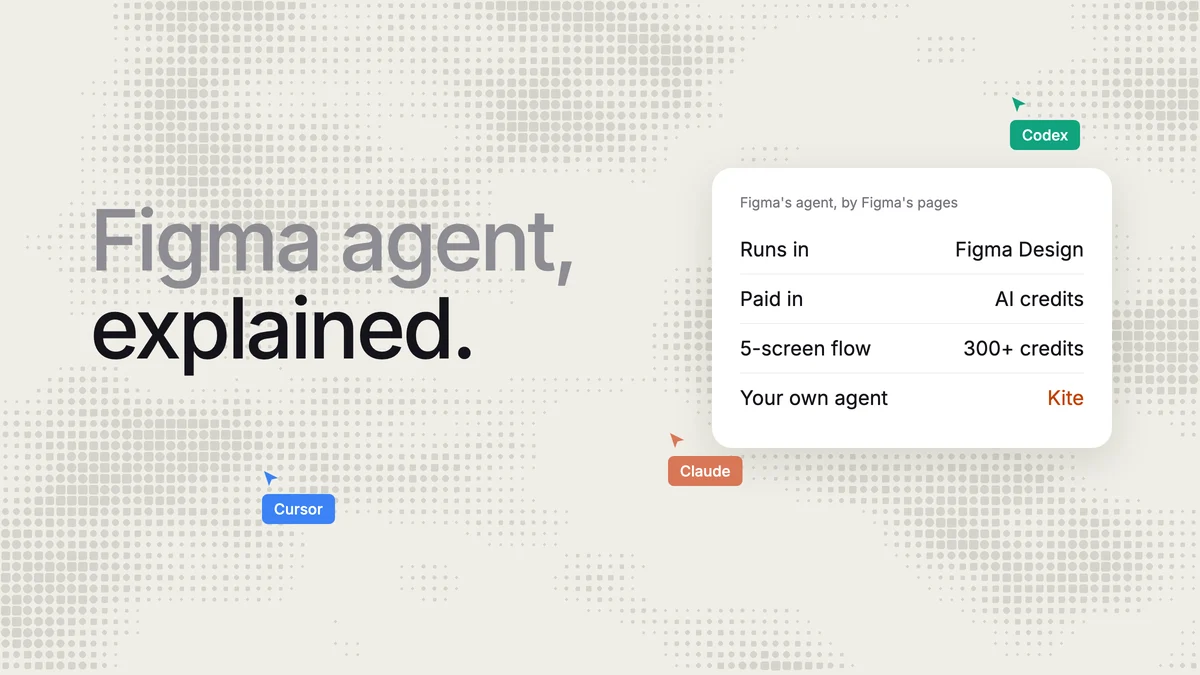
Short answer: the Figma agent is Figma's built-in AI that designs and edits inside Figma Design. It is free to try on Starter, and on paid plans, having the agent edit a team file takes a Full seat. Since October 6, 2026 every prompt spends AI credits: a Professional Full seat gets 3,000 a month, and Figma itself puts a five-screen checkout flow at 300 or more. If you already use Claude, Codex, ChatGPT, Cursor or Gemini, Kite (kite.new) lets that agent design in a file your team shares, with no AI credits, and send frames to Figma when you need them there.
Key takeaways
- The agent works only in Figma Design, on the desktop app or the web. In FigJam and Slides it opens to everyone on November 19, 2026, and begins consuming credits that day.
- Anyone on a supported plan can use it in their own drafts; editing a team file needs a Full seat and edit access.
- Figma's agent and Figma Make share one pool of AI credits, which reset monthly and don't roll over.
- Figma can't say what a prompt will cost before it runs, and the price of extra credits is shown only to admins.
- In one run, Claude drew Figma's own 300-credit example, a five-screen checkout flow, in Kite in 8 tool calls, with no credits.
Every Figma fact below comes from Figma's own help center, pricing page and blog, read on November 14, 2026, and is linked where it is used. Kite publishes this page and is the alternative it suggests.
What the Figma agent is
The Figma agent is an AI agent built into Figma Design. In Figma's words, you can “collaborate with an agent to generate and remix designs, automate busywork, and get design feedback”. You select a layer and press Cmd or Ctrl + Enter to prompt on the canvas, or open Agents in the left bar for a chat that stays beside your file. Figma launched it on May 20, 2026, describing it as “fine-tuned for editing Figma files”, and it left beta on October 6, 2026.
What it can do today, per Figma's list of supported features:
- Generate new screens from a prompt, and edit layout, auto layout, component instances, styles and variables.
- Connect a library and take
@mentions of your components, variables and styles; it can also author main components. - Make bulk edits: realistic content, rewritten or translated copy, replaced images.
- Review and sort comments, give design feedback, and critique from a persona's point of view.
- Make code layers, shaders, motion and generative plugins, and run skills and MCP connectors.
- Run several prompts at once, each with its own thread that teammates with Full seats can see.
Still marked “coming soon”: vector editing and Draw tools, creating icons, slots, and prototyping. It can't export assets for you.
Plans and seats
Figma's help center lists the agent on “Starter, Professional, Education (not K-12), Organization, and Enterprise plans”. What you can do with it depends on your seat:
| Your seat or access | In a team file | In your own drafts |
|---|---|---|
| Full seat, with edit access | Chat and edit | Chat and edit |
| Dev, Collab or View seat | Chat only, no edits | Chat and edit |
| View-only access to the file | Chat only, no edits | Chat and edit |
For example, a developer on a Dev seat can ask the agent about a team file, but only a teammate with a Full seat can have it change that file.
Two of Figma's own pages disagree on the plans. Its AI design agent page says “Figma's agent is available on all paid Figma plans”, while the help center includes Starter. The May launch post left Starter out, but that was the beta. We go by the help center.
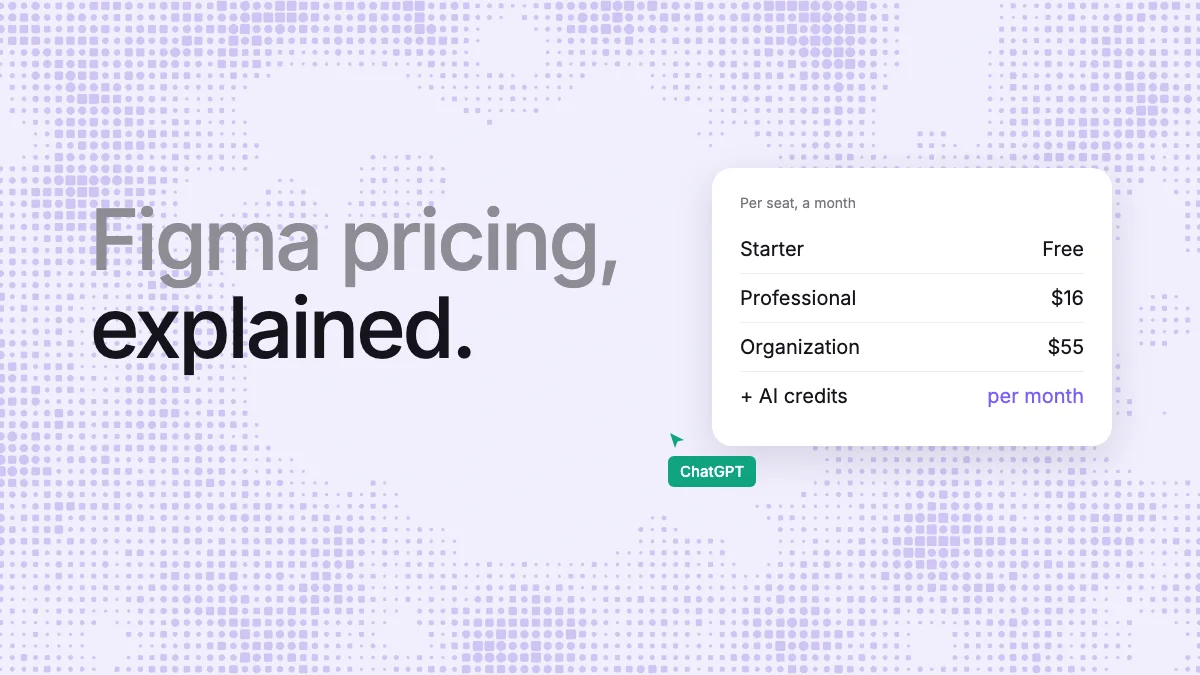
A Full seat on Professional costs $16 a month billed yearly, or $20 billed monthly. On Organization it is $55 and on Enterprise $90, both billed yearly (Figma pricing). The Figma pricing guide breaks down every seat.
Is the Figma agent free?
Free to try, not free to use without limit. On the Starter plan you get 500 AI credits a month, capped at 150 a day. Since the agent left beta, every prompt spends them. Figma's own estimate for a five-screen checkout flow, 300 credits or more, is twice Starter's daily cap. What happens to a single task larger than the cap isn't stated. During the beta the agent used no credits.
Is Figma AI free more broadly? Some standalone AI actions are free, per Figma's credit table: AI search and Rename layers in Figma Design, and a few FigJam actions such as summarizing stickies. Those are one-click tools, not agent prompts. On Starter, Figma's help center lists image tools among the individual AI tools (get started with Figma AI). Agent prompts and Figma Make spend credits.
How Figma AI credits work
Figma AI credits are the meter for Figma's own AI. The agent, Figma Make and Weave tools “draw from the same credit budget”. Each seat gets a monthly amount, per Figma's credits page:
| Seat | Professional | Organization | Enterprise |
|---|---|---|---|
| Full | 3,000 a month | 3,500 a month | 4,250 a month |
| Dev or Collab | 500 a month | 500 a month | 500 a month |
| View | 500 a month, 150 a day | 500 a month, 150 a day | 500 a month, 150 a day |
The free Starter plan gets 500 a month, also capped at 150 a day. Seat credits belong to one person, reset monthly, don't roll over and can't be shared. What the agent spends, by Figma's approximate examples:
| Task given to the Figma agent | Credits, approximate | How many fit in a Professional Full seat's 3,000 |
|---|---|---|
| Change the fonts for a design | 30+ | Up to 100 |
| Summarize what's on the canvas | 100+ | Up to 30 |
| Create a code layer from frames | 250+ | Up to 12 |
| Generate a 5-screen mobile checkout flow | 300+ | Up to 10 |
For example, take a designer on a Professional Full seat who asks for one checkout flow a working day. At Figma's own estimate, the month's credits are gone by the end of the second week, with nothing left for Figma Make. The last column is our arithmetic on Figma's figures, not a number Figma publishes.
Figma says a prompt's cost depends on the model, how complex the task is and how much context it reads: attached files, libraries, connectors and long chat history all add to it. It also says “we can't predict exactly how many credits a request will use in advance”; you see the cost after the prompt, by hovering the credits icon. Undoing an AI change doesn't refund its credits. Figma lists its rates “as of October 15, 2026” and adds: “Costs for each feature may change.”
When the credits run out
At zero, “you will be unable to complete any additional AI actions.” You can ask for more, which emails your admin; otherwise you wait for next month's reset. Because the agent and Figma Make share the pool, a month of Make can leave nothing for the agent.
Only admins on Professional, Organization and Enterprise can buy more, in two ways that can be combined. One is a credit subscription shared by the team: month-to-month on Professional, even on yearly billing, and annual on Organization and Enterprise. The other is pay-as-you-go up to a spending limit. Education and Government plans can't buy credits.
The price per credit isn't on Figma's public pages. Figma says it is shown in the admin dashboard, and that it drops as you buy more. Since August 25, 2026, the same spend buys twice as many credits on Professional and 1.6 times as many on Organization and Enterprise; the credits included with each seat didn't change.
What users report, in their words rather than Figma's: a Reddit thread on the 3,000-credit allowance says “a single task can burn through 100 or 200 credits”. On Figma's forum, a user wrote on November 12 that they “ran through my 3k credits in 5 days”. Both are about Figma Make, which spends the same credits as the agent.
Figma Make pricing
Figma Make, Figma's prompt-to-app tool, has no price of its own: Figma doesn't sell products individually, and the Full seat includes Make. Starter gets Make “with limitations”; Dev seats can try it in drafts and export code, and Collab and View seats can try it in drafts (Figma help). It spends the same credits as the agent: about 30 or more to change a font, 75 or more to make a design interactive, and 100 or more for an app from scratch; a heavier model consumes considerably more. Our Figma Make alternatives compare it with tools that build the same things.
Where Figma's agent fits best
If your team already designs in Figma, the agent has real strengths, by Figma's own description:
- Nothing to set up. It lives on the canvas; Figma's launch post contrasts it with the MCP server, which needs a separate setup.
- Your design system, in Figma. It reads connected libraries and edits main components, styles and variables in the file itself.
- Busywork across a file. Renaming variables, swapping a component across screens, repeating a padding change and converting screens to dark mode are the busywork jobs Figma's launch post names.
- Feedback in place. Figma says it can “summarize, sort, and take action on comments” in the file.
If all of that work stays in Figma files and your designers hold Full seats, the agent is the shortest path, as long as the credits last.
Where it stops
- It is Figma's agent only. Figma's agent runs on Figma AI credits. Figma's pages describe no way to run it on a Claude, ChatGPT or Codex plan, and don't name the model it runs. Outside agents reach Figma through its MCP server instead, where writing to files is in beta on Professional, Education, Organization and Enterprise, and Figma says it “will eventually become a usage-based paid feature”. See Figma MCP alternatives.
- Every prompt is metered, at a cost Figma can't give in advance, from a monthly pool that doesn't roll over and that Figma Make also spends.
- A Full seat to edit. On Professional that is $16 a month billed yearly, or $20 monthly, for each designer who wants the agent to change team files.
- One product. Only Figma Design today, on the desktop app or the web; no mobile. Vector tools, icons and prototyping are not there yet.
The alternative: your own agent in Kite
Kite is a design tool built for the agents people already use. Claude, Codex, ChatGPT, Cursor or Gemini connect to Kite's hosted server and draw in your files, beside your team. What they make is real layers you can edit, not pictures. Kite sells no AI credits. Your agent runs on the plan you already have with Anthropic, OpenAI, Cursor or Google, and Kite's free plan gives it 200 actions a day, drawing included. Any client that signs in with OAuth connects (how each agent connects).
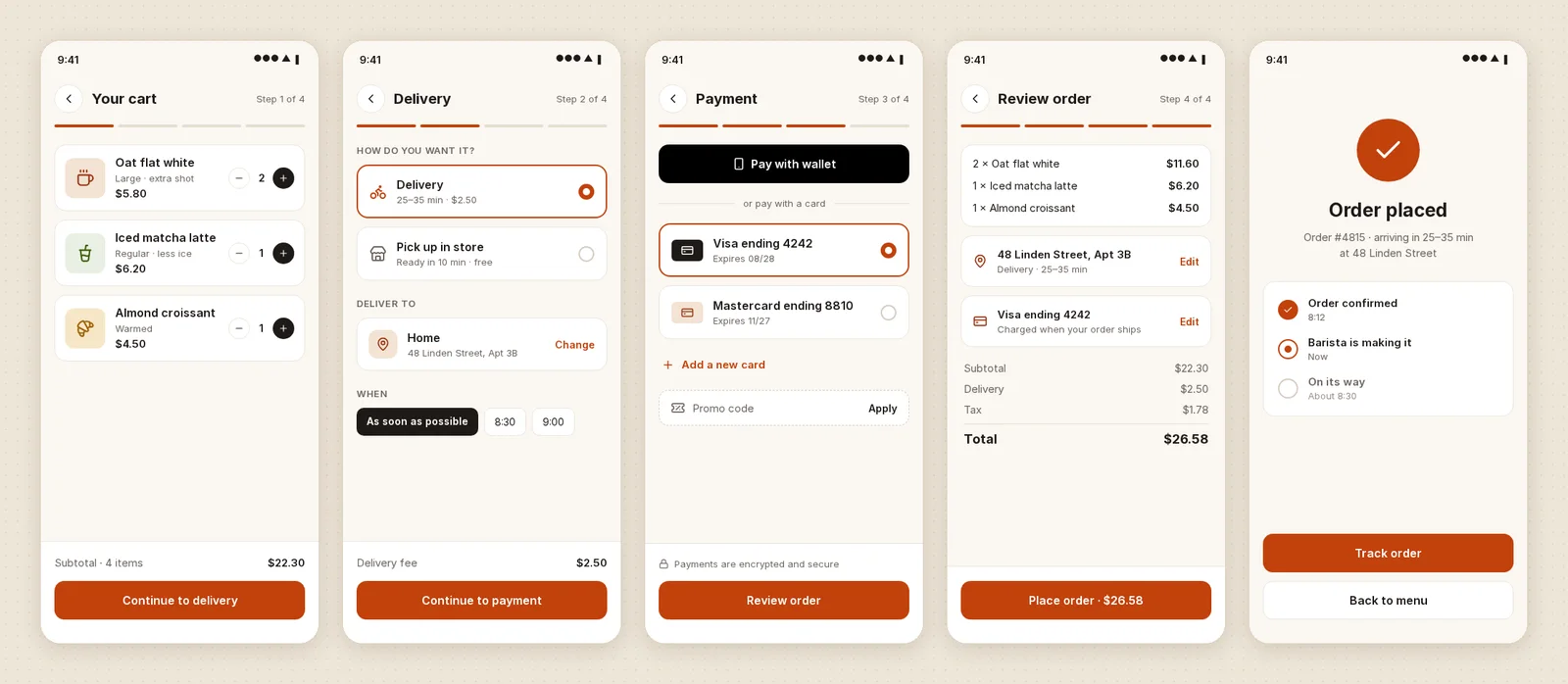
To see what that looks like, we gave Claude the task Figma uses as its 300-credit example, as one prompt: “Generate a 5-screen mobile checkout flow”, for a coffee shop app, in a new Kite file.
| A 5-screen mobile checkout flow | Figma agent | Claude in Kite |
|---|---|---|
| What it cost | 300+ AI credits, Figma's estimate | No credits; 8 tool calls, in our run |
| On the free plan | Starter: 500 credits a month, 150 a day | 8 of the day's 200 agent actions |
| To edit a team file | A Full seat and edit access | Edit access. Free: any editor; Pro: $16–20 per editor, no credits |
| Which agent | Figma's own | Yours: Claude, Codex, ChatGPT, Cursor, Gemini |
| Where it works | Figma Design, desktop app or web | Any MCP client; nothing open on your computer |
A seat costs about the same in both: Kite Pro is $16 to $20 per editor a month, like a Professional Full seat. The difference is the credits, not the seat. Figma meters each agent prompt from a monthly pool; Kite meters none.
The 8 calls were one read of Kite's drawing guide, one new file, one draw for all five screens, four looks at the result and one call to say it was done. We didn't run Figma's agent on the same prompt. So the Figma column is Figma's published estimate, not a measurement, and we don't compare the two designs.
One honest cost on Kite's side: your agent's own plan still has limits, and Anthropic says “Tools and connectors are token-intensive”. We didn't count this run's tokens. In an earlier test with a different brief (a pricing section), Claude's tool calls sent and returned about 4,000 tokens in Kite and 21,000 through Figma's MCP server, tool lists not counted. The pricing guide's test has the details.
If your team lives in Figma, you don't have to move. Paste frames from Figma into Kite, let your agent work on them, and send the result back with Copy to Figma (how Kite works with Figma). Kite's plans, per its pricing:
- Free: unlimited editors and viewers, 3 files, 200 agent actions a day.
- Pro: $20 per editor a month, or $16 billed yearly, with unlimited files and agent actions.
- Team: $35 per editor a month, or $28 billed yearly, with SSO and admin controls.
Kite isn't open source or self-hosted, and it doesn't edit Figma files in place: work moves between the two by paste and Copy to Figma. For the full side-by-side, see Kite vs Figma.
How we checked
Methodology: every Figma fact was read on November 14, 2026, on Figma's own pages. Those are five help center articles, the pricing, AI and agent pages, the launch post and the developer docs. Professional's monthly price was read with the pricing page's billing switch set to monthly. Quotes are Figma's words. User reports come from Reddit and Figma's forum and are labelled as such. We measured the Kite run in tool calls: 8, counted from the session. Claude Opus 5.5 ran it on Kite's hosted MCP server on November 14, 2026, in a new file that was archived afterwards. It was one run, and tokens weren't counted. Kite figures come from Kite's pricing page, and prices are in US dollars. We check this page again whenever Figma changes its credits.
Questions
- What is the Figma agent?
- It is Figma's own AI agent, built into Figma Design. You chat with it on the canvas or in a sidebar, and it generates and remixes designs, makes bulk edits, uses your libraries and variables, and gives design feedback. It runs only in Figma Design, on the desktop app or the web.
- Is the Figma agent free?
- It is free to start: Figma's help center lists the Starter plan, which includes 500 AI credits a month, capped at 150 a day. Since October 6, 2026 every prompt spends AI credits. On paid plans, having the agent edit a team file needs a Full seat: on Professional, $16 a month billed yearly or $20 billed monthly, with 3,000 credits a month.
- How many AI credits does the Figma agent use?
- It varies, and Figma says it can't predict a prompt's cost in advance. Its own estimates: about 30 or more credits to change the fonts in a design, 100 or more to summarize the canvas, and 300 or more to generate a 5-screen mobile checkout flow.
- How much does Figma Make cost?
- Figma Make has no price of its own. It comes with a Full seat, $16 a month on Professional billed yearly or $20 billed monthly, and spends the same AI credits as the Figma agent. Starter gets it with limitations; Dev, Collab and View seats can try it in their drafts.
- What happens when I run out of Figma AI credits?
- You can't run any more AI actions until your credits reset next month, unless an admin adds more. Admins on Professional, Organization and Enterprise can buy a credit subscription (month-to-month on Professional, annual on Organization and Enterprise) or pay as they go up to a spending limit. Figma shows the price per credit only in the admin dashboard.
- Can I use Claude or Codex instead of the Figma agent?
- In Figma, outside agents work through its MCP server: writing to files is in beta, on Professional, Education, Organization and Enterprise plans, and Figma says it will become a usage-based paid feature. In Kite (kite.new), Claude, Codex, ChatGPT, Cursor or Gemini design in a shared file with no AI credits, on every plan, 200 agent actions a day free.