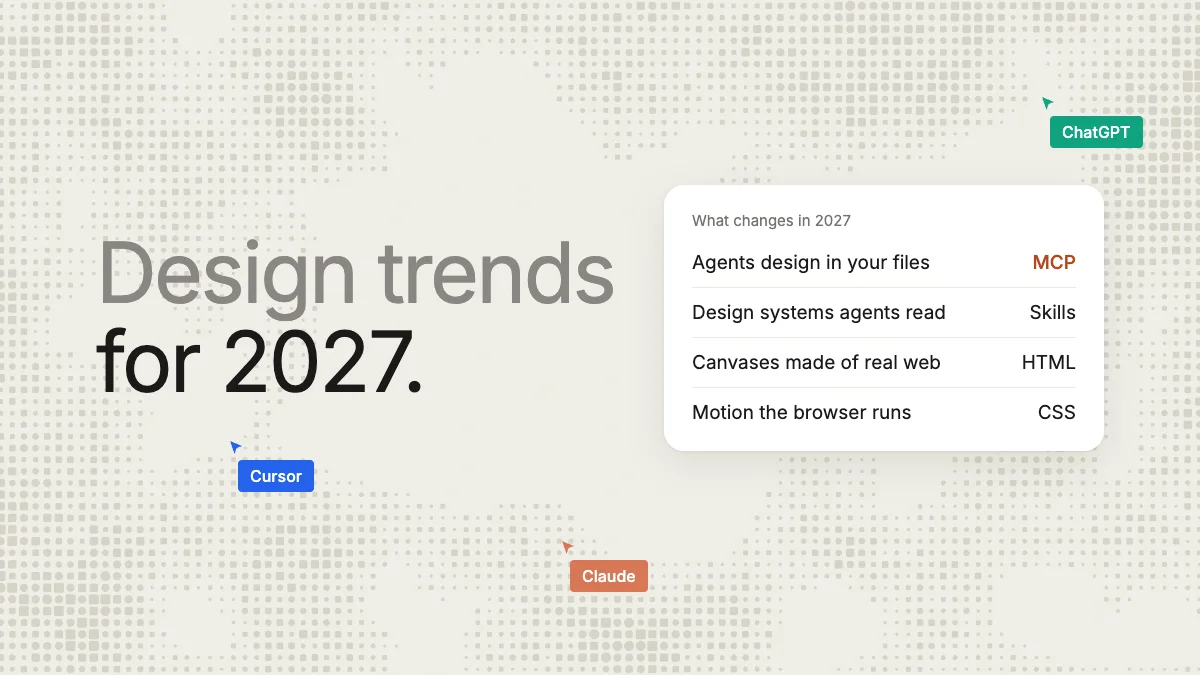
Short answer: the design trends for 2027 that change how screens get made are AI agents designing inside your design files through MCP and design systems written for agents to read. Canvases are becoming real HTML and CSS, and AI credits are now a line on the design bill. The trends that change how screens look come from the platforms: Apple's Liquid Glass, Google's Material 3 Expressive, and motion and 3D the browser now runs itself. Each of the 12 trends below is backed by a vendor announcement, a standards page or survey data, all read on November 17, 2026.
Key takeaways
- The work changed first: since March 2026 agents can design on Figma's canvas, and Framer, Webflow, Sketch, paper.design and Kite (kite.new) all let an outside agent edit designs over MCP.
- Design systems now come with files written for agents: Google opened the DESIGN.md draft spec in April 2026, and Agent Skills became an open standard. In our timed run, Claude built a small design system with one skill, designed a phone screen with it and exported React code in Kite in 5 calls and 44 seconds.
- AI credits are now metered: a Figma Professional Full seat includes 3,000 a month, and Figma estimates a 5-screen checkout flow from its agent at 300 or more. Kite has no AI credits; your agent runs on the plan you already pay for.
- Two browser features crossed into every engine: view transitions in October 2025 and scroll-driven animations on October 27, 2026. WebGPU now ships in Chrome, Safari and Firefox.
This list covers design for screens: apps, product UI and websites. It skips opinion-only “looks” we could not tie to a source. We make Kite, a design tool AI agents and teams design in, so it appears where it is part of a trend, and we say where it is not.
What are the design trends for 2027?
Here are the 12 trends at a glance, each with the dated fact behind it and one thing to do about it. The sections after the table explain each one.
| Trend | The proof point | What to do in 2027 |
|---|---|---|
| 1. Agents design in your files | Figma opened its canvas to agents on March 24, 2026 | Connect the agent you use to your design tool |
| 2. Design systems for agents | Google's DESIGN.md draft spec, April 21, 2026 | Write the rules your system leaves unsaid |
| 3. HTML and CSS canvases | Figma code layers in open beta, October 15, 2026 | Prefer files that are already web code |
| 4. AI credits | Figma: 3,000 a month on a Professional Full seat | Price the agent work, not only the seats |
| 5. Design meets code | Designers in development: 21% to 41% (Figma) | Hand off code, not screenshots |
| 6. Generative UI in chat | Google's A2UI 1.0, November 11, 2026 | Design components an agent can assemble |
| 7. Glass and springy motion | iOS 27 adds a clear-to-tinted glass slider | Use glass for layers, keep text on solid ground |
| 8. Native CSS motion | Scroll-driven animations in every engine, October 27, 2026 | Drop animation libraries you no longer need |
| 9. WebGPU 3D | Firefox 147 brought WebGPU to Apple Silicon Macs | Use 3D where it explains, with a fallback |
| 10. Type and colour | About 4 in 10 sites use a variable font | One variable family, oklch colours |
| 11. A human hand | 65% say brands make too much AI content (Gartner) | Make the default AI look your starting point, not the result |
| 12. Accessibility as law | 95.9% of home pages fail WCAG 2 checks (WebAIM) | Check contrast and targets on every screen |
1. AI agents design in your design files
The first change is who holds the mouse: Figma, Framer, Webflow, Sketch and paper.design all now let outside agents design in their files. MCP (Model Context Protocol) is the open standard that lets an AI agent such as Claude, ChatGPT, Codex or Cursor use another app's tools, and in 2026 design tools adopted it to let agents draw. In December 2025 MCP moved to the Linux Foundation's new Agentic AI Foundation, whose announcement counted “more than 10,000 published MCP servers”.
On March 24, 2026 Figma wrote, “Starting today, you can use AI agents to design directly on the Figma canvas” (Figma's announcement). The limits matter, though. Per Figma's help centre, writing to the canvas needs a paid plan (Professional and up, or Education) and a Full seat outside your drafts. It is free only during a beta that will “eventually become a usage-based paid feature”. On the free Starter plan, Figma's pricing allows 20 MCP tool calls a month.
Others moved the same way. Framer's MCP lets agents create pages and edit layouts, Webflow's lets them create elements, styles and components, Sketch's can “access or modify data in your Sketch documents” from your Mac, and paper.design reads and writes files through its desktop app, with a remote server in early access. In Kite (kite.new), this is the whole product: any agent connects from anywhere, on every plan including Free (200 agent actions a day; unlimited on Pro), and several agents can work in one file alongside the people you work with. The full list is in our guide to the best design MCP servers.
2. Design systems written for agents
A design system used to be written for people, who fill gaps with judgement. Agents don't, so in 2026 teams started writing down what was implied. On April 21, 2026 Google described DESIGN.md as a file that “lets you export or import your design rules from project to project” and said “we're open-sourcing the draft specification” (Google's post). Agent Skills, folders of instructions an agent loads when they fit the task, were “originally developed by Anthropic, released as an open standard”. Figma now lets a library carry guidelines files that “help the Figma agent create designs that better reflect your design system” (Figma's help). Claude Design builds a design system “by reading your codebase and design files”.
In Kite, every design system carries its variables and its skills, and an agent reads both before it draws (how design systems work). The practical step for 2027 is the same in any tool: write the rules your components leave unsaid, such as one primary button per screen or which colour is only for errors. We compare the tools that support these files in design skills for AI agents.
3. The canvas becomes real HTML and CSS
Most design tools store designs in their own format, so an agent works through a translation. The newer canvases are web code to begin with. paper.design says its “HTML/CSS canvas means your design exports as code” (paper.design). A Kite frame is real HTML and CSS too, the language agents already read and write, which is why an agent can draw a whole screen in one call. Even Figma is moving toward code: its code layers went into open beta on all plans on October 15, 2026 (Figma's post), and they spend AI credits once a launch promotion ends (Figma's credit guide).
4. AI credits join the design bill
In 2026 AI in design tools stopped being an unmetered extra. Figma said it would enforce seat credit limits from March 18, 2026 (Figma's notice), and its agent has spent credits since it became generally available on October 6, 2026 (Figma's credit FAQ). Figma's own estimate for asking it to “Generate a 5-screen mobile checkout flow” is 300 or more credits (Figma's credit guide).
| Tool | AI included | What an action costs |
|---|---|---|
| Figma | 3,000 credits a month on a Professional Full seat; up to 500 on Starter (pricing) | Varies; a 5-screen flow 300+ credits |
| Framer | 1,000 credits a month on Basic, 3,000 on Pro (pricing) | Not stated on the pricing page |
| Webflow | Credits per workspace, 200 a month on Starter (help) | “Webflow doesn't publish a rate card” |
| Claude Design | Shares your Claude plan's usage limits (guide) | Not stated |
| Kite | No AI credits: your own agent's plan | Free: 200 agent actions a day; Pro unlimited |
The other model is to bring your own agent: in Kite, it runs on the Claude, ChatGPT or Cursor plan you already pay for, and Kite Pro is $16 a person a month billed yearly ($20 monthly). Free keeps 3 files and unlimited editors. Sketch's MCP server also advertises “No AI credits or add-ons” (Sketch's pricing). For a side by side on price, see Kite vs Figma.
5. Design and code meet in the middle
Figma's 2026 AI report, built on 8,403 survey responses, found “the number of designers participating in development doubled to 41%”, from 21%. Meanwhile, “developers doing design work rose from 44% to 60%” (Figma's report). The tools follow. Claude Design packs a design into “a handoff bundle that you can pass to Claude Code with a single instruction” (Anthropic). In Kite, any frame copies out as HTML, React or Tailwind with the design system's variables as CSS.
Designers mostly welcome it: in Figma's State of the Designer 2026, 91% of 906 designers said AI tools improve their designs. Nielsen Norman Group's 2026 survey of UX practitioners names the brake: output quality (54%) and data privacy (50%) were the biggest barriers.
6. Interfaces generated inside the chat
More interface now appears inside AI chats, put together on the spot. Google Research describes generative UI as an AI model that “generates not only content but an entire user experience” (Google Research). MCP Apps, the first official MCP extension, launched on January 26, 2026 so that “Tools can now return interactive UI components that render directly in the conversation” (MCP blog). And on November 11, 2026 Google released A2UI 1.0, “the first stable version of our open protocol for generative UI”. It “lets AI agents answer with interactive screens, such as a form to confirm or a chart” (Google for Developers). For designers, that shifts work from fixed screens to well-named components and rules an agent can assemble.
7. Glass and springy motion in the platforms
The two phone platforms set the visual tone. Apple introduced Liquid Glass in June 2025, a “translucent material [that] reflects and refracts its surroundings”, across iOS 26 and macOS Tahoe 26 (Apple Newsroom). In iOS 27 Apple tuned it: “Updates to Liquid Glass ensure exceptional readability with more uniform refraction and improved contrast.” It also added a slider: “a new slider lets you easily customize how Liquid Glass looks, from ultraclear to fully tinted” (Apple's iOS 27 page). The lesson for 2027: glass for layers and controls, solid ground behind text.
Google's answer is Material 3 Expressive, which brings “more natural, springy animations” to Android, per Google's launch post. Google says it ran “46 separate research studies” with more than 18,000 participants, who could “spot key UI elements up to four times faster in the M3 Expressive designs” (Google Design).
8. Motion the browser runs itself
Web motion that used to need a JavaScript library is now built into every major browser. View transitions, which animate between two states of a page, became Baseline on October 14, 2025, when Firefox 144 shipped them (web features explorer). Scroll-driven animations, tied to how far a reader has scrolled, followed on October 27, 2026 with Firefox 159, and Chrome already counts them on about 8.3% of page loads (web features explorer). Transitions between separate pages still work only in Chrome and Safari (web features explorer). Expect more scroll stories and smoother page changes in 2027; respect prefers-reduced-motion for people who turn motion off.
9. WebGPU ships in all three browser engines
WebGPU, the browser's modern graphics interface, now ships in all three engines. Chrome has had it since version 113, adding Linux from Chrome 144 (Chrome for Developers). Safari added it in Safari 26 (WebKit). Firefox turned it on for Windows in version 141 and for Apple Silicon Macs in 147 (Firefox 147 notes). Coverage still has gaps by system, so 3D scenes and GPU effects need a fallback, but heavy 3D on a product page no longer has to mean a video.
10. Variable type and wider colour
Variable fonts, one file for every weight, are now mainstream. The 2025 Web Almanac found “39.4% of desktop websites and 41.3% of mobile websites used at least one variable font” (HTTP Archive). For colour, WGSN and Coloro named Luminous Blue the colour of the year for 2027 (WGSN). Pantone's 2026 colour is Cloud Dancer, a soft white (Pantone), and its 2027 pick had not been announced on November 17, 2026. On screens, oklch() and color-mix() now work in every major browser (web features explorer), so palettes can be defined by lightness and shade instead of hand-picked hex codes.
11. A human hand against AI sameness
Seven of the nine screen-design trend pages we read on Google's first page name some version of handmade, imperfect or distinctive design, a reaction to the look AI tools produce by default. The data behind it is about trust. In a Gartner survey of 1,006 US consumers, “65% of consumers believe brands are producing too much AI-generated content in their marketing materials”. And 57% said it made them trust brand messaging less (Gartner). The way through is not to avoid agents but to give them your own system and rules (trend 2), so their first draft already looks like you.
12. Accessibility becomes the law
Accessibility moved from good practice to legal floor. In the EU, the European Accessibility Act applies to e-commerce, banking, transport and more: “EU countries must apply the measures from 28 June 2025” (EUR-Lex). In the US, the Justice Department's web rule for state and local governments uses WCAG 2.1 AA. It applies from April 26, 2027 for those with 50,000 or more people, and from April 26, 2028 for smaller ones (ADA.gov). The gap is wide: WebAIM's 2026 scan of a million home pages found 95.9% with detected WCAG 2 failures and an average of 56.1 errors per page (WebAIM Million). Contrast and WCAG 2.2's 24-pixel minimum for touch targets (W3C) are cheap fixes to build into a design system now.
Three of these trends in one timed run
To show trends 2, 3 and 5 together, we ran one job on November 17, 2026 with Claude (Opus 5.5 in Claude Code, connected to Kite over MCP). The job: make a small design system with one skill for agents, design a phone screen with it in a new file, and export the screen as React code.
Claude read Kite's drawing guide and made the design system: six colours, two corner radii, a font and a “screens” skill (one primary button per screen, 24px side padding, 12px between related items). It then made the file with that system, drew the whole screen in one draw call using the system's variables, and exported it. We measured 5 calls to Kite, 0 fixes and 44 seconds from the first call to the last answer, including the time the model spent writing. No AI credits were spent.
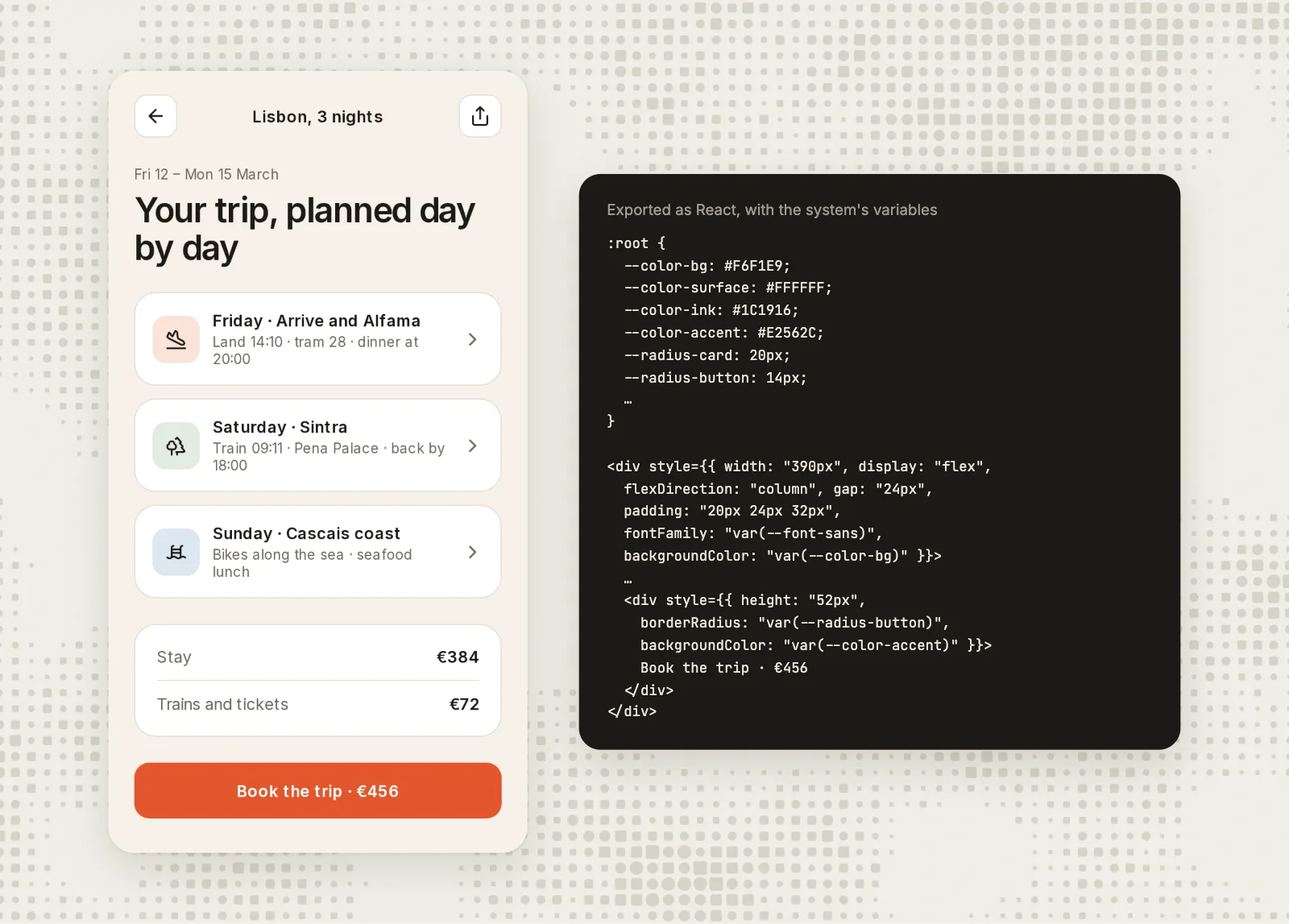
This was one run of one prompt, so read it as what happened, not a benchmark. The file was a scratch file and is archived.
How we checked
Methodology: on November 17, 2026 we read Google's first page for “design trends 2027”, “ui design trends 2027” and “web design trends 2027” to see what the ranking lists cover. We then kept only trends we could tie to a vendor announcement, release notes, a standards page or survey data, each read that day and linked where it is stated. Opinion-only looks were left out. The Kite run was timed from timestamps taken just before the first call and after the last. Kite facts come from Kite's own plans and docs. We will update this page as 2027 goes on; next year's edition keeps this address.
Questions
- What is the design trend for 2027?
- For UI, product and web design, the trend most design tools now share is AI agents designing inside the design file through MCP, alongside design systems written for agents to read. Visually, the platforms set the tone: Apple's Liquid Glass and Google's Material 3 Expressive, with motion the browser now runs itself, such as view transitions and scroll-driven animations.
- What colours will be popular in 2027?
- WGSN and Coloro named Luminous Blue their colour of the year for 2027. Pantone usually names its colour in early December and had not named a 2027 colour by November 17, 2026; its 2026 colour is Cloud Dancer, a soft white. On screens, wider colour is easier now: oklch() and color-mix() work in every major browser.
- Is AI replacing web designers?
- The surveys we found don't measure jobs; they show the work changing. Figma's 2026 AI report found designers taking part in development doubled to 41%, and in its State of the Designer 2026 survey of 906 designers, 89% said AI tools make them faster. The work is moving toward directing agents, setting the design system and judging the result.
- Is web design still worth it in 2027?
- Yes, as a skill and for a business's site. Agents draft faster, but someone still decides what a product should feel like, writes the rules agents follow and checks the work. Accessibility law now makes that check a requirement for many EU e-commerce, banking and transport services and, from April 2027, for large US state and local governments.
- Which UI design trends are fading in 2027?
- Heavy glass at low contrast: Apple itself tuned Liquid Glass for readability in iOS 27 and added a slider up to fully tinted. Handing off static mockups is fading too: Figma added code layers, and Claude Design hands a design to Claude Code as a bundle. And the generic look AI tools produce by default: 65% of US consumers told Gartner brands make too much AI content.
- Are these interior design trends?
- No. Most "design trends 2027" lists are about homes. This one is about design for screens: apps, product UI and websites. The colour of the year picks apply to both.