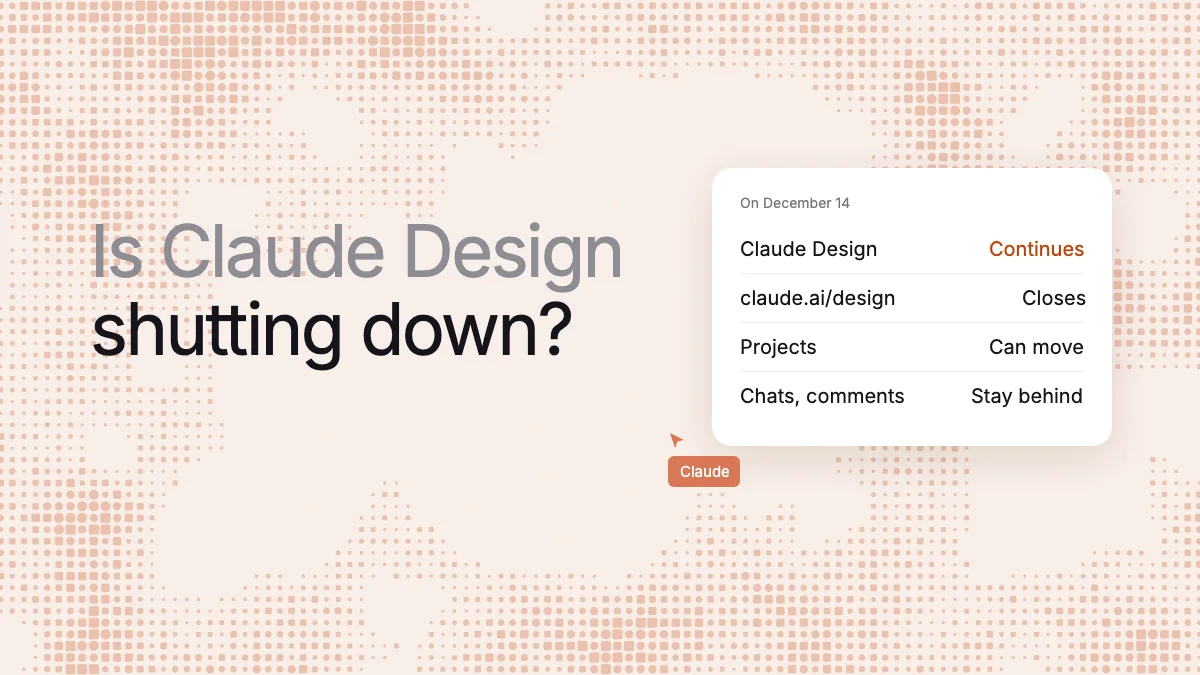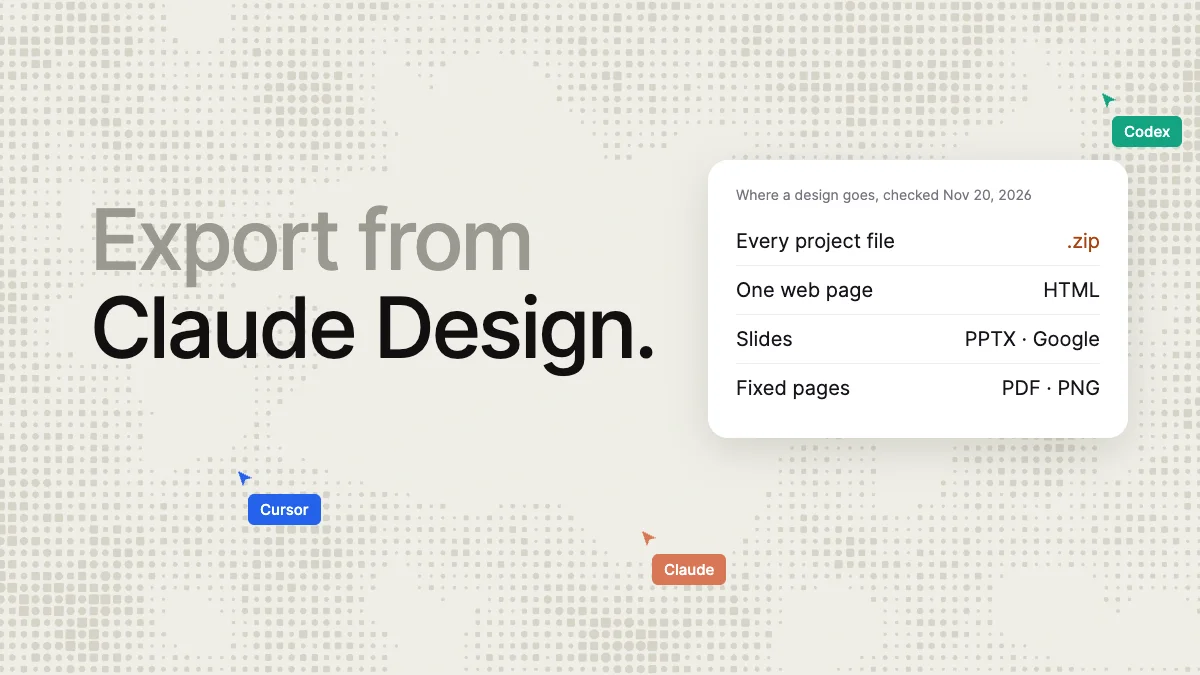
Short answer: open the design and click Export in the upper right corner. Claude Design exports a .zip, a PDF, a PowerPoint file, Google Slides or standalone HTML. It sends work to 15 apps, including Canva, Miro and Vercel, and hands it off to Claude Code; there is no Figma or Word export. For a project on the old site, which closes on December 14, 2026, the .zip download is free.
Key takeaways
- The Export button lists five export formats, 15 send-to apps and a handoff to Claude Code, and some apps' guides start from Share instead.
- The .zip keeps every file in the project, so make one of every project you want to keep before December 14, 2026.
- Canva turns a Claude Design deck into an editable presentation, Miro shows a design read-only, and Vercel turns it into a live site.
- Anthropic documents no export to Figma, Word, Webflow, Framer or WordPress, and no design system export.
- Anthropic names no export for chats or comments, so copy what you need before the old site closes.
Claude Design is Anthropic's design tool: you chat, and Claude makes designs, prototypes and one-pagers on a canvas. It is now one of the templates you start an artifact from, and it comes with every plan, Free included, per Anthropic's getting-started guide. This page takes each export Anthropic documents, in its own words, and says plainly where it documents nothing.
Every Claude Design export format at a glance
“What you get” says whether you can still edit the result, and where. “Plan” is what the pages say about it: Anthropic ties no export to a plan, and Claude Design itself is on every plan.
| Format | How | What you get | Plan |
|---|---|---|---|
| Project archive (.zip) | Export > Download as .zip. On the old site: Share > Project HTML > Project archive > Export | Every file in the project. Editable as code | Any. Free and outside your limits on the old site |
| Standalone HTML | Export > Export as standalone HTML | One web page that opens in a browser. Editable as code | Any |
| Export > Export as PDF, for one artboard or every artboard | Fixed pages, to read or print | Any | |
| PNG | Export one artboard (Claude Academy, Claude Code docs) | A picture | Any |
| PowerPoint (PPTX) | Export > Export as PPTX | A PowerPoint file. How editable a design's slides are isn't stated | Any |
| Google Slides | Export > Export to Google Slides | Slides in Google Slides. Editable files for decks; not stated for designs | Any |
| Canva | Send to Canva | A deck becomes an editable Canva presentation. Anything else, a Code design with basic edits | Not stated |
| Miro | Share > Send to > Miro | A read-only view on a new board | All Miro plans |
| Vercel | Share > Send to > Vercel, or the .zip on Vercel Drop | A live website with its own address | Vercel's free Hobby plan works |
| Lovable, Replit | Send to | An app project you keep building there | Not stated |
| Claude Code | Export > Handoff to Claude Code | Code in your own project | Pro and up (Claude Code isn't on Free) |
| Figma, Word, Webflow, Framer, WordPress | Not offered | Start from the HTML or the .zip (sections below) | n/a |
Where the export options are
Anthropic's getting-started guide says to “Use the ‘Export’ button in the upper right corner when viewing your project”, and lists:
- Download as .zip.
- Export as PDF.
- Export as PPTX.
- Export to Google Slides.
- Export as standalone HTML.
- Send to the tools you already use: Adobe Experience Manager, Adobe for Creativity, Adobe Journey Optimizer, Base44, Canva, Gamma, HubSpot, Hyperframes, Lovable, Miro, Netlify, Replit, v0, Vercel and Wix.
- Handoff to Claude Code: Send to local coding agent, or Send to Claude Code Web.
Other pages put some of these under Share. The moving guide downloads a project from Share > Project HTML, the Claude Academy exports the whole prototype from Share > Export, and Canva, Miro and Vercel all start from Share > Send to. If you can't find an option under one, look under the other.
Download the project as a .zip
The .zip is the most complete copy, and for a project still on the standalone site, claude.ai/design, the moving guide gives the steps:
- Open the project in the standalone version.
- Click Share, then choose Project HTML; for a slide deck, it's under More formats and apps.
- Keep Project archive selected and click Export.
“You get a .zip file with every file in the project. It's free and doesn't count toward your usage limits”, and moving a project to Claude also offers a .zip in its review screen. A download of all the projects you own is rolling out together with Move to Claude, on the old site's home page. It holds “your files, not your chats or comments”, and organizations with the HIPAA-ready configuration don't get it.
For a design already in Claude, choose Download as .zip from Export. Vercel's guide describes the result as “a zipped folder of website files”, which is why it can be put online as it is.
Export to HTML
Export as standalone HTML saves the design as one web page you can open in a browser or send to someone who can't open your link. The Academy says the same choice exports “the whole prototype as one web page (HTML), from Share > Export”, and that a single artboard exports as “HTML (.zip)”.
HTML is ordinary web code, so it is the starting point for every destination Anthropic doesn't list, Figma included. Expect the clickable parts of a prototype to stay behind when another tool reads the file: Canva, for one, says JavaScript isn't supported in imported designs.
Export to PDF or PNG
Export as PDF is on the Export list. The Academy gives two shapes: “One artboard as a PNG, PDF or HTML (.zip) file”, or “Every artboard in one PDF”. In Claude Code, the /design command's docs say you can export each artboard “as PNG or PDF”. A PDF or a PNG is a fixed picture of the design: good to send to someone who can't open your link, not to keep editing.
Export to PowerPoint or Google Slides
Export as PPTX and Export to Google Slides are both on a design's Export list, and the product page promises to “Export reliably to PDF and PowerPoint”. Anthropic doesn't say how editable a design's slides are once in PowerPoint.
For real slides, use a deck: “Presentations now have their own tool, Claude Slides”, says the admin guide. Anthropic's artifacts page says decks “export to PowerPoint and PDF, or go straight to Google Slides as editable files”. If you asked for a presentation and got artboards with no Present button, the Academy's fix is to ask for slides or a deck: “Claude can turn a design into one in the same conversation”.
Send to Canva, Miro, Vercel and other apps
Send to hands the design to another app, and Miro and Vercel ask you to connect your account there. The product page says Claude Design “connects with Adobe, Canva, Gamma, Lovable, Miro, Replit, Vercel, and Wix”. What arrives is documented by each app, not by Anthropic:
Canva
Per Canva's help page: select Share, then Send to Canva, and Claude Design gives you a link that opens the work in Canva. You can also export a deck as HTML and upload the file to Canva. Claude Design slide decks become “fully editable Canva Presentations”. “This feature only works with Claude Design slide deck presentations. Other HTML files import as Code designs”, which allow only basic edits. Canva also says JavaScript isn't supported in imported designs, and that complex CSS, fonts and images hosted elsewhere, and links may not come through.
Miro
Per Miro's help page, on all Miro plans: add Miro under Customize > Connectors in Claude, then choose Share > Send to > Miro. You also need the Miro MCP Server turned on; on Enterprise plans an admin turns it on. The design lands as an embed on a new board, and “The design is read-only in Miro. To make changes, edit in Claude Design and resend”.
Vercel
Per Vercel's guide: Share, then Send to…, Add a destination, Vercel. Connect your account, pick a team, and you get a live address, and Vercel's free Hobby plan works. Without the connection, drop the .zip on Vercel Drop, which makes a new project each time.
Lovable, Replit and the rest
Replit says your design “opens in Replit as a runnable app”, and Lovable imports it “into a new Lovable project”. On Anthropic's product page, Gamma says designs move into Gamma “fully editable”, Wix names Wix Headless, and Adobe names Adobe Express, Experience Manager and Journey Optimizer. For Base44, HubSpot, Hyperframes, Netlify and v0, we found only their place on Anthropic's list.
Hand off to Claude Code
Handoff to Claude Code is the export for building the real thing. Anthropic's guide says Claude Code then “continues from your existing work instead of starting over from a screenshot”. There are three ways in:
- From Export, choose Handoff to Claude Code, then Send to local coding agent (Claude Code on your computer) or Send to Claude Code Web.
- From a link: per the Academy, give the engineer edit access, then “In Claude Code, inside the repository, they paste the design's link and ask Claude to implement it”.
- From the same session: if the design was made in Claude Code, stay in that session and ask Claude to build it.
/designdrafts designs from Claude Code in the first place.
The Academy adds one tip: name artboards and components clearly, because “Claude Code reads those names in the design”. Claude Code isn't on the Free plan, per Claude's pricing.
Export a design system
Anthropic documents no export of a design system as a file. The design system guide covers the other direction: Claude builds one from your files, or /design-sync in Claude Code brings in React components. The Claude Code docs say /design-sync uploads to the old site, “which closes by December 14, 2026”.
What Anthropic offers is a move: each design system becomes an artifact in Claude, with its files as they were. The one download it mentions is for a design system that won't move. If its card says “Can't move this design system”, click Download design system “to keep a copy of its files”.
Export to Figma
Claude Design has no Figma export: Figma isn't on the Export list or among the send-to apps, and on the Anthropic pages we read, Figma appears only as a source for a design system (“Figma files”). Start from Export as standalone HTML: our Claude Design to Figma guide walks through the routes from that file, as layers or with Figma's own tools.
Export to Word, Webflow, Framer or WordPress
None of these is on any Anthropic page we read, so here are the documented routes that come closest:
- Word: designs don't export to Word, but Claude's documents do. “Docs export to Word, PDF, Markdown, and Google Docs”, so for a report or proposal, ask Claude for a doc instead of a design. Our suggestion for a design you need inside a Word file: export a PNG and add it as a picture.
- Webflow, Framer and WordPress: there is no send-to for these, but the standalone HTML and the .zip are ordinary web files, and Handoff to Claude Code turns the design into code you control. How each site builder takes in outside HTML is up to its own documentation, which we didn't test.
- If you only need the site live: Vercel turns a design into a live site, Netlify is on the send-to list too, and Wix's quote on Anthropic's product page names Wix Headless. Vercel's guide also describes a lasting route: Handoff to Claude Code, push the project to GitHub, GitLab or Bitbucket, and connect the repository to Vercel.
Before December 14: what to save
Before claude.ai/design closes on December 14, 2026
- Export: a .zip of every project you want to keep, even ones you move (the move's review offers one), and of anything the move says can't move. Anthropic: “Before December 14, 2026, download anything that can't move”.
- Design systems: move them now, and one that can't move offers Download design system.
- Doesn't carry over: your chats with Claude, and comments on projects and design systems. Anthropic names no export for them, so copy what you need into a document.
- After the date: what's left on the old site “is deleted some time after it closes”, and Anthropic gives no date.
Moving, sharing and the rest of the close are in our guide Is Claude Design shutting down?
When an export doesn't work
Problems a vendor documents, plus one suggestion of ours (the last item).
- The option isn't where a guide says: some choices are under Export, others under Share (see above).
- Your Canva import came in as a Code design: Canva does this when the file “isn't from Claude Design”, “isn't a slide deck presentation type”, or there was “an error during the conversion process”. Make it a deck in Claude, then send it again.
- No Send to Miro: per Miro, check that the Miro connection is set up and the Miro MCP Server is on for your account.
- Your Vercel site shows a 404 at its root: the .zip had no
index.htmlat the top. Vercel asks which page to show first; choosing “No root page” leaves the root on a 404. - Someone can't open your shared link: on Team and Enterprise plans, an owner decides whether you can share outside the organization. The Academy's answer is to “use Export to send them a file instead”.
- Export as PDF fails: Anthropic's known limitations list no export problems. Our suggestion: try a PDF of one artboard, a PNG, or the standalone HTML, which are all documented exports.
Keep it editable as layers
If you want a design your team and your agent keep editing as layers in one file, we make Kite (kite.new). It is a design canvas where your own agent, such as Claude, draws real layers in a file your team edits too. From the standalone HTML export, Claude can redraw a design as layers, or Kite Capture copies the page as frames, text and pictures. Kite can't open a Claude Design .zip directly, and it has no prototype flows. The steps are in Move from Claude Design to Kite.
How we checked
Methodology: on November 20, 2026 we read Anthropic's getting-started, moving, artifacts, admin and design system guides, its product and pricing pages, the Claude Academy tutorial and the Claude Code command docs. We also read Canva's, Miro's, Vercel's, Replit's and Lovable's pages for what happens on their side. Every quote is from those pages; we didn't run each export ourselves, so where a vendor doesn't say what a file holds, neither do we. We'll check again before December 14 and just after it.
Questions
- How do I export from Claude Design?
- Open the design and click Export in the upper right corner. You can download a .zip, export a PDF, PowerPoint or standalone HTML file, export to Google Slides, send it to one of 15 apps such as Canva, or hand it off to Claude Code. Some apps' own guides start from Share instead.
- Can Claude Design export to Figma?
- No: Anthropic lists no Figma export and no Figma destination; Figma only comes in, as a source for a design system. We suggest starting from the standalone HTML export.
- Can I export Claude Design to Canva and edit it?
- Yes, through Send to Canva, and Canva says Claude Design slide decks become fully editable Canva Presentations. Other designs come in as a Code design, where you can make only basic edits.
- Does Claude Design export to Word?
- No: a design exports to .zip, PDF, PowerPoint, Google Slides or HTML. Docs, one of Claude's artifact templates, export to Word, so our suggestion for text that belongs in Word is to ask Claude for a doc.
- Is the PowerPoint export editable?
- Anthropic doesn't say for designs, but it says decks made in Claude Slides go to Google Slides as editable files, so if you need slides to edit, ask Claude for a deck rather than a design.
- How do I hand a Claude Design to Claude Code?
- Choose Handoff to Claude Code in the export options, then Send to local coding agent or Send to Claude Code Web. An engineer can also paste the design's link into Claude Code inside the repository and ask Claude to implement it. Claude Code starts at the Pro plan.
- Can I export my Claude Design design system?
- Not as a file: Anthropic documents no design system export. Design systems move to Claude, and one that can't move offers a Download design system button so you keep its files.
- Does exporting use my Claude usage limits?
- For downloading a project from the old site, Anthropic says it's free and doesn't count toward your limits; for the other exports, it doesn't say.