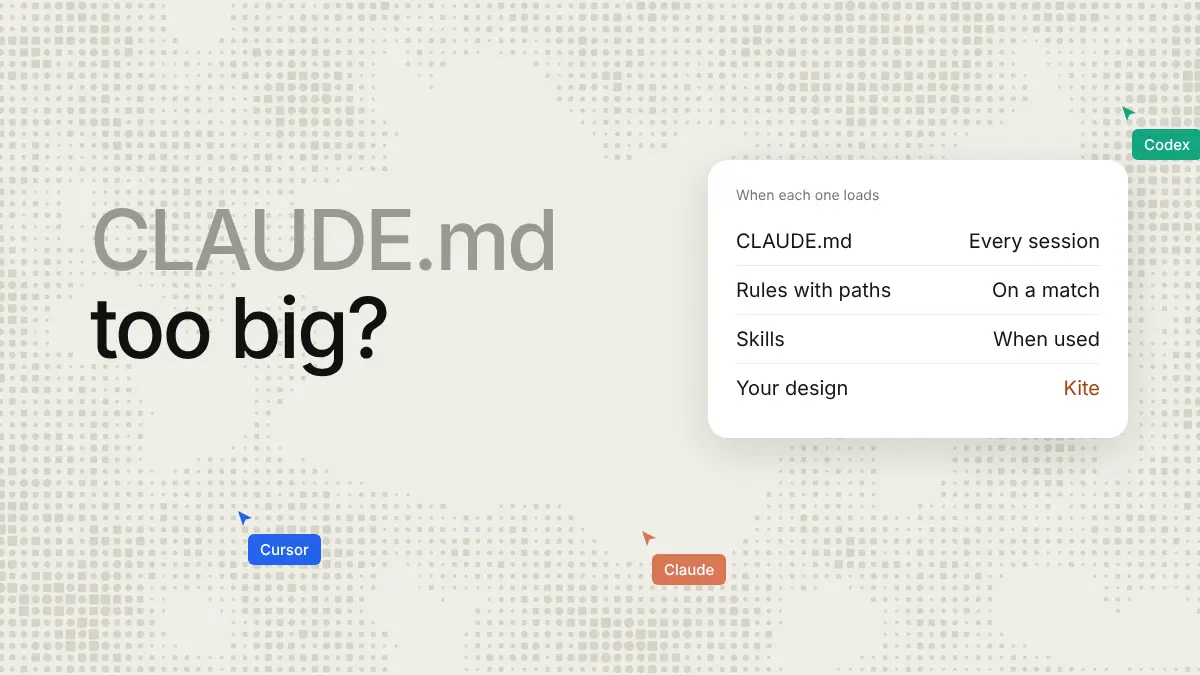
Short answer: a CLAUDE.md file loads in full at the start of every Claude Code session, so a big one fills the context window before any work starts. Anthropic recommends under 200 lines. To shrink one without losing anything, move instructions that only matter for part of the code into path-scoped rules in .claude/rules/, which load only when Claude touches matching files; move procedures and reference material into skills, which load only when used; and stop copying what a tool can tell Claude on demand, such as a map of your designs (Claude Code docs).
Key takeaways
- CLAUDE.md, and every rule without a
pathsfield, is in context on every request. Size there is a cost you pay all session. @importsdon't help: an imported file loads with the CLAUDE.md that imports it. Onlypathsrules and skills move text out of the session until it's needed.- A rule with
pathsloads when Claude reads, writes or edits a matching file. Over 40,000 characters (on a 200K window), Claude gets only its start. - A skill costs its name and description until it's used. Long reference material “costs almost nothing until you need it”, Anthropic writes.
- Design context is the easiest win: instead of a hand-kept list of screens and spacing, let the agent read the design file. In our measurement, the outline of an 8-screen app came to 726 characters, and one screen's full styles to about 6,000, fetched only for that screen.
Every Claude Code fact below was read on Anthropic's own documentation on November 24, 2026, and is linked where it is stated. We make Kite (kite.new), a design tool AI agents design in, which is the example in the design section; everything else applies whatever tools you use.
Why does a big CLAUDE.md slow Claude down?
Because all of it is read before your first message, every session. Anthropic's docs put it plainly: “Claude reads them at the start of every session”, and its size advice is to “target under 200 lines per CLAUDE.md file. Longer files consume more context and reduce adherence” (Claude Code docs). Two costs, then:
- Room. Every line sits in the context window on every request, beside your code and the conversation, so a long session reaches its limit and compacts sooner.
- Attention. The more instructions there are, the less reliably each is followed, and two that disagree make Claude “pick one arbitrarily”.
Files grow for a good reason: you write down what you'd otherwise explain again. The trouble starts when the file collects things only one part of the project needs, such as one feature's rules, a long procedure, or a map of every design screen and its spacing. Anthropic's own rule of thumb is that “if an entry is a multi-step procedure or only matters for one part of the codebase, move it to a skill or a path-scoped rule instead”.
What does Claude Code load, and when?
The whole fix rests on this table. It comes from Anthropic's memory and context-cost pages (memory, context costs):
| Where it lives | When it loads | What it costs |
|---|---|---|
| CLAUDE.md in the project root (and the folders above it) | Every session, at the start | All of it, on every request |
| Files it imports with @path | With the CLAUDE.md that imports them | The same as if they were pasted in |
| .claude/rules/*.md without paths | Every session, at the start | All of it, like CLAUDE.md |
| .claude/rules/*.md with paths | When Claude reads, writes or edits a matching file | Nothing until then; at most 40,000 characters each on a 200K window |
| CLAUDE.md in a subfolder | When Claude works with a file in that folder | Nothing until then; same per-file limit |
| Skills (.claude/skills/) | Name and description at the start; the rest when used | Low: up to 1,536 characters of description each |
| MCP servers | Tool names at the start; full schemas on demand | Low until a tool is used, then what it returns |
So there are only two ways to make something cost nothing until it matters: a rule with paths, or a skill. A third, less obvious one is to not write it down at all, and let a tool fetch it when Claude needs it.
Where should each kind of instruction go?
- CLAUDE.md: what every session needs. Build and test commands, the project's conventions, where things live, “always do X” rules. Short and concrete: “Run npm test before committing”, not “Test your changes”.
- A rule with paths: what one part of the code needs. The API's error format for
src/api/**, one feature's states and copy rules for its folder, a test convention for**/*.test.ts. - A skill: procedures and long reference material that only some tasks need, such as how to cut a release, a database schema, or how a kind of screen is designed. Give it a clear description, because “Claude matches your task against skill descriptions to decide which are relevant” (Claude Code docs).
- Nowhere: what Claude can find out itself. Anthropic's
/doctortrims exactly this from a CLAUDE.md: “directory layouts, dependency lists, and architecture overviews” it can read from the code. The same goes for anything a connected tool can answer, such as a list of design screens.
How do you split a CLAUDE.md into path-specific rules?
- Measure it. Run
wc -m CLAUDE.mdfor its characters, and/context allin a session to see every memory file that loaded. Claude Code also warns at startup and in/statuswhen a file is over the recommended length. - Sort each section into the four groups above. Most of a large file is usually one-part-of-the-code material.
- Make one rule file per topic in
.claude/rules/, named for what it covers. Subfolders work, since every.mdfile is found recursively. - Scope it with paths. Start the file with YAML frontmatter listing the files it is for:
--- paths: - "src/features/checkout/**" - "src/components/cart/*.tsx" --- # Checkout - Prices always show the currency symbol and two decimals. - The pay button is the only filled button on the screen. - Keep each file small. A rule that loads on demand is cut at 40,000 characters on a 200K window, and Claude sees only the start with a note to read the rest. Split big topics in two.
- Check it loads. Open a matching file in a session, then run
/context all. Run/doctor prompt-audit(Claude Code 2.1.283 or later) to find outdated or conflicting instructions across CLAUDE.md, rules and skills.
Brace expansion works in patterns (src/**/*.{ts,tsx}), and a rule's patterns are relative to the folder that holds its .claude folder (Claude Code docs).
Which mistakes keep a CLAUDE.md big?
- Splitting into @imports. It feels like a split, but “imported files load together with the CLAUDE.md that imports them”.
- Rules without paths. They load at launch “with the same priority as .claude/CLAUDE.md”, so a folder of them is one big file.
- Frontmatter that doesn't parse. Claude Code then “ignores the frontmatter and loads the rule as if it had no paths”: it loads every session.
claude --debugshows the error. Onlypathsis read; other fields are ignored. - A stray [ in a pattern. A
[that can't be read as a bracket expression makes the pattern match nothing, so the rule never loads. - Rules from outside the project. Rules in an
--add-dirfolder, or symlinked from outside the working directory, load only if they have nopathsfield. - Copies of what changes. A list of screens, components or spacing values goes stale the day someone edits the design, and nothing warns you.
Design context: let the agent read the design, not a map of it
Design is where CLAUDE.md files grow fastest. To build a screen as designed, Claude needs to know which design it is, where it is, and its exact type, colours and spacing. The usual answer is a map in CLAUDE.md: every design file, every screen with its id, notes on spacing. On a real app that runs to thousands of lines, and it's out of date as soon as a designer renames a screen.
If your design tool has an MCP server that lists screens and returns one screen's styles, the map is unnecessary. Claude asks for the list, picks the screen, and fetches only that screen's detail, so the cost is paid once, for the screen being built, and it's always current. Put only the lasting rules in CLAUDE.md or a rule (“build screens from the design file, never from memory”) and leave the rest in the design.
What it costs in Kite, measured. We asked Kite's MCP server about a real 8-screen food-ordering app on November 24, 2026:
| What the agent asked for | What came back | Size |
|---|---|---|
| The file's outline (file_outline) | Its 3 pages, its component, and each of the 8 screens with its name, id, size and place on the board | 726 characters for the screens; about 1,600 for the whole answer |
| One screen, the cart (layer_source) | The screen as HTML with every style inline and every layer's id: type sizes, colours, spacing, radii | About 6,000 characters, for that screen only |
Kite also keeps the rest of what usually ends up in CLAUDE.md where the design is. A design system's instructions, up to 10,000 characters, are handed to every agent with the file, like an AGENTS.md. Its skills (the brand's look, how a kind of screen is made) are listed by name and first line, and the agent reads in full only the ones that fit the job, the way Claude Code treats skills. A file can have instructions and skills of its own, for that file only, and skills come in from a Claude SKILL.md or a Cursor rule (design systems). Your team edits them in the file, so they don't drift from the design.
To connect Claude Code to Kite, see connect your agent; to turn a design into code, see design to code. For the skills that shape how agents design, see design skills.
How do you check what Claude actually loaded?
/context alllists every memory file under Memory files, and how many tokens each loaded MCP tool uses./statusshows the size warnings;/memoryopens the files to edit./doctorproposes trims for a checked-in CLAUDE.md, and/doctor prompt-auditreports outdated or conflicting instructions without changing anything until you say so.- Leave notes for people in block-level HTML comments (
<!-- like this -->): Claude Code strips them before the file goes into context.
After /compact, the project-root CLAUDE.md is read again from disk, and path rules come back the next time Claude touches a matching file. Skills follow their own rules: by default only their descriptions load, and disable-model-invocation: true keeps even that out of context until you invoke the skill (skills docs).
How we checked
Methodology: on November 24, 2026 we read Anthropic's Claude Code pages on memory and CLAUDE.md, skills, and context costs, and quoted or paraphrased only what they say; versions and limits are as those pages state them that day and change with new releases. The Kite measurement was one read-only call each to Kite's file_outline and layer_source on a real 8-screen app file, counted in characters; your files will differ with their size. Kite facts come from Kite's own code and docs.
Questions
- How long should a CLAUDE.md file be?
- Under 200 lines, per Anthropic's Claude Code docs: longer files use more context and Claude follows them less reliably. Keep it to what every session needs, such as build commands, conventions and the project's layout, and move the rest into path-scoped rules or skills. Claude Code skips a file over 4 MiB altogether.
- Do @imports make CLAUDE.md smaller?
- No. An @path import is expanded and loaded together with the CLAUDE.md that imports it, so it organizes a long file but costs the same context. To load something only when it's needed, use a rule in .claude/rules/ with a paths list, or a skill.
- When does a path-specific rule load in Claude Code?
- When Claude uses the Read, Write or Edit tool on a file that matches one of the rule's paths patterns, or reads a matching file with a Bash command such as cat or head. A rule without a paths field loads at the start of every session, like CLAUDE.md.
- What is the difference between .claude/rules and skills?
- Rules are instructions: a rule without paths loads every session, and one with paths loads when Claude touches a matching file. Skills are knowledge and procedures: only their name and description are in context until Claude decides one fits the task or you invoke it with /name, and then the full skill loads.
- Is there a size limit for rules files?
- Yes, for files that load on demand, such as path-scoped rules and subdirectory CLAUDE.md files. With a 200K context window Claude receives only the first 40,000 characters, with a note to read the rest. With a 1M window the limit is 200,000 characters on Claude Opus 4.6 and Sonnet 4.6, and 150,000 on later models.
- Do instructions survive /compact?
- The project-root CLAUDE.md does: Claude Code reads it again from disk after /compact. Nested CLAUDE.md files and path-scoped rules load again the next time Claude touches a matching file. Anything you only said in the conversation is lost, so write lasting instructions into CLAUDE.md.
- Should my design system go in CLAUDE.md?
- Not as a copy. Put the few rules that hold for every job in CLAUDE.md or a rule, and let the agent read the design itself through your design tool's MCP server when it builds a screen. In Kite, a file's outline lists every screen with its id in about 90 characters each, and one screen's exact styles come only when the agent asks for them.