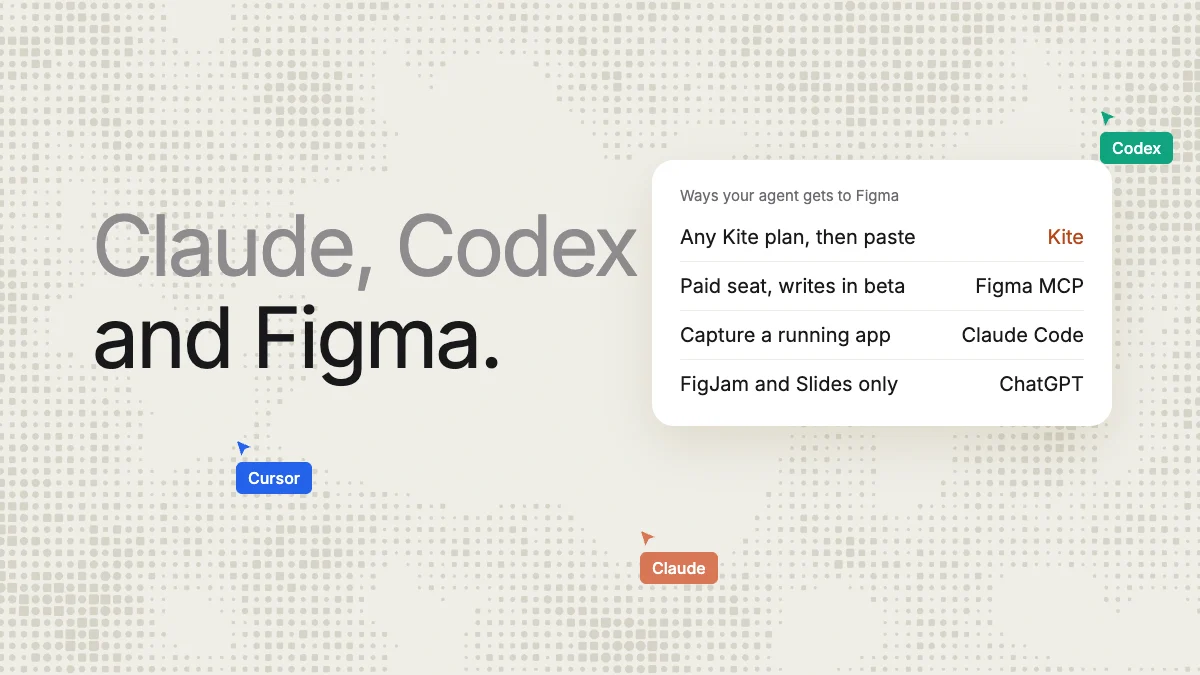
Short answer: Claude, Claude Code, Codex and Cursor can all read Figma files through Figma's MCP server, and can draw in them, in beta, on Professional, Education, Organization or Enterprise plans, with a Full seat for files outside your drafts. ChatGPT's Figma app only makes FigJam and Slides files, and Figma's own pages disagree on Gemini. For everyone else, there is Kite (kite.new): all six agents design there on any Kite plan, Free included, and Copy to Figma pastes the frames into Figma. In our run, Claude drew a full phone settings screen in Kite in 2 tool calls and about 32 seconds.
Key takeaways
- Figma's MCP server is on every plan, but drawing (its
use_figmatool) needs Professional, Education, Organization or Enterprise, and a Full seat outside your drafts. - Drawing is free only during the beta; Figma says it will become usage-based and paid, with no price published.
- Figma ticks drawing for Claude Code, the Claude desktop app, Codex and Cursor. ChatGPT's Figma app makes FigJam and Slides only, not in the EU.
- All six agents can design in Kite on its free plan (200 agent actions a day), and Copy to Figma put 85 layers, 26 with auto layout, on the clipboard in 1.5 seconds.
- Kite's route has limits: components arrive as frames, variables as plain colours, and Figma needs the fonts.
Every Figma, Anthropic, OpenAI and Google fact below was read on their own pages on November 17, 2026, and each page is linked in the text. Kite publishes this page and is one of the two routes it compares. For the click-by-click setup of each agent, see the Claude or Cursor to Figma guide.
Can Claude design in Figma? Two routes
MCP (Model Context Protocol) is the open standard that lets an AI agent use another tool: the agent connects to a tool's MCP server and calls its functions. Each of these agents reaches Figma, or Kite, through one.
- Route 1: Figma's own MCP server. The agent connects to
https://mcp.figma.com/mcpand signs in with your Figma account. It reads a file's components, variables and layout, and withuse_figmait runs code through Figma's Plugin API to build frames, components, variables and auto layout in the file itself (Figma's write-to-canvas guide). A separate tool,generate_figma_design, captures a running web app into Figma as layers, in “select MCP clients” (tools page). - Route 2: Kite, then Copy to Figma. The agent connects to Kite's hosted MCP server and draws in a Kite file, as real layers your team edits and comments on with it. When the design is ready, you select the frames, choose Copy to Figma and paste them into any Figma file you can edit.
The first route edits Figma files in place and knows your Figma library. The second costs nothing on Figma's side and works with agents Figma doesn't let draw. What decides it for most people is the plan, the seat and the agent they already use.
How do Claude, Claude Code, Codex, Cursor, ChatGPT and Gemini work with Figma?
Which agents may draw is Figma's call: only clients in its MCP catalog can connect, and its client table says which of them can write. Here is each agent on both routes:
| Agent | Through Figma's MCP server | In Kite, then Copy to Figma |
|---|---|---|
| Claude (claude.ai, desktop app) | Reads and draws (beta). The Figma connector in Claude's directory: Customize, Connectors, Connect (Anthropic's help). | Draws. Kite is in Claude's connector directory too: Connect, then Allow. |
| Claude Code | Reads and draws (beta). claude plugin install figma@claude-plugins-official (Figma's help); Anthropic's plugin page adds /implement-design for turning frames into code. | Draws. claude mcp add --transport http kite https://kite.new/api/mcp, or one click in Kite for Mac. |
| Codex | Reads and draws (beta). The Figma plugin in the Codex app, or codex mcp add figma --url https://mcp.figma.com/mcp in the CLI. | Draws. codex mcp add kite --url https://kite.new/api/mcp, then codex mcp login kite. |
| Cursor | Reads and draws (beta). /add-plugin figma in the chat, then Connect in Cursor's settings (Figma's setup page). | Draws. Add to Cursor from Kite's docs, then sign in. |
| ChatGPT | Not in Figma Design. The Figma app makes FigJam and Slides files only, and isn't in the EU (Figma's help). The catalog lists ChatGPT as read and write; the client table leaves it out. | Draws, on a ChatGPT plan whose custom MCP servers can make changes. OpenAI's pages disagree on which plans (see below). |
| Gemini | Unclear. Gemini CLI installs Figma's extension; the help page says it can write, the client table doesn't tick writing, and the catalog doesn't list Gemini. The Gemini app isn't covered. | Draws. The Gemini app adds Kite as a custom app (US, 18+, personal account, English); Gemini CLI runs in the Agent tab of Kite for Mac and Windows. |
The agent's own plan matters on both routes, because the same rules decide whether it may connect a server that makes changes:
- Claude: directory connectors such as Figma's and Kite's connect from Customize, Connectors. A server you add by hand is a custom connector, and Anthropic limits Free users to one.
- ChatGPT: OpenAI's help center says custom MCP servers with “full MCP support” are for Business and Enterprise/Edu, and that Pro connects them “with read/fetch permissions”. Its pricing page lists Developer mode on Plus and Pro.
- Gemini app: Google's help limits custom apps to people 18 or over in the US, signed in with a personal account, in English, and asks you to confirm every write action. A paid plan isn't stated.
- Cursor: its MCP docs state no plan requirement; whether the free plan includes MCP is not stated.
What does each route need?
The agent is the same on both sides. What changes is what Figma asks of you before it may draw, and what you get at the end:
| Figma's MCP server | Kite, then Copy to Figma | |
|---|---|---|
| Plan to draw | Professional, Education, Organization or Enterprise (Figma's help) | Any, Free included: 3 files, 200 agent actions a day |
| Seat | A Full seat for files outside your drafts: $16/mo on Professional, billing period not shown (pricing page) | Free: any editor. Pro: $20 per editor a month, $16 billed yearly |
| What drawing costs | Free during the beta, then “a usage-based paid feature”, price not published | No AI credits; Pro has unlimited agent actions |
| Reading | View and Collab seats: up to 20 calls a month. Full or Dev on Professional: 200 a day (rate limits) | Within the same daily actions on Free; unlimited on Pro |
| Size of each answer | Up to 48,000 bytes per call (write-to-canvas guide) | Our whole-screen draw answered with 2,301 characters and a picture |
| Pictures | use_figma can't add them; a separate upload_assets call, or generate_image, which spends AI credits | By web address, in the same draw call |
| Fonts | Must be uploaded to your Figma account; ones only on your computer aren't available | Any Google font in Kite; Figma needs the same font when you paste |
| What must be open | No desktop app (remote server); edit access to the file, and a link to it in your prompt | A Kite tab to copy from, and Figma to paste into |
| Your design system | Builds and edits components, variants and variables in the Figma file | Kite's variables and components while drawing; in Figma they arrive as frames and plain colours |
| Status | Beta; “may need manual review and cleanup”, in Figma's words | Available |
Figma also advises testing on a duplicate or a draft “before changing production files” (write-to-canvas guide), and its rate-limits page exempts “tools that write to Figma files”, naming four examples, not use_figma. A whole comparison of Figma's server with other design servers is in Figma MCP alternatives.
A measured run: Claude designs a settings screen in Kite
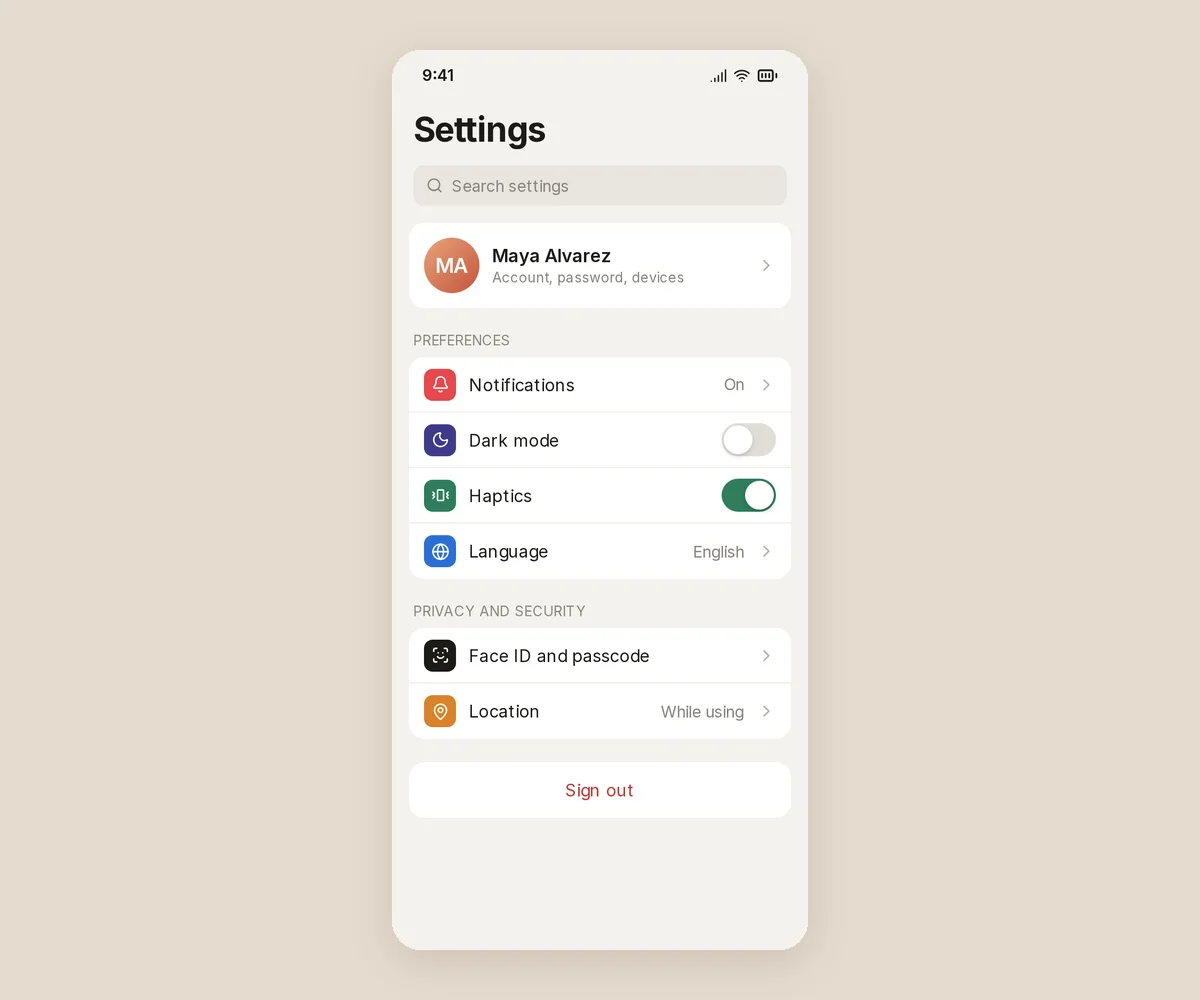
We gave Claude (Opus 5.5, in Claude Code, through Kite's hosted connector) one task on November 17, 2026: design a phone settings screen, in a new, empty Kite file with no design system. Here is what it made, unretouched:
| Measured | Result |
|---|---|
| Tool calls to Kite | 2: one new file (its answer carries Kite's drawing guide), one draw for the whole screen |
| Fixes after it looked | 0 |
| First call to last answer | 31.7 seconds, about 25 of them Claude writing the screen; the draw took 3.7 on Kite's side |
| Text sent and returned | 19,685 characters, about 4,900 tokens, the picture not counted |
| What it drew | Auto layout frames, every word a text layer, icons from the Lucide set |
| On Kite's free plan | 2 of the day's 200 agent actions |
It was one run of one prompt, timed from the session's own log, and the scratch file was archived afterwards. We didn't run the same prompt through Figma's MCP server, so this is not a speed race between the two; it shows what the Kite route takes, call by call.
What does Copy to Figma hand over?
Copy to Figma puts the selected frames on the clipboard in the format Figma pastes as layers. To see what Figma would receive, we opened the run's file in a headless browser and chose Copy/Paste as, Copy to Figma on the screen. Then we caught what it wrote to the clipboard and decoded it with Kite's own Figma reader:
- Speed and size: 1.5 seconds from the click to the clipboard, 61,079 bytes, with the toast “Copied — paste it in Figma”.
- Layers: 85 on the clipboard: 47 frames, 18 text layers and 20 vector icons.
- Auto layout: 26 frames carry Figma's auto layout setting, horizontal or vertical.
- Details: fonts as Inter Regular, Medium, SemiBold and Bold; the two group labels keep their uppercase setting; the avatar keeps its gradient; the “on” toggle is a horizontal auto layout frame filled #2F7D5B.
Plainly: we did not paste it into Figma for this page, so we can't show it inside a Figma file. The anonymous browser couldn't download the file, so we switched that permission on in the page itself; in Kite, Copy to Figma shows for anyone who may download the file. The steps are in how Kite works with Figma.
Where Kite's route falls short
- Components arrive as frames. A Kite component and its instances paste as ordinary frames, not as Figma components with variants. If your team needs real Figma components, have the agent build those through Figma's server, or make them in Figma after the paste.
- Variables arrive as plain colours. The colours of Kite's design system land as fixed values, not bound to Figma variables.
- Fonts must exist in Figma. A font Figma doesn't have shows as missing until you add it there.
- It is a copy, not a link. Changes made in Figma after the paste don't flow back to Kite, and Kite doesn't edit Figma files in place.
- Kite isn't open source or self-hosted.
Which route should you pick?
Pick Figma's MCP server when your team is on Professional, Education, Organization or Enterprise and the people prompting hold Full seats. Then the agent edits the Figma files you have, with your library's components and variables. It is also the route for Claude Code turning a Figma design into code: that is reading, which Figma's server allows on every plan, within its read limits.
Pick Kite when you are on Figma's free plan, or when your agent is ChatGPT or Gemini. It also fits when designers, developers and several agents should work in one shared file before anything reaches Figma. You start free, and the frames go to Figma whenever someone needs them there. Kite's full side-by-side with Figma is Kite vs Figma; Figma's own built-in AI is covered in the Figma agent, and Anthropic's design product, whose exports don't include Figma (Anthropic's guide), in Claude Design vs Figma.
Kite's plans, per its pricing: Free has unlimited editors, 3 files and 200 agent actions a day; Pro is $20 per editor a month, or $16 billed yearly, with unlimited files and agent actions. Your agent runs on the plan you already have with Anthropic, OpenAI, Cursor or Google, and Kite sells no AI credits.
How we checked
Methodology: on November 17, 2026 we read Figma's MCP help center articles, developer docs, MCP catalog and pricing page; Anthropic's connector, plugin and Claude Design pages; OpenAI's MCP help article and ChatGPT pricing; Google's Gemini custom-apps help; and Cursor's MCP docs. Quotes are the vendors' words, and where two of a vendor's pages disagree we say so. Claude Opus 5.5 ran the Kite test the same day in a new scratch file, archived afterwards; calls and times come from the session's log. Copy to Figma's output was decoded, not pasted into Figma. Kite figures come from Kite's pricing page; prices are in US dollars. Figma says its writing tools will change after the beta, and we will check this page again when they do.
Questions
- Can Claude design in Figma?
- Yes, through Figma's MCP server, with limits. Its use_figma tool lets Claude build frames, components, variables and auto layout in a Figma file, but only on Professional, Education, Organization and Enterprise plans, with a Full seat for files outside your drafts. Writing is in beta, free for now, and Figma says it will become a usage-based paid feature. On any plan, Claude can also design in a Kite (kite.new) file and you paste the frames into Figma with Copy to Figma.
- Can Claude Code write to Figma?
- Yes. Install Figma's plugin with claude plugin install figma@claude-plugins-official, sign in to Figma, and Claude Code can draw in Figma files through use_figma, in beta, on a Professional, Education, Organization or Enterprise plan. Figma's generate_figma_design tool also captures a running web app into Figma as flat layers. Claude Code can draw in Kite too, then you paste the frames into Figma.
- Is Claude replacing Figma?
- No. Anthropic's Claude Design makes designs and prototypes inside Claude, but its export list (zip, PDF, PowerPoint, Google Slides, HTML and 15 named tools) has no Figma. The Figma plugin for Claude Code, listed on Anthropic's plugin page, is for reading Figma designs to build code. Today Claude works with Figma: it reads Figma files, draws in them through Figma's MCP server in beta, or designs elsewhere and hands frames over.
- Does Claude understand Figma?
- Yes, through Figma's MCP server: Claude Code, the Claude app, Codex and Cursor can read a Figma file's components, variables and layout once you connect it and sign in to Figma, and you point the agent at a frame by pasting its link. Reading is subject to Figma's limits, such as 20 calls a month on View and Collab seats and 200 a day on Professional's Full and Dev seats.
- Does Figma work with ChatGPT?
- Partly. The Figma app in ChatGPT makes FigJam diagrams and Figma Slides decks only; Figma says you can't use ChatGPT to create files for its other products, and the app isn't available in the EU. Figma's MCP catalog lists ChatGPT with read and write access, but Figma's client table doesn't include ChatGPT. ChatGPT can design in a Kite file on a plan whose custom MCP servers can make changes, then you paste the frames into Figma.
- Is Figma's MCP server free?
- The server is on every Figma plan, with read limits: View and Collab seats get up to 20 calls a month, and Full or Dev seats on Professional up to 200 a day. Writing to the canvas needs Professional, Education, Organization or Enterprise; it is free during the beta and will become a usage-based paid feature, at a price Figma hasn't published.
- Can Claude Design export to Figma?
- Not directly: Figma isn't among Claude Design's exports. One route is Figma's html_to_figma tool on Claude Design's HTML export, which gives plain layers without your components or variables. The other is to have Claude design in Kite and paste the frames into Figma with Copy to Figma.