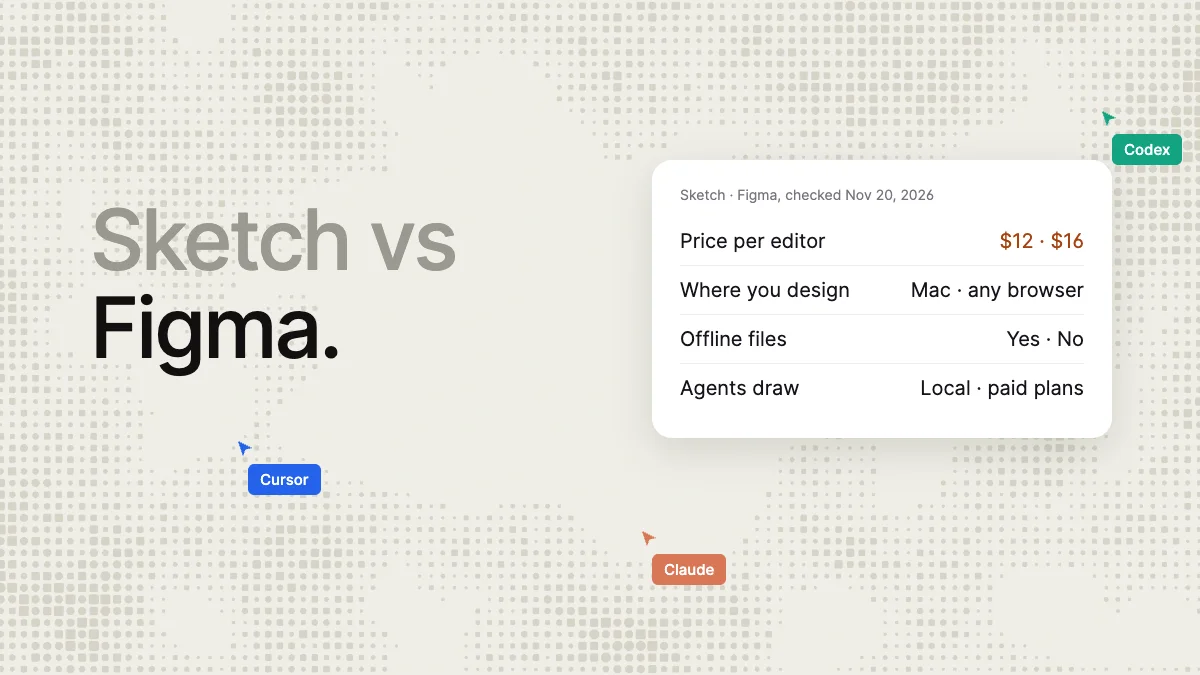
Short answer: Figma is the better pick for most teams in 2026: it runs in any browser, has a free plan, and on paid plans offers variable modes and prototypes with logic. Sketch is the better pick for a team that designs only on Macs and wants a native app, offline local files, free developer handoff and a lower price per editor ($12 against $16, billed yearly). Sketch closed one of its biggest gaps on November 17, 2026, when version 2026.4 added component variants.
Key takeaways
- Sketch costs less per editor: $12 a month billed yearly or $14 monthly, against $16 or $20 for a Figma Full seat. Figma has a free plan; Sketch has a 30-day trial.
- You can only design in Sketch on a Mac (macOS 15 or newer). Figma runs in the browser on any computer.
- Sketch works fully offline on local files. Figma says it has no plans for a full offline mode.
- Sketch's developer handoff is free for any number of developers. Figma's Dev Mode needs a paid plan and a Dev or Full seat.
- In UX Tools' survey of late 2024, Figma held 82.3% of UI design, 46 times Sketch's share. Sketch is still second, still shipping, and now has variants.
Every Sketch and Figma fact below was read on their own pages on November 20, 2026, and each page is linked where it is used. Kite publishes this page: it appears only in the section on AI agents, as a third option. For Kite against each tool, see Kite vs Sketch and Kite vs Figma.
Sketch vs Figma side by side
Sketch is a native Mac design app with a web app where the rest of the team views, inspects and comments. Figma is a design tool that runs in the browser, with desktop apps for macOS and Windows. Here is how they compare on the rows teams ask about most:
| Sketch | Figma | |
|---|---|---|
| Price per editor, billed yearly | Standard $12/mo; Professional $24/mo (pricing) | Professional: Full seat $16/mo, Dev seat $12/mo (pricing) |
| Price per editor, billed monthly | Standard $14/mo; Professional is yearly only | Professional: Full seat $20/mo, Dev seat $15/mo |
| Free plan | None: a 30-day trial, free Viewers, free for education | Starter: free, one folder with 3 design files, unlimited drafts |
| Pay once | Mac-only license, $120 per seat with a year of updates, without collaboration | Not offered |
| Where you design | Mac only, macOS 15 or newer (Sketch's guide) | Any browser; desktop apps for macOS 13+ and 64-bit Windows 10+ (Figma's guide) |
| Offline and local files | Works offline on local files, for good if you want | No full offline mode; unsynced edits kept in the browser for up to 30 days |
| Real-time co-editing | In the Mac app since 2021, on a subscription, for documents in a shared Workspace | On every plan; on the free Starter plan, in up to 3 Figma files (pricing FAQ) |
| Components and variants | Components with variants since Sketch 2026.4 (November 17, 2026) | Components and variants on every plan |
| Variables and modes | Color Variables; no modes documented | Six variable types; modes on Professional and up, 10 per collection |
| Auto layout | Stacks: direction, wrap, fill and alignment | Auto layout: vertical, horizontal or grid, with wrap |
| Prototyping | Links, overlays, scroll areas, Smart Animate; preview on iPhone and iPad | On every plan; variables, conditional logic and video in prototypes on Professional and up |
| Developer handoff | Free for any number of developers, in the browser | Dev Mode on paid plans with a Dev or Full seat; free viewers get basic inspection |
| Plugins | Yes, in the version from sketch.com; not in the Mac App Store version | Community plugins on every plan |
| AI in the app | Sells no AI credits; its AI support is the MCP server | The Figma agent and Figma Make, which use AI credits (credits) |
| MCP server for your agent | Local on your Mac, off by default, every plan; can't be reached remotely | Remote, every plan; drawing in beta on Professional and up, with a Full seat outside drafts |
| The other tool's files | Opens .fig files (not in the Mac App Store version) | Imports .sketch files |
| File format | Open, in Sketch's words, “since day one” | .fig is proprietary and “may change”, in Figma's words (help) |
Sketch's prices exclude VAT; Figma's are in US dollars. Single sign-on costs more on both: Sketch puts it on Professional, $24 per editor billed yearly, and Figma on Organization, $55 per Full seat billed annually (plans table).
What a team of 5 pays
Here is the bill for five people at each vendor's list prices, first with all five designing, then with three designers and two developers who only inspect and copy code:
| Team | Sketch Standard | Figma Professional |
|---|---|---|
| 5 designers, billed yearly | $60 a month ($720 a year) | 5 Full seats: $80 a month ($960 a year) |
| 5 designers, billed monthly | $70 a month | $100 a month |
| 3 designers + 2 developers, yearly | $36 a month: developers inspect for free | 3 Full + 2 Dev seats: $72 a month |
| 3 designers + 2 developers, monthly | $42 a month | $90 a month |
| Pay once instead | 5 Mac-only licenses: $600, with no collaboration or online sharing | Not offered |
| Start free | 30-day trial, then paid | Starter: $0 for 3 design files |
So five designers pay $240 a year more for Figma. The gap widens when developers join, because Sketch charges nothing for handoff.
Two things narrow it. Figma's Full seat also includes Figma Make, FigJam and Figma Slides, and 3,000 AI credits a month on Professional (pricing FAQ). And on a paid Figma plan, people who only view and comment are free, as Sketch's Viewers are.
A Figma developer without a Dev seat can still view measurements and “copy CSS, iOS, and Android code” as a free viewer. Figma calls this basic inspection. For every Figma seat and plan, see Figma pricing, explained.
Where Sketch and Figma really differ
Your computer, and whether you're online
This is the difference that decides most teams. Designing in Sketch “requires a Mac running macOS Sequoia (15.0.0) or newer”; on Windows or Linux you can only view, inspect and comment in its web app (Sketch's guide). Figma is “designed for the browser” and says “We don't currently have plans to support a fully-featured offline mode” (Figma's help). Sketch turns that around: “You can keep things offline permanently and work in local files” (Sketch's Figma page).
Working together
Both now edit live with several people in one file. Figma built the product around it: “multiple editors … jump into the same file, live edit, and work together” (pricing), on every plan, in up to 3 Figma files on the free Starter plan. Sketch has had real-time collaboration since 2021, in the Mac app, and it needs “A subscription” and a document in a shared Workspace: “A Mac-only license only includes the Mac app” (Sketch's docs). Sketch also doesn't charge for an invited editor “who already pays for Sketch elsewhere”.
Design systems: components, variables and layout
Sketch 2026.4, named Ghent and dated November 17, 2026 in its changelog, added component variants (“one of our biggest feature requests”), sections, and renamed symbols to components. Its variants take properties like State, Theme and Size (variants docs). The gap that remains is variables: Sketch documents Color Variables, which sync colours and gradients (docs), with no modes. Figma has six variable types on every plan and modes such as light and dark (Figma's overview), with up to 10 modes per collection on Professional (plans table). For layout, Sketch's Stacks are “not a 1:1 equivalent of CSS Flexbox” but “very similar” (docs), and Figma's auto layout adds a grid flow to vertical and horizontal (guide).
Prototyping
Sketch prototypes have links, hotspots, overlays, scroll areas, fixed elements and several start points, and play in the Mac app, the browser or its iPhone and iPad app (docs). Its four animations include Smart Animate, which can't animate “paths, borders, shapes with different amount of vector points, type, gradients or Overlays” (docs). Figma has prototypes on every plan and adds “Variables, expressions, and conditional logic in prototypes” and video on Professional and up. Sketch's pages don't mention conditional logic.
Developer handoff
Sketch lets you “invite developers to inspect designs in your Workspace for free”, in a browser, without a Mac (docs). Figma's Dev Mode, its workspace for “inspecting designs, viewing properties and generated code, downloading assets, comparing changes”, is on Professional and up (guide). Full access to it comes with a Dev seat, and the Full seat includes Dev Mode too (pricing FAQ).
Plugins, files and the App Store catch
Figma runs Community plugins on every plan. Sketch has plugins too, but the Mac App Store version can't run them, can't import .fig files and doesn't include the MCP server (Sketch's support page): download Sketch from sketch.com. Both read the other's files: Sketch opens .fig files (docs), and Figma imports .sketch files from its file browser (help).
Why did Figma beat Sketch, and when?
UX Tools' 2024 Design Tools Survey names three reasons: “Multiplayer collaboration despite the criticism”, “Cross-platform accessibility (versus Sketch's Mac-only approach)” and “Big bets on ecosystem” (UX Tools, 2024 survey). It adds that “Seven years ago, Sketch dominated UI design”.
When did Figma overtake Sketch? By 2020. UX Tools' 2020 survey of over 4,000 designers found that “66% of designers use Figma for UI design, as opposed to 37% in 2019”, and named Figma, Sketch and Adobe XD, in that order, as its UI design toolkit (archived 2020 results). A year later, “77% of all respondents use Figma for UI design”, with Sketch second (archived 2021 results). Reading those surveys, Sean Dexter put Sketch's use at 45% of respondents in 2020 and 29% in 2021 (UX Collective, December 2021). Sketch added real-time collaboration in 2021, by its own account.
Who is Figma's biggest competitor? For UI design, by use, it is still Sketch. In UX Tools' 2024 survey, 2,220 designers answered between November 2024 and January 2025 (about the report); Figma held 82.3% of UI design and Sketch came second, with Figma ahead by “46:1” (trends). In August 2026 the US Web Design System removed its Adobe XD kit, noting that “XD is no longer supported by Adobe”, and now names Figma beside Sketch (USWDS).
Is anyone still using Sketch?
Yes, though far fewer than Figma. Sketch says it is “used by hundreds of thousands of talented individuals” (Sketch's Figma page). In the 2024 UX Tools survey its share was highest among solo in-house designers, at 4.3%, and 1.4% among individual contributors at corporations (UX Tools). The US government's design system still tells designers to “Create wireframes and prototypes in Figma or Sketch”. And Sketch keeps shipping: Ghent, with variants, came out on November 17, 2026, three days before this check.
Designing with AI agents: Sketch, Figma and Kite
Both tools now let the agent you already use, such as Claude Code, Codex or Cursor, read and change your designs. They do it through an MCP server: MCP is the open standard that connects an AI agent to a tool. The two take opposite routes.
- Sketch: local, on your Mac. The MCP server is built into the Mac app on every plan, the Mac-only license included, with “no AI credits to buy”. It “runs locally on your Mac and can't be accessed remotely”, and is off by default (Sketch's AI page). Its docs name 10 tools;
run_code“gives AI agents access to the entire SketchAPI”, and since Ghent agents can read and reply to comments (MCP docs). Sketch sells no AI credits; its AI support is the MCP server. - Figma: remote, gated by plan. Its server at
mcp.figma.comworks on every plan with approved clients. Drawing on the canvas is “in beta and free to use during the beta period” and will become “a usage-based paid feature” (write-to-canvas docs). It needs Professional or higher, with a Full seat outside your drafts (Figma's help). Reads are capped at 20 calls a month on the Starter plan and on View or Collab seats (rate limits). Figma also has its own agent, which, like Figma Make, uses AI credits (agent help, credits).
Kite (kite.new) is a third option, built for this. It is a design tool your agents work in beside your team. Claude, ChatGPT, Cursor, Codex or any MCP client connect to its hosted server from any machine, signing in with OAuth. Kite for Mac and Windows adds a local server. Kite has components with variants and variables with modes, and pastes frames to and from Figma as editable layers. The free plan has unlimited editors, 3 files and 100 agent actions a day; Pro is $20 per editor a month, or $16 billed yearly ($80 a month for five editors), with unlimited agent actions and no AI credits. Plainly: Kite has no Smart Animate or overlays in prototypes, and no plugin store; for local, offline work on a Mac, Sketch does more. How agents reach Figma, route by route, is in Claude and Figma, and every design MCP server is in design MCP servers.
Which should you pick?
- Mac-only team, or work offline: Sketch. Native app, local files for good, $12 per editor billed yearly, or a $120 license if you design alone.
- Team on Windows, Linux or mixed computers: Figma. Sketch can't design anywhere but a Mac.
- Many developers in handoff: Sketch costs nothing per developer. In Figma, free viewers get basic inspection and Dev Mode needs Dev seats.
- Prototypes with logic, or themes with variable modes: Figma, on Professional or higher. Sketch covers overlays, scrolling and Smart Animate.
- Starting free: Figma's Starter plan. Sketch has a 30-day trial only.
- AI agents that design: Sketch if the agent runs on the same Mac; Figma if you pay for Full seats and accept beta drawing; Kite if agents should design from anywhere, on any plan. See Figma's agent for Figma's own AI.
Switching either way starts from an import: Sketch opens .fig files and Figma imports .sketch files. Looking further than these two? See Figma alternatives.
How we checked
Methodology: on November 20, 2026 we read Sketch's pricing page, changelog, comparison page, AI page and documentation, and Figma's pricing page, help center and developer docs. Sketch's monthly price and changelog dates come from the pages' HTML; Figma's monthly prices were read by switching its pricing page to monthly billing. Quotes are the vendors' words. Where a vendor's pages disagree we follow the newer or more specific one: Sketch's comparison page mentions “two subscription plans” while its pricing page lists four, and Figma's desktop guide pairs “macOS 13” with the name of macOS 12. Survey figures are UX Tools' own, or a writer's reading of them, as labeled. We did not run the same design in both tools for this page. Kite figures come from Kite's pricing. Prices are list prices in US dollars; Sketch's exclude VAT.
Questions
- Is Sketch better than Figma?
- For a team that designs only on Macs and wants a native app, offline local files and free developer handoff, Sketch is a strong choice and costs less per editor. For a team on mixed computers, or one that needs variable modes, conditional prototypes and Community plugins and files on every plan, Figma is the better fit. Sketch itself says: "We don't offer every feature that Figma does, but we do offer a few that they don't."
- Is Sketch cheaper than Figma?
- Per editor, yes. Sketch Standard is $12 a month billed yearly or $14 monthly; a Figma Professional Full seat is $16 yearly or $20 monthly. Figma has a free Starter plan and Sketch doesn't, and Sketch's developer handoff is free while Figma's Dev Mode needs a Dev or Full seat.
- Is Sketch free?
- No. Sketch has a 30-day trial with no credit card, free Viewers on paid plans and a free education offer, and its pricing page says it has "no plans to offer an entirely free plan". Figma's Starter plan is free, with 3 design files and unlimited drafts.
- Does Sketch work on Windows?
- Not for designing. Sketch's guide says designing "requires a Mac running macOS Sequoia (15.0.0) or newer". People on Windows or Linux can view, inspect and comment in Sketch's web app. Figma runs in the browser on any computer and has desktop apps for macOS and Windows.
- Can Sketch open Figma files, and can Figma open Sketch files?
- Yes, both import the other's files. Sketch opens .fig files with its own importer, which it open-sourced; since Sketch 2026.4 it also brings in Figma's colour variables and prototype overlays. The importer isn't in the Mac App Store version. Figma imports .sketch files from its file browser.
- Does Sketch have component variants now?
- Yes. Sketch 2026.4, "Ghent", released on November 17, 2026, added component variants with properties such as State, Theme and Size, added sections, and renamed symbols to components. Figma has variants on every plan.
- Can AI agents design in Sketch or Figma?
- In both, through an MCP server. Sketch's runs locally on your Mac, is off by default, is included on every plan and "can't be accessed remotely". Figma's remote server works on every plan, but drawing is in beta on Professional and higher plans, needs a Full seat outside your drafts, and will become a usage-based paid feature. Kite, which publishes this page, lets agents design from any machine on its free plan.