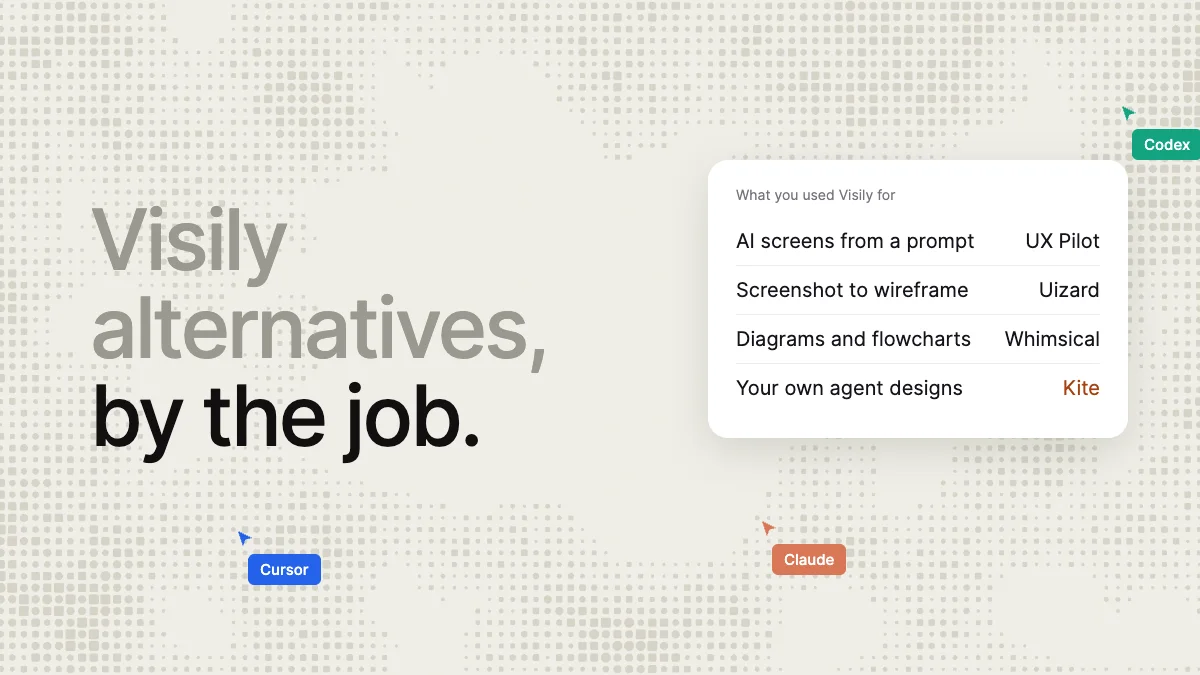
Short answer: Visily shut down on October 31, 2026, and its data is permanently deleted on November 30, 2026. The closest replacements, by what you used Visily for: UX Pilot for AI wireframes and screens from a prompt, or Google Stitch for free; Uizard or Balsamiq to turn a screenshot into an editable wireframe; Whimsical or Miro for diagrams; Figma itself for Figma handoff; and Miro for team boards.
Pick Kite (kite.new) if you want the AI agent you already use to draw and edit the screens in a file your team shares. Every fact below was re-read on each vendor's own page on November 20, 2026 (Kite's from its docs).
Key takeaways
- Visily did five jobs in one place: AI screens, screenshot to wireframe, diagrams, Figma handoff and team boards. No single tool replaces all five, so start from the one you used most.
- UX Pilot covers the most of them: prompt and screenshot to screens, flowcharts, and Figma and code export on paid plans, from $19 a month billed yearly.
- Google Stitch is free, with a daily credit limit, and exports to Figma. Uizard, Visily's closest look-alike, has no Figma export.
- Eight of the nine document an MCP server an agent can design through (Figma's only on paid plans, in beta); Uizard offers no API. So your own AI agent can take over much of what Visily's built-in AI did.
We make Kite, so it is one of the tools below, and it only leads where it truly fits. Every rival fact comes from the vendor's own pages, linked in place. For Kite and Visily side by side, see Kite vs Visily.
The closest replacement for each Visily job
Start from what you used Visily for:
| What you used Visily for | Pick | Also good |
|---|---|---|
| AI wireframes and screens from a prompt | UX Pilot | Google Stitch (free), Uizard; Kite if your own agent should draw them |
| A screenshot turned into an editable design | Uizard | Balsamiq, UX Pilot, Google Stitch; Kite Capture for a live web page |
| Diagrams: flowcharts, sitemaps, ERDs | Whimsical | Miro, UX Pilot for user-journey flowcharts |
| Handing designs to Figma | Figma | Google Stitch (free export), UX Pilot (paid), Kite (Copy to Figma) |
| Team boards with comments | Miro | Whimsical; Kite or Figma when the board is the design itself |
| An AI agent that designs, not only reads | Kite | Penpot (free, a Penpot tab open), UX Pilot |
Visily alternatives at a glance
Prices are for the cheapest paid plan, per editor a month, as each pricing page showed it on November 20, 2026. MCP (Model Context Protocol) is “an open-source standard for connecting AI applications to external systems”. “Agents create” means the vendor documents an MCP server that Claude, ChatGPT or Cursor can use to make designs in the tool. Each row is sourced in its tool's section below.
| Tool | Free plan | Cheapest paid | Visily jobs it covers | To Figma | Agents create |
|---|---|---|---|---|---|
| UX Pilot | 80 credits a day (up to 13 screens), 1 project | $19 yearly, $29 monthly | Prompt and screenshot to screens, flowcharts | Pro and up | Yes, AI design uses credits |
| Google Stitch | Free, daily credit limit | No paid plan stated | Prompt, screenshot or sketch to screens | Yes, free | Yes |
| Uizard | 3 AI generations a month, 2 projects | $12, billed yearly | Prompt to screens, screenshot and sketch scanners | No, SVG only | No API access |
| Kite | 3 files, unlimited editors, 100 agent actions a day | $16 yearly, $20 monthly | Screens drawn by your own agent, web page capture, team file | Yes, every plan | Yes, every plan, no credits |
| Balsamiq | No, 14-day trial | $16 yearly, $23 monthly | Prompt and screenshot to low-fi wireframes | Not stated | Yes, every Cloud plan |
| Whimsical | 50 board objects a month | $10 yearly, $12 monthly | Flowcharts, ER and sequence diagrams, wireframes | Copy as SVG | Yes, free plan limits apply |
| Miro | 3 editable boards | $8, billed yearly | Team boards, AI diagrams and wireframes | Not stated | Yes, every plan |
| Figma | 3 team files, unlimited drafts | $16 a Full seat | Design and handoff, Make, FigJam diagrams | It is Figma | Beta, paid plans |
| Penpot | No file limit, up to 8 members | $7, capped at $175 a month | Wireframes and design by hand or by your agent | No export stated; imports from Figma via MCPs | Yes, free |
What happened to Visily, and what should you do first?
Visily was an AI design tool built on boards. Its AI Chat Assistant generated UI screens, components, images and diagrams such as “sitemaps, organization charts, flowcharts, state diagrams”, and a browser extension turned a captured web page into an editable wireframe. On October 3, 2026 it announced it would shut down on October 31, because “the market for tools like Visily has changed substantially in the last couple of years”.
The notice says: “Your Visily data will be permanently deleted on November 30, 2026.” Before that, it says, every design can be exported “to code, image, PDF, or directly to Figma”, and assets can be fetched with its MCP server. It doesn't say whether an account still opens after October 31; if yours doesn't, write to support@visily.ai. Our step-by-step guide, Move from Visily, follows Visily's own help center for each export.
Export first, choose a tool second. The Figma export keeps editable layers, which Figma, Kite and several tools below can take in, and an image or PDF export of every board is a record that doesn't depend on any of them.
The 9 tools we checked
Each gets what it is for, what it does that Visily did, its limits, what it costs, and whether an agent can design in it. They are grouped by the Visily job they fit best; the numbers are only for finding your way.
1. UX Pilot
UX Pilot “generates hi-fi UI and wireframes from a prompt, PRD, document, screenshot or website reference”. Of the tools here, it covers the most of what Visily's AI did.
- Does what Visily did: screens and wireframes from a prompt or a screenshot, and “editable flowcharts that map user journeys”. It also imports Figma components on every plan.
- Limits: the free plan is “80 credits per day (up to 13 screens), 1 project”. Export to Figma and code starts on Pro, and real-time collaboration is on Teams.
- Price: Pro is $29 a month, or $19 billed yearly, with 750 credits, “up to 125 screens”. Teams is $31 a user billed yearly. Its plans page also says “starting at $14/month” in its description; we use the prices shown on the page.
- Agents: its MCP server has 15 tools. An agent can import or edit HTML screens with no credits, or ask UX Pilot's AI to design, which uses credits. Which plans include it isn't stated on that page.
More on how it compares: Kite vs UX Pilot.
2. Google Stitch
Google Stitch turns “natural language prompts, hand-drawn wireframes, or screenshots into fully editable user interfaces and production-ready front-end code”, per its FAQ.
- Does what Visily did: screens from a prompt or an uploaded screenshot, linked into a flow with hotspots, and export “directly to Figma” with auto layout and editable text. Code comes out as HTML and CSS, Tailwind included.
- Limits: no diagrams, comments or live editing together are described. It is “available in English to users 18+ in countries where Gemini is available”. On November 18, 2026 Google opened a waitlist for Stitch Loop, “part of a new direction for Stitch”.
- Price: “Stitch is currently provided free of charge. It operates on a daily credit limit.” Google doesn't publish the size of that limit or any paid plan.
- Agents: a remote MCP server lets an agent create projects, generate screens from text and edit them.
More on how it compares: Kite vs Google Stitch.
3. Uizard
Uizard is the tool most like Visily in spirit: it can “generate multi-screen, editable prototypes in seconds using simple text”, and its Screenshot Scanner says “upload a screenshot and edit it in seconds”. It joined Miro in 2024.
- Does what Visily did: screens from text, screenshot and hand-drawn wireframe scanning, a wireframe mode, multiplayer and comments, with free viewers.
- Limits: the free plan is 3 AI generations a month, 2 projects and up to 5 screens a project, per its pricing. There is no Figma export: its help says to export SVG, and “there isn't a way to export layers at this time”. Code comes one component at a time as CSS or React. No diagram tools are described.
- Price: Pro is $12 a month billed yearly, with 500 AI generations.
- Agents: “At this time, we are not able to provide API access.”
More on how it compares: Kite vs Uizard.
4. Kite (kite.new)
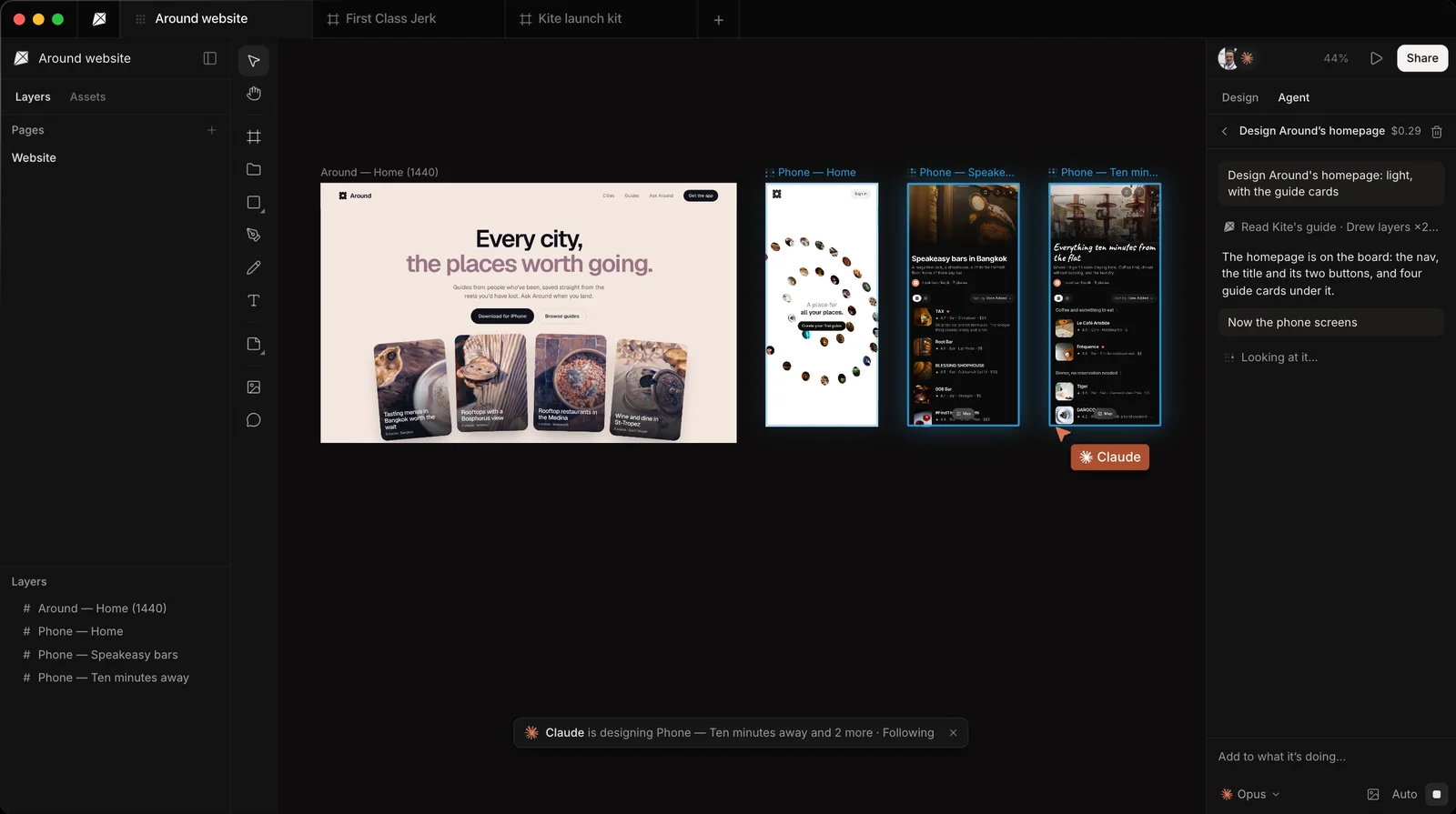
Kite is a design canvas where the AI agent you already use, such as Claude, ChatGPT, Codex or Cursor, draws real layers in a file your team edits, comments on and shares. It runs no model of its own to design, so there are no AI credits: your agent works on the plan you already pay for.
- Does what Visily did: screens from a prompt, drawn by your agent and edited by hand; a whole web page copied in as layers with the free Kite Capture extension, which is what Visily's browser extension was for; live cursors and comments; frames pasted from Figma as layers, and sent back with Copy to Figma.
- Not for: anyone without an agent, since Kite doesn't generate on its own; diagrams and flowchart libraries, where Whimsical or Miro fit better; screenshots or pictures, which come in as pictures, not layers; and click-through prototypes. Kite doesn't open Visily files: your boards come in through Figma or as HTML. A Figma paste brings the layers, with grey placeholders where the pictures go for most accounts, until Figma approves Kite's app.
- Price: free with unlimited editors, 3 files and 100 agent actions a day. Pro is $20 an editor a month, or $16 billed yearly, with unlimited files and agent actions (see pricing).
- Agents: on every plan, and they read, draw, edit and check their own work. Setup for each agent is in Kite's MCP client docs.
5. Balsamiq
Balsamiq is the classic low-fi wireframing tool, “low-fi on purpose. Even for AI.” Its AI does two of Visily's jobs: “Describe what you want and get an editable wireframe in seconds”, and “drop in a screenshot of any app or website, and instantly turn it into an editable wireframe”.
- Fits: Visily users who worked in its Lo-Fi view and want wireframes nobody mistakes for finished design. The US government's Digital.gov guide gives the reason: “Avoid font choices, color, or other elements that would distract from the structure.”
- Limits: there is no free plan, only a 14-day trial with 2 active projects and 100 AI credits, per Balsamiq's plan guide. A generated screen costs about 16 credits. Exports are PDF, PNG or its own project file, and its product page also lists HTML; no Figma export is stated, and it stays low fidelity.
- Price: Starter is $16 an editor a month billed yearly, or $23 monthly, with 500 AI credits per editor, “enough for around 31 wireframes”, per its pricing. Reviewers are free.
- Agents: a remote MCP server that reads and creates wireframes is “included in every Balsamiq Cloud plan and the free trial”, and it uses no AI credits.
More on how it compares: Kite vs Balsamiq.
6. Whimsical
Whimsical is the pick for Visily's diagrams: “you can make flowcharts, mind maps, sequence diagrams, ER diagrams, and cloud architecture diagrams in Whimsical, all on the same board”, beside low-fi wireframes and docs.
- Does what Visily did: flowcharts and ERDs, wireframes, real-time editing and comments. It also imports FigJam and Visio files.
- Limits: the free plan lets you create up to 50 board objects and 50 doc blocks a month, and watermarks exports, per its pricing. Its built-in agent “is no longer available to new accounts, who connect their own agent instead”. Designs reach Figma by copying them as SVG.
- Price: Pro is $10 an editor a month billed yearly, or $12 monthly. Viewers are free.
- Agents: its MCP server is free and can create and edit boards, but “free plan limits still apply”.
7. Miro
Miro is the team board: workshops, research and diagrams in one place, where AI “generate[s] wireframes from text prompts like “create a three-step checkout flow””. Its AI “can create flowcharts, UML diagrams, and entity-relationship diagrams”.
- Does what Visily did: boards with live editing, comments and voting, AI wireframes and diagrams, and turning an image of a diagram into an editable one, which Miro marks as limited availability. It can import Figma artboards.
- Limits: the free plan has 3 editable boards and low-res exports, and “anyone you invite to collaborate automatically becomes a Member and uses a paid seat”, per Miro's pricing. Interactive prototypes are on Business and up. Boards leave as JPG, PDF, SVG or CSV.
- Price: Starter is $8 a member a month billed yearly, with 25 AI credits a member. The monthly price loads by script and we couldn't read it.
- Agents: its MCP server “works for all Miro plans, even free teams”, and creates diagrams and docs.
8. Figma
Figma is where Visily's Figma export landed, and many teams will simply keep working there. Figma Make goes “from words to interactive wireframes”, and FigJam maps “systems and processes with shapes and connectors”.
- Does what Visily did: screens from a prompt with Make or the Figma agent, diagrams in FigJam, comments and live editing, and handoff to developers. Images can be attached to a prompt as a reference; a screenshot-to-design converter isn't described.
- Limits: the free Starter plan holds one team with one folder and 3 team files, with 150 AI credits a day up to 500 a month. Turning a Make preview into design layers is on paid plans only.
- Price: a Professional Full seat is $16 a month with 3,000 AI credits, per Figma's pricing; which billing period that is wasn't in the page's text on November 20.
- Agents: writing to the canvas is “available on Professional, Education, Organization, and Enterprise plans”, free during its beta, per Figma's MCP guide.
More on how it compares: Kite vs Figma, or Figma alternatives if Figma is what you want to avoid.
9. Penpot
Penpot is the open-source design tool, for “lo-fi or hi-fi wireframes” and finished screens in one place.
- Fits: teams that want to design for free and own their files. On price and openness, Penpot beats Kite.
- Limits: no built-in generator, screenshot scanner or diagram tools are described: AI comes from your own agent through its MCP server, which acts on “the currently focused page in the active Penpot tab”. Figma files come in by connecting Figma's and Penpot's MCP servers; Penpot says a Figma export plugin is still in development.
- Price: free and “fully featured” for up to 8 members with no file limit. Unlimited is $7 an editor a month, capped at $175, per its pricing.
More on how it compares: Kite vs Penpot.
Free Visily alternatives, and where each stops
Visily's free plan gave a workspace 300 AI credits a month. Each free plan below, with its main limit, as each vendor's page put it on November 20, 2026:
- Google Stitch: free, with a daily credit limit whose size Google doesn't publish; Figma export included.
- Penpot: no file limit for up to 8 members; AI only through your own agent.
- UX Pilot: 80 credits a day (up to 13 screens) and 1 project; Figma export is paid.
- Kite: 3 files, unlimited editors and 100 agent actions a day; your agent draws, with no credits.
- Whimsical: 50 board objects a month, with watermarked exports.
- Miro: 3 editable boards, and invited collaborators take paid seats.
- Figma: 3 team files plus unlimited drafts, 150 AI credits a day up to 500 a month.
- Uizard: 3 AI generations a month and 2 projects.
- Balsamiq: no free plan, a 14-day trial.
For wireframing in general, beyond Visily's jobs, see our wireframing tools list.
How we checked
Methodology: we grouped Visily's features from its own help center, then picked tools that do those jobs: the ones the page-one results for “visily alternative” named (Uizard, UX Pilot and Figma, in a US search on November 20), tools from our wireframing and UI design research that cover Visily's other jobs, and Kite. On November 20, 2026 we read each tool's pricing page and its product, help and MCP pages on its own site. Google Stitch's site didn't render for our reader, so its FAQ and docs were read from the copy Google's own app loads. Where a price only appears after the page's script runs, we read the page's code; where we still couldn't read it (Miro's monthly price, Figma's billing period), we say so. Visily's notice was re-read the same day. We didn't run any of these tools for this article, and Kite facts come from Kite's docs and plans. We re-check this page every quarter.
Questions
- What happened to Visily?
- Visily shut down on October 31, 2026. Its notice, dated October 3, says the market for tools like it had changed, and that all Visily data will be permanently deleted on November 30, 2026. Questions go to support@visily.ai.
- Is there a free Visily alternative?
- Yes. Google Stitch is free, with a daily credit limit, and turns prompts and screenshots into screens that export to Figma. Penpot is free with no file limit for up to 8 members. Kite is free with unlimited editors, 3 files and 100 agent actions a day, and your own agent draws the screens. UX Pilot's free plan covers up to 13 screens a day, and Whimsical's has 50 board objects a month for diagrams.
- Can I still export my Visily designs?
- Visily's notice says designs export to code, image, PDF or directly to Figma, and that its MCP server can retrieve assets, but it asked users to do this before October 31. It doesn't say whether an account still opens after that, so if yours doesn't, write to support@visily.ai before the data is deleted on November 30, 2026.
- What replaced Visily AI?
- No single tool. For screens from a prompt, UX Pilot is the closest, with wireframes, high-fidelity screens, flowcharts and Figma export on paid plans; Google Stitch does it for free. For a screenshot turned into an editable design, Uizard or Balsamiq. For diagrams, Whimsical or Miro. If you already pay for Claude, ChatGPT, Codex or Cursor, Kite lets that agent draw the screens, with no AI credits.
- Can I open a Visily file in Figma or Kite?
- Visily's Figma export saves a .vis file that its Figma plugin imports as editable Figma layers. Its pages don't say whether the plugin still works now that Visily has closed. Kite doesn't open .vis files: bring the screens to Figma first, then paste the frames into Kite. For most accounts the pictures come in as grey placeholders until Figma approves Kite's app, so keep an image export to fill them.
- Which Visily alternative works with AI agents?
- Kite, UX Pilot, Google Stitch, Balsamiq, Whimsical, Miro and Penpot each document an MCP server that lets an agent such as Claude or Cursor create designs, as of November 20, 2026. Figma's agent writing is in beta on paid plans. Uizard says it can't provide API access.
- What is the closest alternative to Visily?
- UX Pilot, by the jobs it covers: prompt or screenshot to wireframes and screens, AI flowcharts, export to Figma and code on paid plans, and an MCP server. It is priced from $19 a month billed yearly. Uizard is closer in feel, with its screenshot and sketch scanners, but it has no Figma export.